
24/7 Customer Support

Free returns

Same-day & Next-day Delivery

Quality Guaranteed

Unlock Your Welcome Offers: FREE Delivery | Up to 80% OFF | Free 30-day JoyPlus trial
Download the APP
A portable projector with stand can turn a living room, garden or camping trip into a flexible viewing space. However, many buyers focus on headline features such as “4K support”, a large screen size or built-in apps without checking the specifications that affect everyday use.
The most common purchasing traps are:
For films, sport and gaming, native 1080p generally provides more detail than a native 720p mini projector, particularly when displaying subtitles, menus or fast-moving action. Some compact models support 1080p or 4K decoding while using a lower native panel, so read both specifications.
The quoted maximum image size is also a guide rather than a guaranteed viewing result. A 200-inch image requires suitable throw distance, a relatively dark environment and a flat projection surface. In a typical UK bedroom or lounge, a smaller, sharper image may be more comfortable.
A portable home cinema projector performs more consistently in a dim room. Curtains, lamps and daylight can reduce perceived contrast, even when the projector has a high published brightness figure.
For outdoor use, plan to watch after sunset rather than expecting cinema-style results in daylight. A white or light-grey projector screen with tripod can provide a more even surface than a painted wall. Look for secure feet, fixing ropes and ground stakes when using a screen in a garden or at a campsite.
A useful adjustable projector stand should match the device’s weight and mounting interface. A standard 1/4-inch screw can support a range of compatible projectors and accessories, but buyers should still check the product’s maximum load.
Height and angle adjustment are important when furniture is unsuitable or when projecting towards a ceiling. A floor stand with a tray can offer a larger platform, while a compact gimbal stand is easier to carry. Always place the stand on a flat surface, tighten adjustment knobs and avoid moving it while the projector is mounted.
A smart projector with built-in Wi-Fi may reduce the need for a separate streaming stick, but app availability can vary by operating system and licensing. Confirm whether the services you use are supported directly.
HDMI remains useful for laptops, games consoles and streaming devices. USB, Bluetooth and screen mirroring add flexibility, although Bluetooth audio can introduce delay during gaming. For a projector for gaming, wired HDMI is usually the safer choice where low-latency play is a priority.
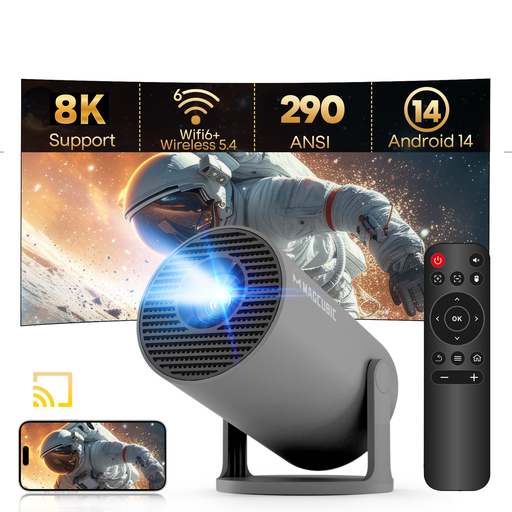
Why This Fits Their Persona: This compact option suits buyers wanting a low-footprint mini projector for a bedroom, occasional film night or travel use.
Its specification states a native 720p resolution, making the image claim clearer than a vague “HD” label. Buyers can set expectations realistically.
Android 14, Wi-Fi 6, Bluetooth 5.4 and a 180-degree rotating stand are listed features.
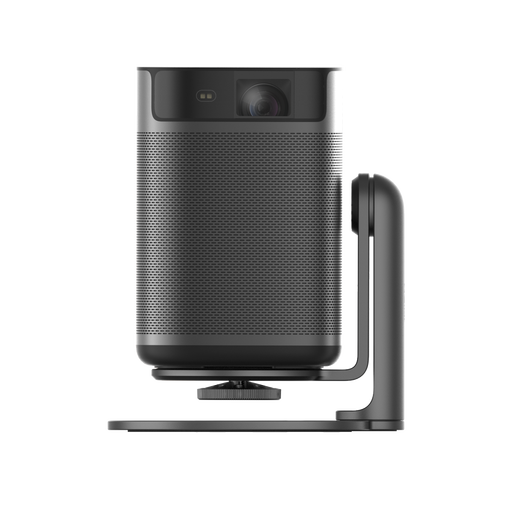
Why This Fits Their Persona: A suitable choice for regular home cinema use, film enthusiasts and buyers who want a compact device with Full HD output.
The listing identifies Full HD 1080p resolution and 400 ISO lumens, giving buyers defined measures to compare.
Android TV 11, Dolby Audio, multi-angle positioning and power-bank compatibility are specified.
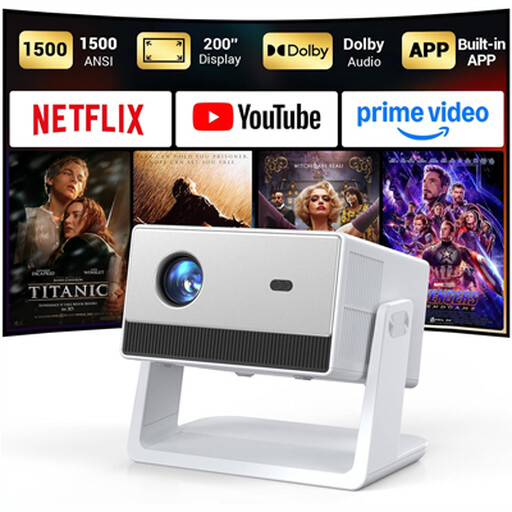
Why This Fits Their Persona: Its connections and built-in features suit households watching sport, films and console games across different rooms or outdoor spaces.
The listing separates native 1080p from 4K decoding and specifies manual focus with automatic keystone correction.
The product lists HDMI, USB, a 3.5mm jack, Bluetooth 5.2, Wi-Fi 6 and an adjustable built-in stand.
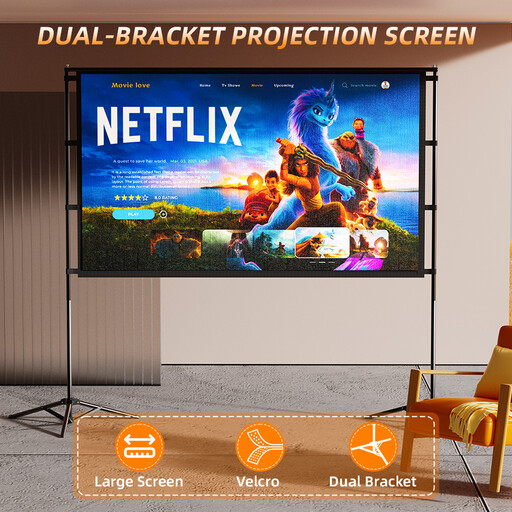
Why This Fits Their Persona: This screen is designed for garden film nights, football viewing and camping setups where a wall may not be available.
It includes fixing ropes, ground stakes and a carry bag. These accessories help address the stability and portability issues common outdoors.
The listed format is 72 inches with a foldable design, tripod stand and wrinkle-resistant screen material.
For a projector for films, prioritise native resolution, quiet operation, built-in or external audio and a screen that remains flat. For gaming, check HDMI compatibility and input response information where available. For office presentations, consider readable text, simple input switching and a stand that keeps the image level.
A projector screen with tripod is often more practical than relying on a wall, particularly in rented homes where permanent mounting is unsuitable. For flexible indoor positioning, a projector floor stand with a tray may be preferable to a small tabletop tripod.
Before outdoor use, keep all electrical equipment protected from rain and moisture. Secure screens and stands properly, avoid uneven ground and allow ventilation around the projector. Do not look directly into the lens, and keep the device away from children during operation.
We have compiled a complete, real-time list of products that fully satisfy these strict selection criteria and UK safety regulations.
Yes, provided it is used in dry conditions with access to suitable power. Outdoor viewing is generally more effective after sunset. Secure the stand and screen with the supplied or compatible supports, and pack the equipment away if wind or rain develops.
Lifespan depends on the light source, ventilation, usage and storage. LED models commonly list a lamp-life figure, but this is not a guarantee of identical brightness throughout that period. Keep vents clear, allow the unit to cool before storage and follow the supplied operating instructions.
Not always. A smart projector may include an operating system and supported streaming apps, while other models require HDMI equipment. Check the current app support, Wi-Fi requirements and account compatibility before purchase, particularly if you rely on a specific streaming service.