What matters when choosing?
Start with the room and image size you can accommodate, then decide how you will stream or connect a source and whether you need to watch without a socket.
| Concern |
What to check |
Who this matters to |
| Image and room |
Check throw distance and intended image size against your space; assess the brightness rating in its stated unit alongside likely room light. |
If I have limited space or cannot fully darken the room, I need a usable picture at the distance available. Around 33% of consumers put room and image suitability first. |
| Streaming setup |
Check the exact model’s named platform and support for your services; confirm an input for an external streamer if needed. |
When I move the projector between rooms, I do not want to troubleshoot a subscription app at each setup. For around 27% of consumers, straightforward streaming is the primary need. |
| Power and carrying |
Check for a built-in battery or compatible external power, and compare stated runtime with the full length of your session. |
I may watch where there is no convenient socket, so cable-free use matters more to me than leaving the projector running for an extended session. Roughly 20% of consumers prioritise portable power. |
| Sources and sound |
Check the inputs required by your console, laptop or streamer, plus the available audio connections. |
If I switch between games and films, I need to connect my source and hear it comfortably in the room. Around 20% of consumers make connections and sound their main concern. |
Joybuy portable-projector choices
These portable-projector choices cover indoor setups with different approaches to battery power, built-in streaming and external sources. Match each model’s connections, power needs and image specifications to the room where you will use it.
 No image available
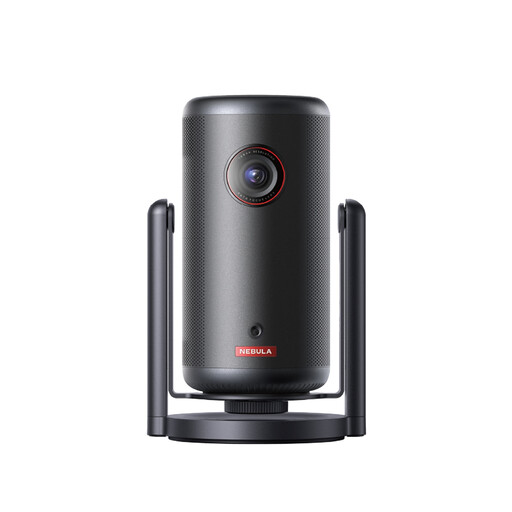
Soundcore Nebula Capsule 3 Projector + Gimbal Stand Bundle
Consider this bundle if you want a compact setup that can move between indoor rooms and be positioned with its gimbal stand.
Expert Reviews reports HDMI, USB and an 8W speaker for the Capsule 3, but also flags limited brightness and battery life. Check that the room can be darkened and that the power arrangement covers your session.
View on Joybuy
 No image available
Yaber T2 Plus GTV Projector with JBL Sound and Built-in Battery
This is a battery-powered option to consider when a convenient socket is not always available.
The product name specifies native 1080P, WiFi 6 and Bluetooth. Check the stated battery duration against your whole session, and confirm brightness and the inputs you need for external sources.
View on Joybuy
 No image available
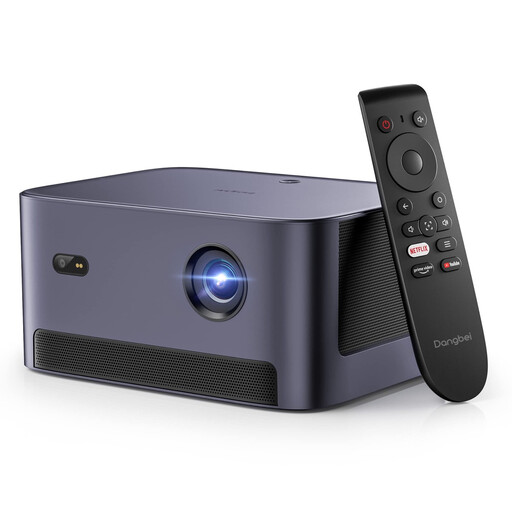
Dangbei Neo DLP 1080P Mini Projector
Consider this compact model if built-in streaming and an adjustable temporary setup appeal to you, but confirm the exact platform and your preferred apps before relying on them.
The product name states 540 ISO lumens, autofocus, keystone correction, Wi-Fi and Bluetooth. Check its power arrangement if you need to watch away from a socket.
View on Joybuy
 No image available
Magcubic HY350Max Native 1080P Projector
Consider this model for a temporary room setup where you may connect an external streaming device or games source.
The product name specifies HDMI and USB compatibility, 180° rotation and automatic keystone correction. Check the placement distance and room light you intend to use, as well as support for any built-in streaming services you need.
View on Joybuy
 No image available
XBJ 360° Portable Projector, European Version
This rotating model may suit a temporary wall or ceiling setup if you plan to connect a source through HDMI.
The product name specifies 1080P, automatic keystone correction, Wi-Fi, Bluetooth and HDMI. Confirm its power arrangement for your intended location and check service support before relying on built-in streaming.
View on Joybuy
Portable-projector questions
Will a portable projector work in a small room?
It can, if its throw distance and intended image size fit the space and you can manage the room light. Check the wall or screen position before buying; automatic focus and keystone correction can ease setup but cannot create more physical space. Expert Reviews tested portable models in a darkened room with an 80–100in screen.
Will an Android-labelled projector run my streaming services?
Do not assume it will: check the exact model’s platform and named service support. Google warns that apps and features on devices without Play Protect certification may not work correctly. If you plan to use an external streamer instead, check the projector’s input and the streamer’s power needs.
Do I need a separate speaker for films?
Not necessarily, but decide using your room and expectations for dialogue and volume rather than speaker wattage alone. Expert Reviews reports an 8W built-in speaker on the Capsule 3; if you intend to use external audio, check the exact projector’s wired or wireless audio options.
Will a battery projector last through a film?
It may, but compare the model’s stated playback time with the entire viewing session and leave a margin. XGIMI states up to 2.5 hours for Halo+; Expert Reviews nevertheless identifies battery life as a limitation of the Capsule 3. Check how you would supply power if the session runs longer.
What electrical-safety checks matter for a portable projector?
Check official UK safety alerts for the exact model and inspect its supplied plug, adapter and cable before use. The UK Office for Product Safety and Standards reported electric-shock risks for specific Q5 Mate and HY300 projector products in 2026; those product-specific reports do not establish a risk for every portable projector. The Health and Safety Executive advises taking equipment out of use when its plug or connector is damaged.


