One-cable travellers
If you often set up beside a laptop away from home, check whether its USB-C connection carries video and whether it can provide enough power. ASUS UK describes one-cable video and power for the MB16AHV with a suitable host.


A portable second screen will work only if its video connection and power needs match your laptop and the places you use it. Check USB-C video capability and available power first, then choose a screen size, stand and carrying arrangement; HDMI, touch and dual-screen designs can suit particular workflows but may add cables or compatibility checks.
If you often set up beside a laptop away from home, check whether its USB-C connection carries video and whether it can provide enough power. ASUS UK describes one-cable video and power for the MB16AHV with a suitable host.
If you want room for notes, references or side-by-side applications, balance screen area against what fits in your bag and on a temporary desk. PCMag UK’s portable-monitor coverage highlights document work and side-by-side use as relevant situations.
If you share a screen with another person or a small group, consider its viewing position and stand, and whether touch or a second panel matters for your presentation. PCMag UK covers small-group presentations, while Lenovo’s UK specifications describe a touch-enabled portable model.
Start with the laptop’s video output and the monitor’s power needs. Then decide how much screen space, carrying convenience and direct interaction your work requires.
| Concern | What to check when buying | Who this matters to |
|---|---|---|
| Laptop connection and power | Check the laptop’s documented USB-C video capability or HDMI output against the monitor’s inputs and power requirements. ASUS ROG UK advises checking that USB-C supports video; check power pass-through separately. | If I want a simple setup, I need the laptop’s video output and the monitor’s power arrangement to match; HDMI may mean a separate power connection. Around 33% of consumers prioritise a working connection and practical power arrangement. |
| Carrying and set-up | Check the exact model’s dimensions and stated weight, included protection, and whether its stand gives you the working angle you need. | If I move between temporary desks, I need a screen that is manageable to carry and straightforward to position. Around 27% of consumers prioritise carrying and reliable set-up. |
| Working area and detail | Compare the exact screen size, native resolution and aspect ratio with the documents and windows you use. | If I keep notes and references open together, usable screen space matters more to me than extra features I would rarely use. Around 20% of consumers prioritise workspace and readable detail. |
| Presentation or touch | Check the stand’s viewing positions; if touch is essential, verify the exact model’s touch function and requirements for your laptop. | If I need to position a screen for other people or interact with it directly, I would check those features against my presentation setup. Around 13% of consumers prioritise presentation positioning or touch input. |
| Two-panel workspace | Confirm that the intended display mode works with your operating system and connection; mirror, extend and other modes may have different requirements. | If I need two portable panels at once, I would verify the exact host and cable arrangement before choosing a folding design. Around 7% of consumers prioritise a dual-panel arrangement. |
A USB-C-shaped socket alone does not establish that a laptop can send video to a portable monitor.
Check the laptop’s port documentation against the video mode specified for the exact monitor before choosing a one-cable setup.
HDMI can provide a video connection, but it does not by itself settle how the monitor will be powered. MSI specifies external USB power for the PRO MP165 E6, and ViewSonic specifies an external adaptor for the VA1655’s power-charging feature.
Plan video, monitor power and any laptop charging separately for the exact model.
The available extended-display modes can depend on the model, operating system and connection. ASUS documents specific limits for the MQ149CD, including that HDMI does not support its two-display extend mode.
Check the manufacturer’s instructions against your intended operating system and cables before buying.
Rules for cancelling an applicable online purchase and remedies for faulty or misdescribed goods concern different circumstances.
Read the chosen seller’s terms alongside the applicable UK consumer-rights guidance from GOV.UK.
The Pro 14 Plus P1425 is a compact USB-C option with a built-in tilting stand.
The 514pn is a higher-resolution portable single-screen option supplied with a hard cover.
The ThinkVision M14t Gen 2 is a touch-oriented portable screen for buyers who plan to interact directly with the display.
The PRO MP165 E6 illustrates an HDMI-and-USB-C connection route for portable laptop work.
The UK ZenScreen range includes single-screen and folding dual-screen models for different workspace needs.
The VA1655 is a stand-equipped example with USB-C and mini-HDMI connections.
These Joybuy choices relate to laptop-based portable second screens, including single-screen, dual-screen and stand-equipped options. Check each model’s connection and power requirements against your laptop and travel setup.
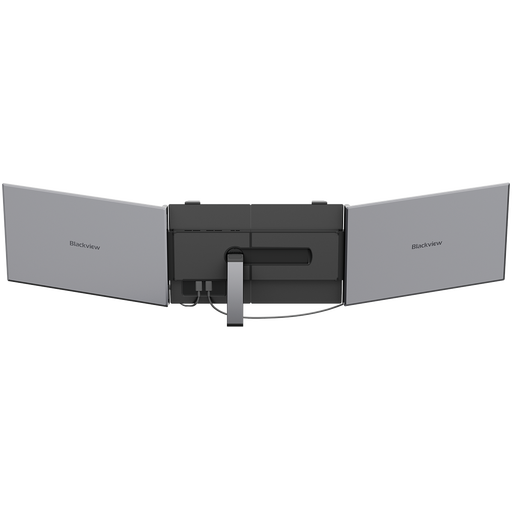 No image available
A 15.3-inch portable display for laptop users looking to add screen space away from a fixed desk.
The title specifies an IPS display, 1920 × 1200 resolution, 60 Hz, a weight of 1.2 kg and 100W reverse charging.
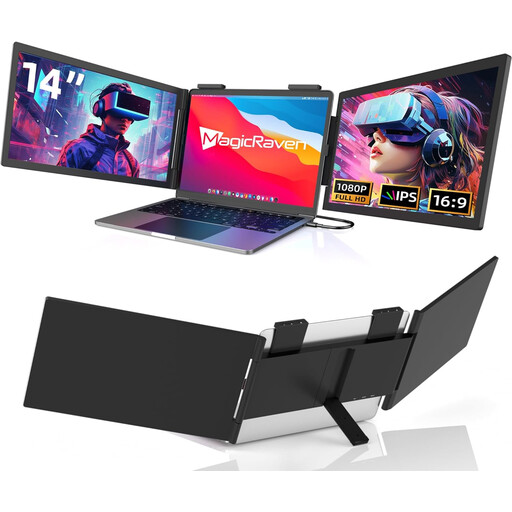 No image available
A portable dual-screen option for laptop users who want an additional panel as well as their laptop display.
The title specifies FHD 1080p, 60 Hz and USB-C connectivity, and lists compatibility with 14–16-inch laptops. Check the intended display mode with your exact laptop and operating system.
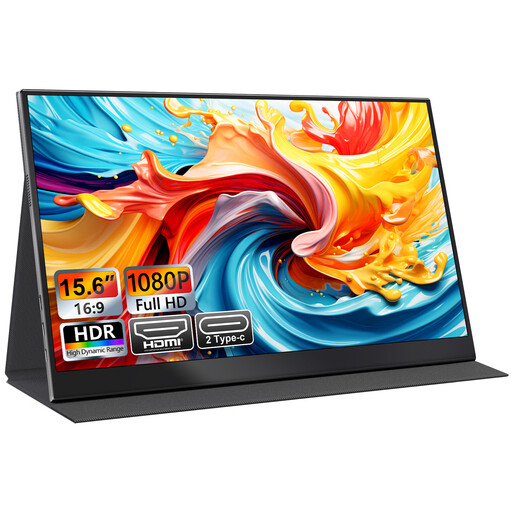 No image available
A single-screen option for laptop work in temporary workspaces.
The title specifies an IPS display, USB-C and HDMI, plus a smart-cover stand. It also lists VESA mountability; check that this suits the way you plan to set up the screen.
 No image available
A larger portable single-screen option for adding display space at temporary work locations.
The title specifies an FHD 1080p IPS screen, an integrated kickstand, USB-C and HDMI.
 No image available
A single-screen portable option for a laptop that supports the specified USB-C video connection.
The product information identifies USB-C with DisplayPort Alternate Mode and states that HDMI is not supported. Check that your laptop supports the required USB-C video mode.
No. Check that the laptop’s USB-C port outputs video in a mode supported by the monitor, then check whether the laptop can provide enough power. ASUS ROG UK distinguishes video-capable USB-C ports from ports that provide other functions.
Bring one when the monitor specifies external power for your connection or the laptop cannot supply enough power. Plan HDMI as a video connection alongside the monitor’s specified power arrangement; ViewSonic, for example, requires an external adaptor for the VA1655’s power-charging feature.
Check the laptop output, monitor input, power arrangement and stand position with the devices and cables you intend to use. For a dual-screen model, confirm the required display mode against the operating system and connection; ASUS documents specific conditions for the MQ149CD.
For applicable distance purchases, GOV.UK guidance says customers generally have 14 days after receiving an item to tell the seller they are cancelling, followed by another 14 days to return it. Faulty or misdescribed goods involve separate consumer rights; a manufacturer warranty or retailer policy does not remove statutory rights. Check the actual seller’s additional terms for the listing.