
24/7 Customer Support

Free returns

Same-day & Next-day Delivery

Quality Guaranteed

Unlock Your Welcome Offers: FREE Delivery | Up to 80% OFF | Free 30-day JoyPlus trial
Download the APP
A portable smart projector can turn a bedroom wall, garden screen or student room into a flexible viewing space. However, product listings often place more emphasis on impressive numbers than on the specifications that affect everyday use.
The most common buying traps are:
Native resolution describes the actual pixel grid produced by the projector. A native 720p projector can still decode 1080p, 4K or 8K files, but it will scale them down for display. For casual films, children’s entertainment and bedroom viewing, 720p may be adequate. A native 1080p projector is more suitable for detailed subtitles, gaming, presentations and larger screens.
Brightness should be assessed in ANSI lumens. Around 200–290 ANSI lumens is generally more appropriate for a dark or dimly lit room than a sunlit lounge or daytime garden. Close curtains, reduce lamps and use a suitably sized screen to improve perceived contrast.
Check the recommended projection distance rather than relying only on a claimed maximum screen size. A short throw ratio can create a large image from a relatively short distance, which is useful in a small bedroom or student accommodation.
An auto keystone projector can square an image when the device is tilted vertically, but correction may reduce the usable picture area slightly. Some compact models provide only vertical correction, while others offer horizontal or four-point adjustment. Auto focus is separate from keystone correction: a projector can align the image automatically but still require manual focusing.
A rotatable projector is useful for projecting onto a wall, floor or ceiling. Check the rotation range and place the unit on a stable, ventilated surface.
A Wi-Fi 6 projector may connect efficiently to a compatible dual-band router, while a Bluetooth projector can pair with wireless speakers or headphones. Neither feature removes the need to check app support and input ports.
For reliable playback, look for:
A built-in Android projector can reduce the number of accessories required, but an external streaming device may still be preferable for services affected by HDCP or platform compatibility.
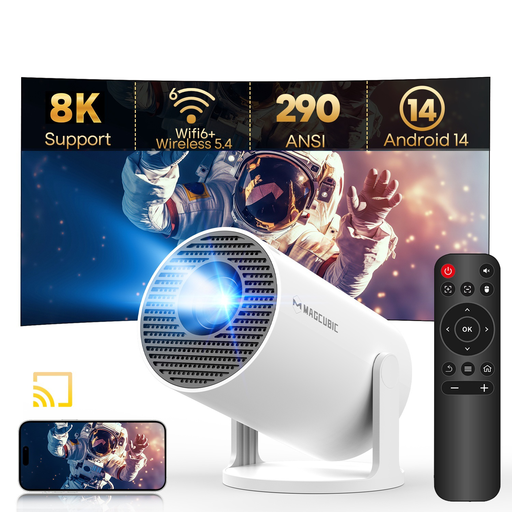
Why This Fits Their Persona: A compact option for renters, students and occasional film nights where easy positioning matters more than daylight performance.
Its listing states the native resolution clearly as 720p, while separately identifying 8K and 1080p support. This helps set realistic expectations.
290 ANSI lumens, Android 14, Wi-Fi 6, Bluetooth 5.4, auto keystone and a 180-degree rotating stand.
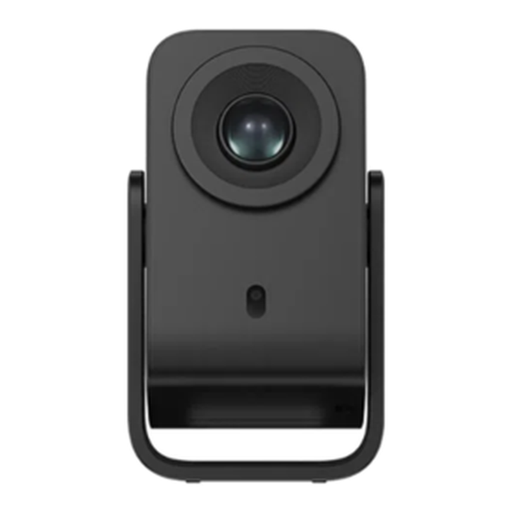
Why This Fits Their Persona: Suited to buyers who want a more automated home cinema setup for regular films, TV viewing and casual gaming.
The specification separates native 1080p from 4K input support and includes auto focus, auto keystone, screen-fit and obstacle avoidance.
Native 1080p output, Google TV, Google Cast, 230 ISO lumens, Wi-Fi, Bluetooth and an integrated gimbal with carry handle.
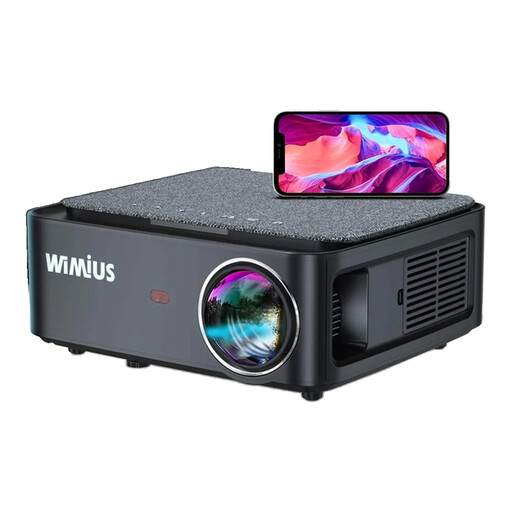
Why This Fits Their Persona: A practical match for console owners, presentations and outdoor users who need native Full HD and several physical inputs.
It lists native 1920 × 1080 resolution separately from 4K support and provides vertical and horizontal keystone correction rather than vertical adjustment alone.
1,200 ANSI lumens, HDMI, AV, USB and 3.5mm audio connections, Bluetooth and a stated 50–100% zoom range.
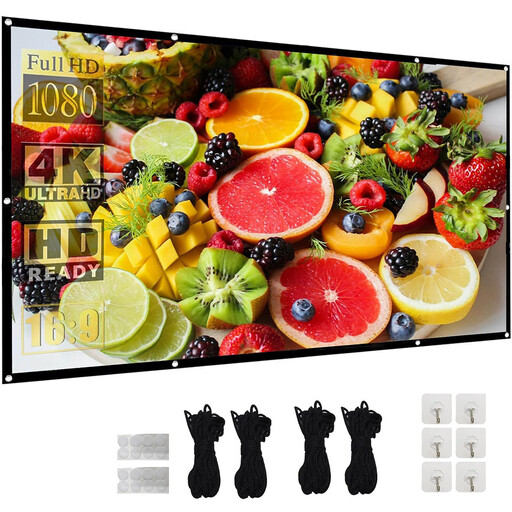
Why This Fits Their Persona: Suitable for garden film nights, community presentations and larger groups that need a defined viewing surface.
A dedicated screen avoids the uneven texture and colour of a random wall. The foldable design also stores more easily between outdoor events.
120-inch 16:9 format, stated 160-degree viewing angle, front and rear projection support, ropes and hooks included.
A portable projector screen can provide a flatter, more consistent surface than a painted wall. Select the size according to the projector’s brightness and your available viewing distance. A 72-inch or 100-inch screen may be more practical for a modest lounge, while a 120-inch screen needs sufficient throw distance and seating space.
For outdoor use, secure the screen with the supplied ropes, hooks or suitable weights. Do not leave fabric or electrical equipment exposed to rain, dew or strong wind.
We have compiled a complete, real-time list of products that fully satisfy these strict selection criteria and UK safety regulations.
Keep at least the clearance specified in the manual around ventilation openings and never place a projector on soft bedding or a cushion. Avoid looking directly into the lens, particularly when children are present. Portable does not mean waterproof, so bring the unit indoors after an outdoor session.
LED models commonly advertise long lamp-life figures, but actual ownership also depends on ventilation, dust control and operating conditions. Electricity use varies by model; checking the rated wattage gives a more useful indication of running cost than lamp-life claims alone.
Yes, provided the room can be darkened and there is enough distance for the desired image size. A rotating stand is useful for ceiling viewing, while auto keystone can simplify alignment. Check fan noise, power-cable length and whether the smart platform supports your preferred services.
Not necessarily. “4K supported” usually means the device accepts or decodes a 4K source. Check the native resolution separately. Models listed as native 720p or native 1080p will scale higher-resolution content to that output.
You can use one outdoors at night in a dry, sheltered location with a stable power supply. Brightness, wind, ambient light and screen stability all affect the result. Protect the projector from moisture, keep vents clear and use an outdoor-rated extension arrangement where appropriate.