
24/7 Customer Support

Free returns

Same-day & Next-day Delivery

Quality Guaranteed

Unlock Your Welcome Offers: FREE Delivery | Up to 80% OFF | Free 30-day JoyPlus trial
Download the APP
Running out of storage on your laptop or dealing with painfully slow file transfers can bring any project to a halt. For content creators, busy professionals and students in the UK, a reliable and fast portable storage drive is no longer a luxury—it's a necessity. A portable SSD offers a significant upgrade over traditional external hard drives, providing the speed, durability and compact size needed for a modern workflow.
Navigating the market can be confusing, with countless options all claiming to be the one you need. This guide is designed to cut through the clutter. We will walk you through the key features to consider and present our top recommendations to help you find a drive that fits your specific requirements, whether you're backing up precious memories, editing 4K video on the go or expanding your gaming library.
Before diving into specific models, it’s helpful to understand what sets them apart. Focusing on these three areas will ensure you select a drive that serves you well for years to come.
The primary advantage of an SSD (Solid-State Drive) is its speed. Unlike older HDDs (Hard Disk Drives) with spinning platters, SSDs use flash memory, allowing for near-instant access to data. This speed is measured in megabytes per second (MB/s). A fast external hard drive might offer speeds around 150 MB/s, whereas a modern external SSD can easily exceed 800 MB/s, with high-end models reaching 2,000 MB/s or more. For tasks like transferring large video files, running applications directly from the drive or quick backups, higher speeds make a noticeable difference.
Portable SSDs come in various capacities, typically ranging from 500GB to 4TB. A 1TB external SSD is often a great starting point for general use, providing ample space for documents, a large photo library and some video projects. However, if you are a videographer, a 3D artist or a professional who works with massive files, a 2TB portable SSD or larger is a more practical investment to avoid constantly managing storage space.
If you plan to take your drive with you, durability is crucial. Many modern drives are built to withstand the rigours of travel. Look for features like drop protection, which indicates the height from which the drive can be dropped without sustaining damage. For those working in challenging environments, a rugged SSD with an IP (Ingress Protection) rating for water and dust resistance offers additional peace of mind. Their compact, lightweight design also means they can slip into a pocket or bag without adding bulk.
Based on a combination of performance, capacity and practical features, here are our recommendations for 2026.

Why It Stands Out: The SanDisk Portable SSD offers a fantastic balance of speed, capacity and durability for a wide range of users. With a generous 2TB of storage and read speeds of up to 800MB/s, it handles large files and backups with ease. Its thoughtful design includes a durable rubber hook, making it simple to attach to a backpack or camera bag.
Pros:
Who is it for?: This drive is an excellent all-rounder, perfect for students, photographers and general users who need a reliable and spacious portable storage drive for everyday use and travel.

Why It Stands Out: The Samsung T7 is engineered for professionals and tech enthusiasts who demand high-speed performance and security. Leveraging PCIe NVMe technology, it delivers impressive read/write speeds of up to 1,050/1,000 MB/s. Its sleek, sturdy metal body is about the size of a credit card, and it includes optional AES 256-bit hardware encryption for securing sensitive data.
Pros:
Who is it for?: Professionals, content creators and anyone working with confidential or large-scale data will appreciate the speed and security features of the T7. It's an excellent external SSD for Mac or PC users who need top-tier performance.
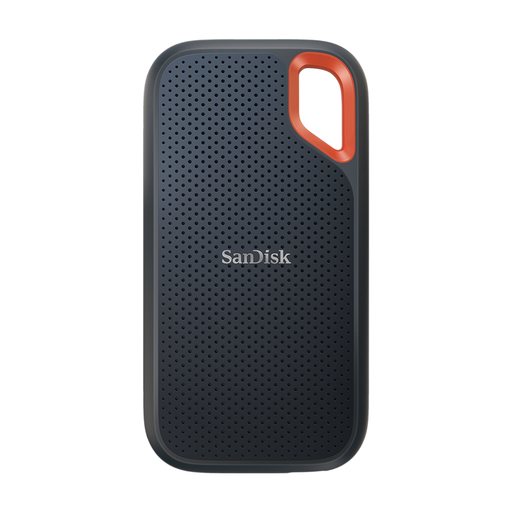
Why It Stands Out: For those who need maximum performance and toughness, the SanDisk Extreme Portable SSD is a leading choice. It boasts incredible read speeds of up to 2000MB/s, making it one of the fastest options available. Furthermore, its IP65 rating for water and dust resistance and enhanced 3-metre drop protection make it a truly rugged SSD built for adventure.
Pros:
Who is it for?: This SanDisk portable SSD is designed for professional videographers, outdoor photographers and creators who work in demanding environments and cannot afford to compromise on speed or durability.
If the models above don't quite fit your needs, or if you're interested in exploring different capacities and features, there are many other excellent drives available.
? Explore our full collection of high performance solid state drives to find the perfect match for your workflow.
The two main advantages are speed and durability. A portable SSD can transfer files many times faster than a traditional portable hard disk drive (HDD). Because SSDs have no moving parts, they are also far more resistant to damage from accidental drops and bumps, making them a more reliable choice for travel.
Yes, most portable SSDs are compatible with both Windows and macOS. Straight out of the box, they are often formatted for one system (usually Windows). To use the drive interchangeably without reformatting, you can format it to the exFAT file system, which is readable and writeable on both operating systems. This makes it a flexible choice for users who need an external SSD for Mac and PC.
This depends entirely on your use case. For storing documents, presentations and a moderate number of photos, a 512GB or 1TB external SSD is usually sufficient. For photographers shooting in RAW, videographers working with 4K footage or gamers wanting to store large titles, a 2TB portable SSD or even a 4TB model is a much better long-term investment.