What to consider before buying
Encrypted external SSDs
Consider one when: You regularly carry or transfer a substantial working set and want portable access protection.
Trade-off: Check the exact model’s setup and recovery process; advertised speeds and resistance claims depend on stated conditions and do not replace another copy.
External hard drives
Consider one when: Your main task is retaining a local copy rather than repeatedly carrying the live working set.
Trade-off: A connected drive can be affected in the same incident as your computer, so plan where it will be stored and how you will restore files. The NCSC recommends disconnecting backup storage when it is not in use.
Encrypted USB storage
Consider it when: You need to move a relatively small, selected set of files between authorised devices.
Trade-off: Check capacity and keep the credentials secure; Kingston documents that incorrect Admin PIN attempts can result in data erasure on the Keypad 200 series.
NAS or a separate backup service
Consider it when: Remote access or protection from losing the travelling drive matters to your backup routine.
Trade-off: Network and cloud backups can also be affected by incidents; check restore options and protection against deletion rather than assuming an online copy is independent.
| Concern |
What to check when buying |
Who this matters to |
| Protection if files are lost |
Check the exact model’s encryption method, whether protection must be enabled, and how credentials can be recovered or retained. |
If I carry sensitive client files, I want to limit access if the drive is lost without losing my only usable copy. Roughly 36% of consumers put protection against unauthorised access first. |
| Restorable backup |
Decide what to copy, how often, where the other copy will be kept and how you will test a restore. |
If my computer fails or files are damaged, I need a separate copy I can actually restore. Roughly 29% of consumers put a recoverable backup first. |
| Capacity and portability |
Match the exact variant’s capacity to the files you carry; check the connector and the conditions behind speed or resistance claims. |
If I regularly move a working set, I need enough space in a device I can carry and connect to my work equipment. Roughly 21% of consumers prioritise carrying and transferring files. |
| Access across work devices |
Check the ports, operating systems, file format and unlocking software on the computers you actually use. |
If I open the same authorised files on different computers, I need the drive and its format or unlocking method to work with those devices. Roughly 14% of consumers put cross-device access first. |
For UK businesses handling personal data, the ICO says the UK GDPR security principle calls for appropriate technical or organisational measures assessed in context. A storage choice should fit the actual processing and risks; no drive type alone settles that assessment.
Joybuy product choices
These Joybuy choices cover encrypted USB storage for selected files, a portable SSD for a carried working set, and external hard drives for local copies.
 No image available
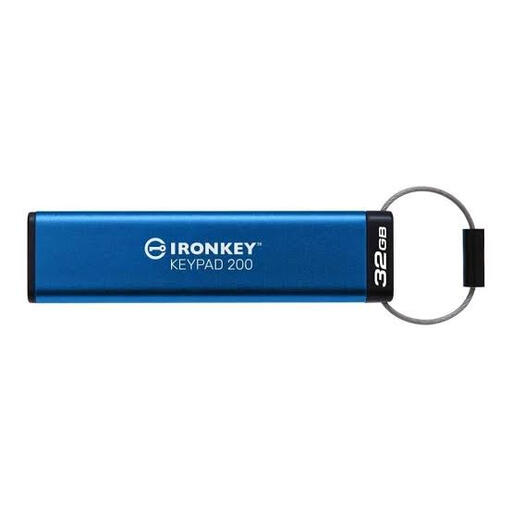
Kingston IronKey Keypad 200, 32 GB
For a selected set of client files that needs PIN-controlled access when carried between devices. Keep the Admin PIN secure because incorrect Admin PIN attempts can erase data on this series, according to Kingston.
32 GB capacity; AES-256 encryption stated in the product name.
View on Joybuy
 No image available
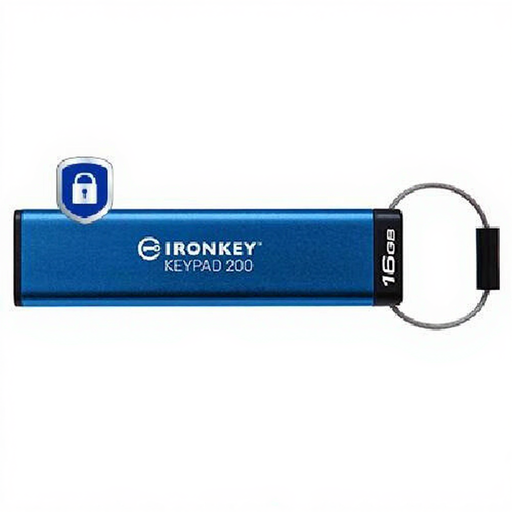
Kingston IronKey Keypad 200, 16 GB
For a small, deliberately selected set of files where PIN access matters more than storing a full backup. Kingston documents that incorrect Admin PIN attempts can erase data on this series, so keep credentials secure and maintain another copy.
16 GB capacity; encrypted keypad USB drive.
View on Joybuy
 No image available
Samsung T7 Shield Portable SSD, 1 TB
For carrying a working set on a portable SSD. Samsung specifies password protection for the T7 Shield; enable it in the required software before relying on it.
1 TB capacity; USB 3.2 Gen 2 external SSD.
View on Joybuy
 No image available
Western Digital My Passport Portable Hard Drive, 4 TB
For keeping a local copy of work files; password protection on supported My Passport drives uses WD Security. Check support for your exact drive and computer, and plan for the possibility of a forgotten password.
4 TB capacity; portable hard drive.
View on Joybuy
 No image available
Western Digital Elements Portable, 4 TB
For storing or backing up a larger local file set. Mac use may require reformatting, so check the file format against the computers and backup software you use.
4 TB capacity; USB 3.0.
View on Joybuy
Frequently asked questions
Does UK GDPR require every sole trader to buy an encrypted drive?
No. The ICO says UK GDPR does not specifically require encryption of every item of personal information. If you process personal data, appropriate security measures depend on the processing and risks; a product label alone does not establish compliance.
How should I set up a removable local backup?
Copy the business data needed for recovery, store the device securely, disconnect it when it is not in use and test that you can restore the required files. The NCSC advises considering both online and external-device backups rather than relying on one device.
Can I use one drive on a Mac and a Windows computer?
Check both the connector and the file system, as well as any backup or unlocking software. Apple identifies ExFAT as a Windows-compatible choice for volumes over 32 GB formatted in Mac Disk Utility; that does not establish that every backup application or proprietary unlocking tool will work in both environments.
What happens if I forget the encryption password?
Recovery depends on the product and setup. Western Digital says it cannot recover a forgotten WD Security password; Kingston says a configured Keypad 200 Admin PIN can restore a forgotten User PIN, but ten consecutive incorrect Admin PIN entries can crypto-erase the drive. Apple requires the password to restore an encrypted Time Machine backup.
Is a cloud folder the same as an independently protected backup?
Do not assume so. The NCSC has documented incidents affecting connected cloud backup locations and recommends considering versions and protection against destructive changes. Check the particular service’s access controls and restore process, and make sure the recovery arrangement suits the files.
Are there fixed UK GDPR retention periods for client-file backups?
The ICO says data-protection law does not set one universal time limit; the appropriate period depends on the purpose and circumstances. Assess how long each backup copy is needed and securely dispose of data that is no longer required, while considering any other applicable record-keeping obligations.
What contractual checks apply if a cloud provider handles client data?
If a controller uses a processor to process personal data, ICO guidance says a written contract or other legal act with the required terms must be in place. Any question about an international transfer needs its own assessment; this is not a blanket prohibition on cloud backup.


