Carry the smallest kit that solves problems you repeatedly encounter between home and work: protection for what travels, USB-C charging that meets your laptop’s requirements, and ports you need away from a fixed desk. A compact hub earns its place when changing desks or meeting rooms leave you without compatible connections; if both regular desks already provide them, another dock may add bulk without solving a problem. Check your laptop’s charging and video capabilities, and the cable’s stated capabilities, before choosing either setup.
Who needs a portable kit?
The useful kit depends less on how many accessories fit in a bag than on what is missing when you arrive.
Laptop-and-phone commuters
If you carry both devices between home and work, a compact charging setup can reduce what you pack. Check whether the laptop accepts USB-C Power Delivery (PD) and the wattage recommended for its exact model; Apple Support and Microsoft Support both make model-specific charging guidance relevant here.
Meeting-room and hot-desk switchers
If the available display, USB-A peripheral or network connection changes from place to place, a portable adapter may replace several separate ones. Confirm the laptop’s video-output capability as well as the connections on the equipment you expect to use.
Minimal-load regular commuters
If compatible equipment already stays at both regular desks, focus on protecting and organising the laptop and accessories that actually travel. A fitted sleeve or bag and an appropriately specified cable may be more useful to you than carrying another multi-port hub.
What should you prioritise?
For a recurring journey between home and work, identify the problem that most often interrupts your setup. Add a charger, hub or temporary-desk accessory only if it addresses that need.
| Concern |
What to check |
Who this matters to |
| Charging |
Confirm USB-C PD charging on the exact laptop and match the charger’s output and cable’s power rating to its recommended wattage. For a hub, check power delivered to the laptop, not just PD input. |
When I travel with a laptop and phone, I need charging that can keep up with the laptop rather than relying on the connector shape; around 31% of consumers put dependable charging first. |
| Workplace connections |
Match the laptop’s video capability and the hub’s stated display mode to the monitor or projector; choose only the peripheral and network ports you use. |
At changing desks or meeting rooms, I need to connect to the available display or peripherals without sorting through separate adapters; for around 31% of consumers, those connections are the primary need. |
| Carry and protection |
Compare the laptop’s measurements with a sleeve or bag’s internal dimensions, then allow space for the charger and accessories that travel daily. |
If my bag is crowded with loose cables, I want the laptop protected and the travelling kit kept together; roughly 25% of consumers prioritise carrying and organising it. |
| Temporary-desk comfort |
Check a portable stand’s folded size and laptop fit, or how a keyboard or mouse is powered, before adding it to the load. |
When I spend long periods at temporary desks, input and screen positioning matter more to me than another adapter; around 13% of consumers put that need first. |
Mistakes that add friction
-
Assuming every USB-C cable does the same job
USB Implementers Forum says cables differ in capability, and Microsoft Support notes that not every USB-C-compatible cable supports every feature. A cable suitable for charging may not meet a planned data or display requirement.
Check the cable’s stated power and data capabilities alongside the laptop port and adapter specifications for the job you intend to do.
-
Reading a hub’s PD input as laptop output
A hub can reserve some incoming power for itself. For its specified USB-C 5-in-1 hub, Belkin states that up to 100W pass-through input is reduced by 8W for operation; with a 65W charger, it describes up to 57W delivered while hub functions are in use.
Compare the stated laptop-side output for the exact hub and charger combination with your laptop’s charging requirement.
-
Carrying ports that are already at both desks
A travel hub adds an item to pack and connect. If compatible fixed docks already provide your usual display, charging and peripheral connections, its extra ports may solve little on a normal commute.
Note which connections are missing at your regular destinations over a few typical working weeks. Choose a portable hub for recurring gaps rather than for its port count alone.
Brands to consider
These brands offer relevant accessory types, but port layouts and charging behaviour depend on the exact model. Their inclusion does not indicate that every product line suits the same laptop or commute.
Anker
A reference point for compact USB-C hubs and charging accessories. Anker’s specifications for its Nano 6-in-1 hub, model A83C3, list HDMI, USB-A and USB-C connections, card slots and USB-C PD input.
- For that model, Anker states 4K at 60Hz HDMI, 100W PD input and up to 85W laptop charging.
- Those figures do not describe every Anker hub. The A83C3 requires suitable laptop DisplayPort Alt Mode and Power Delivery support, and its USB-C PD port does not output video.
Belkin
Offers chargers and hubs to compare when a commute involves different displays or wired connections. Belkin’s specified USB-C 5-in-1 hub includes USB-A, VGA, HDMI and Gigabit Ethernet.
- Belkin lists up to 100W pass-through charging input for that hub, alongside its display and network ports.
- The same model reserves 8W for hub operation. Belkin recommends at least a 65W charger for up to 57W delivered to the laptop while its hub functions are active; check whether that meets your laptop’s requirement.
UGREEN
Its hub range provides different configurations to compare, from basic port expansion to larger docks.
- The range lets you look for the particular combination of charging, display, network and peripheral connections you use.
- Check each model’s port list, stated display configuration and PD rating individually; one hub’s specifications do not establish another’s capabilities.
Joybuy products for the commute
These products address parts of a kit carried between home and work: laptop carry, portable charging, a USB-C cable and connections for changing desks. Choose according to the gap you encounter, rather than treating every item as necessary for one bag.
 No image available
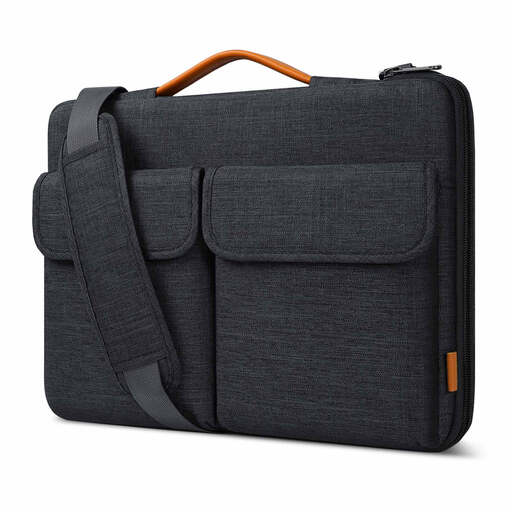
Inateck LB03008-15BG 15.6-inch laptop bag sleeve
Consider this if the laptop and smaller accessories need to travel together in a sleeve-style bag.
The product name identifies a 15.6-inch format, shoulder-carry option and splashproof construction. Check its internal dimensions against your laptop; a screen-size description alone cannot establish fit.
View on Joybuy
 No image available
V7 V7UC-U3CRJ45HDVG-BLK USB-C adapter
Consider a multi-port adapter if you repeatedly need to connect at desks or meeting rooms with different displays or wired networks.
The named configuration includes 4K HDMI, VGA, Gigabit Ethernet, dual USB 3.0 ports and 100W Power Delivery. Confirm the display modes supported by your laptop and adapter together, and the power actually delivered to the laptop through pass-through charging.
View on Joybuy
 No image available
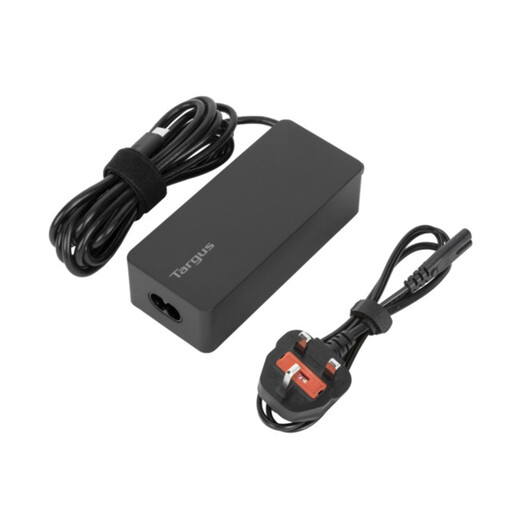
Targus 65W USB Type-C charger
This is a charging option to assess if carrying the laptop’s usual charger between locations is inconvenient.
Its stated rating is 65W. Before replacing your usual charger, confirm that your exact laptop supports USB-C charging and compare its recommended wattage and charging requirements with this charger.
View on Joybuy
 No image available
Water-repellent 15.6-inch laptop backpack
A backpack may suit a commute where the laptop and everyday accessories need to stay together rather than travelling in separate cases.
The product name specifies a 15.6-inch format, multiple compartments and water-repellent material. Check the laptop compartment’s internal fit, and do not treat water-repellent material as a promise of protection in sustained rain.
View on Joybuy
 No image available
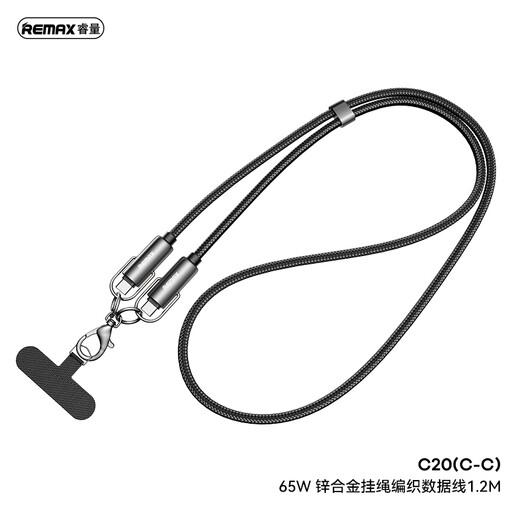
REMAX 65W USB-C to USB-C braided cable, 1.2 m, black
Consider this as a carried cable when its stated charging rating meets the needs of the device and charger you plan to use.
The named variant is USB-C to USB-C, rated 65W and 1.2 m long. If you also need a particular data speed or video connection, check the cable’s explicit support for that function rather than relying on its connectors.
View on Joybuy
Common questions
How much power should a compact laptop charger provide?
Start with the charging recommendation for your exact laptop and confirm that it accepts USB-C PD. Apple Support advises at least the minimum wattage recommended for the Mac model, while Microsoft Support cautions that a lower-wattage USB-C charger can charge a compatible Surface slowly or not at all. If you charge through a hub, compare the laptop-side output after the hub’s operating-power deduction.
Will any USB-C monitor hub work with my laptop?
No: a USB-C connector alone does not establish video capability. Check the exact laptop’s display-output specification, the hub’s required video path and the monitor connection. Apple Support identifies DisplayPort Alt Mode or compatible Thunderbolt support for relevant adapters, and Microsoft Support says external-display capability depends on the device model and the cables or adapters used.
When is a travel hub worth carrying if I have a desk dock?
A travel hub serves a separate purpose when you regularly need ports at meeting rooms or changing desks that your fixed dock cannot serve from your bag. If compatible charging, displays and peripherals are already connected at both regular desks, identify any recurring exception before adding another hub to your commute.
Should I check different conformity information for Great Britain and Northern Ireland?
Yes: check the product and its destination market rather than assuming one marking route applies in both places. Government guidance on electrical-equipment safety for Great Britain recognises certain goods meeting EU requirements, including CE marking, while Department for Business and Trade guidance says relevant EU manufactured-goods rules apply in Northern Ireland. Consult the seller’s current market-specific product information; a marking does not establish compatibility with your laptop.


