
24/7 Customer Support

Free returns

Same-day & Next-day Delivery

Quality Guaranteed

Unlock Your Welcome Offers: FREE Delivery | Up to 80% OFF | Free 30-day JoyPlus trial
Download the APP
A portable wireless CarPlay screen can add smartphone navigation, hands-free calls and media controls to an older car without replacing the factory stereo. It can also suit lorries, SUVs, MPVs and motorhomes where a built-in infotainment upgrade may be costly or impractical.
However, not every aftermarket CarPlay screen delivers the same everyday experience. A low purchase price can become poor value if the display is difficult to read, the audio connection is awkward or the installation leaves loose cables across the dashboard. The following guide explains the main buying pitfalls, the specifications worth checking and which type of driver each option may suit.
A screen may support Apple CarPlay or Android Auto but still require a USB cable. If you specifically want a wireless Android Auto display or portable Apple CarPlay screen, check that the product description clearly states wireless CarPlay and Android Auto, rather than simply listing both platforms.
Your phone’s operating system also matters. For example, some products specify minimum versions such as iOS 12 or later and Android 11 or later. Older phones may not connect reliably, even when the screen itself is compatible.
The touchscreen handles the interface, but your car still needs a way to play sound. Depending on the model and vehicle, audio may use:
FM transmission can be convenient, but local interference may affect sound quality. Before purchasing, check whether your car has AUX, Bluetooth or a radio that can be tuned manually. A screen with several audio options gives you more flexibility.
A 10.26-inch CarPlay display can be easier to view than a small phone, but size is only useful if it can be mounted safely. The screen should not obstruct your forward view, controls, mirrors or airbag deployment areas. Windscreen and dashboard mounting positions should be checked before buying, particularly in compact cars and commercial vehicles.
Also look for adjustable brackets, a secure suction cup and a cable long enough to reach the 12V socket without crossing the steering wheel or gear selector.
For navigation, a wider screen can show more map information and controls at the same time. A 10.26-inch HD touchscreen such as the ESSGOO model listed below uses a 1600 × 600 resolution. Another option specifies a 10.26-inch 1080p touchscreen, while a 9-inch display uses 1024 × 600.
Consider your dashboard space as well as resolution. A larger touchscreen car display may be suitable for a motorhome or lorry, whereas a 9-inch aftermarket CarPlay screen can be easier to position in a smaller vehicle.
Wireless systems normally use Bluetooth for initial pairing and Wi-Fi for the CarPlay or Android Auto connection. Dual-band Wi-Fi supporting 2.4GHz and 5GHz may offer greater flexibility where nearby wireless devices create congestion. Bluetooth version is also worth checking; the ESSGOO models described here specify Bluetooth 5.3, while the Carpuride V92 lists Bluetooth 5.0.
Look for support for the functions you actually use, including voice control, navigation apps, music streaming, messaging and hands-free calls. MirrorLink or AirPlay may be useful for additional phone-screen compatibility, but they are not substitutes for checking your own phone model.
Most plug-and-play car screens draw power from a 12V cigarette lighter socket. Some models support 12–24V vehicle systems, which can be relevant to lorries and larger vehicles. Check the included cable length and whether the package contains a suitable USB adapter.
OTA, or over-the-air, updates can simplify firmware maintenance. They do not guarantee that every future phone or app will remain compatible, so buyers should still check the manufacturer’s compatibility information. A stated operating range such as -30°C to +65°C can also be useful for vehicles exposed to cold winters or hot parked interiors, although performance may depend on installation and vehicle conditions.
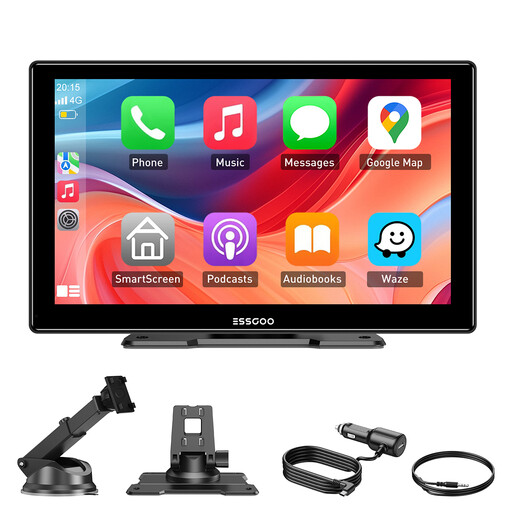
Why This Fits Their Persona: A practical starting point for drivers of older cars who want navigation and phone integration without replacing the existing stereo or arranging professional installation.
It clearly specifies wireless CarPlay and Android Auto, several audio routes and a 12–24V power range rather than relying on a single connection method.
9-inch HD display, 3.5-metre power cable, AUX/FM/Bluetooth audio and included trim tools for a tidier setup.
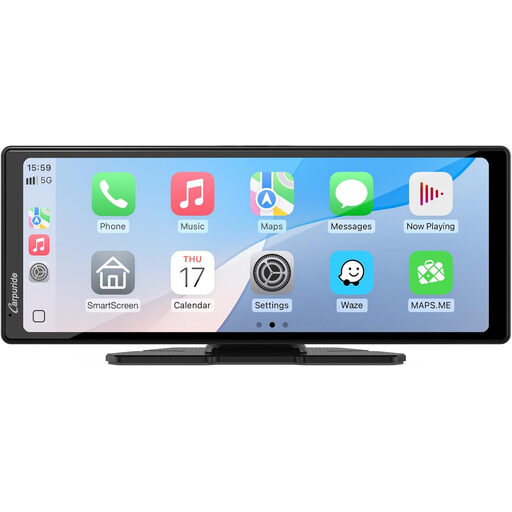
Why This Fits Their Persona: Suitable for drivers who prioritise a large, detailed dashboard CarPlay display and want MirrorLink alongside wireless smartphone integration.
Its listed 1080p resolution and 10.26-inch format make the display specification clear, helping buyers compare screen detail rather than relying only on size.
10.26-inch touchscreen, 1080p resolution, wireless CarPlay and Android Auto, Bluetooth 5.0 and MirrorLink support.
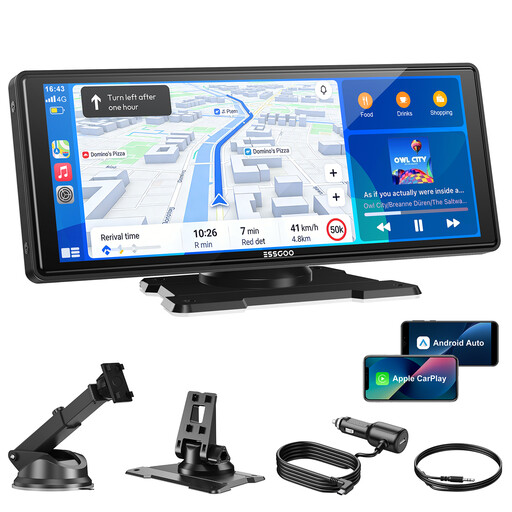
Why This Fits Their Persona: A suitable match for lorry, SUV, MPV and motorhome users who want a broad screen, multiple audio choices and support for an optional reversing camera.
It offers four audio outputs, dual-band Wi-Fi, a physical power button and adjustable screensaver settings, reducing dependence on one interface or connection.
1600 × 600 HD screen, Bluetooth 5.3, 12–24V compatibility, OTA updates and optional reversing-camera support.
Before ordering a plug-and-play car screen, confirm the following:
A portable unit normally avoids cutting into the dashboard, making it a convenient car stereo upgrade for leased vehicles or older cars. Nevertheless, the installation should remain secure and must not interfere with safe driving or the driver’s view.
We have compiled a complete, real-time list of products that fully satisfy these strict selection criteria and UK safety regulations.
Usually not. These devices typically attach with a suction cup or supplied bracket and draw power from the 12V socket. You still need to pair the phone and choose an audio route. Read the installation instructions before routing cables, especially in a lorry or motorhome.
The screen displays compatible phone apps, so navigation normally depends on the phone and its data connection. Offline maps downloaded to the phone may work in some apps, but availability and functions depend on the app provider.
Running costs are generally linked to the vehicle’s 12V electrical system rather than a separate subscription. The exact consumption varies by model, brightness, connected phone and whether the built-in speaker or other functions are active. Use the supplied power equipment and avoid leaving the display powered when the vehicle is parked for extended periods.