
24/7 Customer Support

Free returns

Same-day & Next-day Delivery

Quality Guaranteed

Unlock Your Welcome Offers: FREE Delivery | Up to 80% OFF | Free 30-day JoyPlus trial
Download the APP
A portable wireless CarPlay screen can add navigation, hands-free calling and smartphone media to an older car without replacing the factory stereo. It can also suit lorries, motorhomes, SUVs and other vehicles where a built-in touchscreen is unavailable or costly to install.
However, not every aftermarket CarPlay screen offers the same practical setup. A low purchase price may hide weak audio options, an awkward mounting system or limited phone compatibility. Before choosing a plug-and-play car screen, check the following common pitfalls.
Wireless Apple CarPlay and wireless Android Auto still require the display itself to receive power. Most portable units connect to a 12V cigarette lighter socket or USB adapter. Check the supplied cable length and power requirements, particularly if you drive a lorry, motorhome or large SUV.
A longer cable can make dashboard installation neater, while a short lead may force you to mount the screen close to the socket. The ESSGOO 9-inch model includes a 3.5-metre power cable, which offers more flexibility for larger vehicle interiors.
The screen may display navigation clearly while sound remains inconvenient if it cannot connect properly to your vehicle. Before buying, identify whether your car has:
A portable CarPlay display with several audio output methods is easier to adapt to older vehicles. Available options may include a built-in speaker, Bluetooth, FM transmission or AUX connection. FM performance can vary depending on local radio interference, so AUX or Bluetooth may be preferable where supported.
A larger display is not automatically more suitable. A 9-inch CarPlay screen may fit a compact dashboard, while a 10.26-inch or 11.4-inch CarPlay screen can be easier to read in a lorry or motorhome. The mounting position still matters.
In the UK, position the unit so it does not obstruct your view of the road, mirrors or essential vehicle controls. Secure the suction mount to a clean, dry surface and complete pairing and adjustments before moving off. A screensaver, manual brightness control and day/night mode can also help reduce visual distraction.
Look for explicit support for your phone rather than relying on generic “smart screen” wording. The ESSGOO models support iPhone devices running iOS 12 or later and Android phones running Android 11 or later, according to their listed specifications.
Wireless CarPlay generally uses Bluetooth for initial pairing and Wi-Fi for the connection. Android users should check that their handset supports wireless Android Auto, as compatibility can depend on both the phone and its software.
Useful functions include:
Screen dimensions affect readability, dashboard space and installation flexibility. A 9-inch portable CarPlay display with a 1024 × 600 resolution can provide a practical upgrade for many cars. Wider displays, such as the ESSGOO 10.26-inch model at 1600 × 600, may suit drivers who want maps and media controls to remain visible together.
An 11.4-inch unit with a 1920 × 720 resolution provides a larger viewing area, which may be useful in a high cab or spacious motorhome. Measure the area around your dashboard and check that the mount can be angled towards the driver without covering vents or instruments.
If you want the unit to work as a reversing camera screen, check whether a camera is included or sold separately. The ESSGOO 9-inch and 10.26-inch models support an aftermarket reversing camera, but the camera must be purchased separately. The OTTOCAST ScreenFlow listing includes a 1080p hardwired rear camera.
Camera installation can involve routing a cable to the rear of the vehicle and connecting it to the reversing-light circuit or another suitable power source. If you are not comfortable with vehicle wiring, professional installation may be sensible. Always treat the camera image as an aid rather than a replacement for mirrors and direct observation.
Also check the claimed operating voltage. The ESSGOO screens are listed for vehicles with 12–24V power sockets, making them suitable for many cars, SUVs, lorries and motorhomes. Confirm your vehicle’s socket and audio arrangement before ordering.
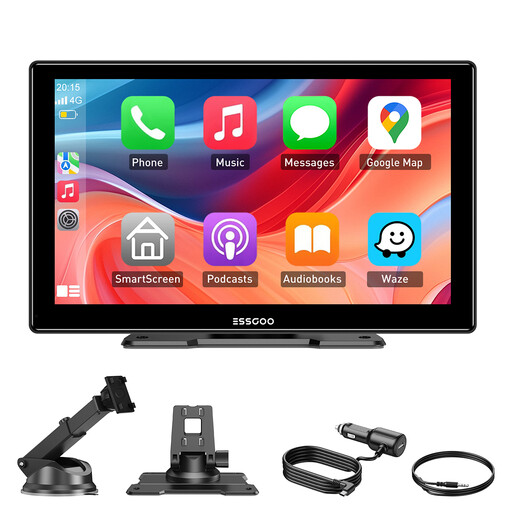
Why This Fits Their Persona: A straightforward option for drivers of older cars who want navigation and hands-free smartphone functions without changing the factory stereo.
It lists four audio routes—Bluetooth 5.3, FM transmitter, AUX and built-in speaker—rather than relying on one connection method. A 3.5-metre cable helps with flexible mounting.
9-inch 1024 × 600 display; supports wireless CarPlay and Android Auto; compatible with 12–24V sockets.
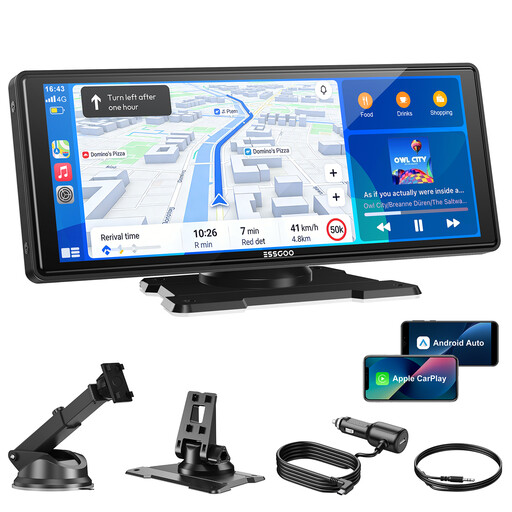
Why This Fits Their Persona: Suitable for drivers who prioritise a wider display, wireless connectivity and multiple ways to route sound through a car, SUV or larger vehicle.
The 2.4GHz/5GHz Wi-Fi specification is stated clearly, while brightness adjustment, day/night mode and an adjustable screensaver address visibility concerns.
10.26-inch 1600 × 600 screen; Bluetooth 5.3, FM, AUX and built-in speaker; OTA update support.
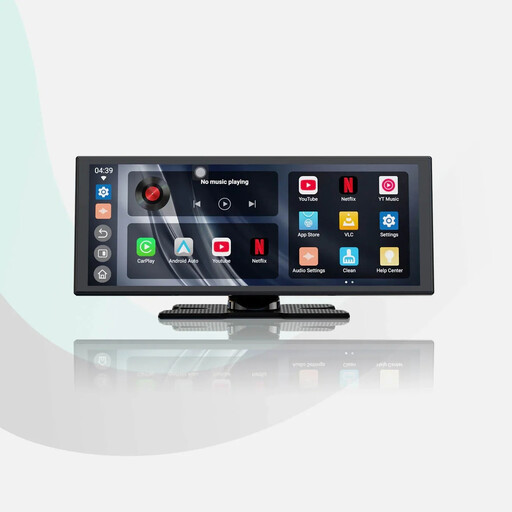
Why This Fits Their Persona: A larger-format choice for motorhome, lorry and long-distance drivers who want built-in apps and reversing-camera support alongside navigation.
The listing specifies a 1080p hardwired rear camera, dual Wi-Fi and dual Bluetooth. Entertainment apps should be used only while parked, with a hotspot or Wi-Fi connection.
11.4-inch 1920 × 720 display; wireless CarPlay and Android Auto; built-in apps and included rear camera.
We have compiled a complete, real-time list of products that fully satisfy these strict selection criteria and UK safety regulations.
Most plug-and-play car screens require a mount, power connection and smartphone pairing rather than stereo removal. Mount the unit securely, connect it to the vehicle’s 12V socket and follow the pairing instructions while parked. Audio may require an AUX lead, FM frequency or Bluetooth connection.
It can work in many vehicles if the car has a suitable power socket and an audio route such as AUX, FM or Bluetooth. Check the product’s voltage range and phone requirements first. Older vehicles may need an additional reversing camera or an audio adapter.
Lifespan depends on heat exposure, vibration, power quality, mounting and frequency of use. Avoid leaving the unit in direct sunlight when parked, keep cables free from strain and use the supplied or suitably rated power adapter. Firmware updates, where supported, can help maintain compatibility, but they do not guarantee indefinite service.