Choose a monitor with an integrated battery if the screen itself must run away from mains power for a short preview session; ASUS states that its ZenScreen Go MB16AWP can run for up to 3.5 hours, though actual runtime depends on use. If colour decisions matter more than independent screen power, look for documented display specifications and plan how a compatible device will provide video and power. A lighter host-powered screen can suit image selection, but it draws on the rest of your setup.
Who these monitors suit
Socket-free location reviewers
If you need to inspect framing, sharpness or previews with a client where there is no wall outlet, a screen with its own battery reduces reliance on your source device for display power. Check the stated runtime against how you intend to use it.
Colour-conscious travelling editors
If you may edit as well as review photographs while travelling, consider documented colour specifications alongside a colour-managed application and an appropriate monitor profile. Screen size alone cannot establish how dependable a colour decision will be.
Light-kit image selectors
For culling, comparing images or sharing previews, carrying weight may matter more than independent screen power. Check that your laptop, tablet or phone can provide the video signal and power required by the monitor you choose.
What matters when choosing
Battery-powered wireless screen
Choose when: The screen needs its own power for a defined session, and wireless mirroring works with your device.
Trade-off: Manufacturer runtime figures are conditional; ASUS specifies the ZenScreen Go MB16AWP at 1.09 kg.
Colour-focused USB-C screen
Choose when: Documented colour specifications take priority and you can supply compatible video and power.
Trade-off: A colour specification does not replace a suitable monitor profile or establish independent battery operation.
Lighter host-powered screen
Choose when: You mainly select images or share previews and want less monitor weight in your kit.
Trade-off: The screen still needs a compatible source device and a workable power arrangement.
For photo previews away from mains power, decide which matters most to you: independent screen runtime, confidence in colour decisions or a lighter setup that works with your source device.
| Concern | What to check | Who this matters to |
|---|
| Independent runtime |
Look for an integrated battery and read the maker’s runtime conditions; check how you will charge the screen. |
If I have no outlet at a shoot, I need the screen to last through a defined preview session without taking power from my laptop. Around 42% of consumers put independent runtime first. |
| Colour confidence |
Check the stated colour gamut and accuracy for the exact model, then plan for an appropriate monitor profile. |
When I might adjust images on location, I want a sounder basis for colour decisions than screen size alone. Roughly 33% of consumers prioritise colour confidence. |
| Weight and compatibility |
Check monitor weight and whether your device supplies the required video signal and power through the intended connection. |
For culling or showing previews between locations, I would rather carry a lighter screen if my device can run it. About 25% of consumers place this setup need first. |
Buying pitfalls
-
Assuming a USB-C socket makes a monitor socket-free
USB-C describes the connector, not the video and power your device can provide. ViewSonic specifies DisplayPort 1.2 Alt Mode and USB-C Power Delivery for compatible smart devices using the VA1655; the ASUS ProArt PA148CTV requires DisplayPort Alt Mode and at least 10 W from the host for its one-cable setup.
Compare the monitor’s requirements with your exact laptop, phone or tablet and the cable you intend to carry. Check whether a separate power connection is needed.
A compatible power bank, powered hub, charger or adapter may add to what you need to carry.
-
Treating a colour-gamut claim as a complete editing workflow
A stated gamut does not by itself tell you whether colour will be represented appropriately throughout your editing setup. Adobe explains that accurate ICC-compliant profiles matter to reliable colour management.
For edits that affect delivery or print, use a colour-managed application and an appropriate monitor profile. Treat a location preview separately from final output approval.
-
Packing a power bank without checking flight conditions
If your off-mains setup relies on a power bank, how you carry it matters when flying. The UK Civil Aviation Authority says power banks belong in cabin baggage, not checked luggage.
Check the power bank’s watt-hour marking and your airline’s current conditions before travelling, and keep the bank in your cabin baggage.
Relevant brands to consider
ASUS
Its ZenScreen Go and ProArt portable models illustrate two different choices: independent screen power or documented colour specifications.
- ASUS specifies an integrated 7800 mAh battery for the ZenScreen Go MB16AWP and states up to 3.5 hours of battery life.
- For the ProArt PA148CTV, ASUS specifies 100% sRGB, 100% Rec.709 and Delta E below 2.
- The PA148CTV’s one-cable setup requires a DisplayPort Alt Mode host capable of supplying at least 10 W; its colour specifications do not replace a colour-managed workflow.
Lenovo
The ThinkVision M14d is a compact USB-C option for photographers who can arrange video and power through their host setup.
- Lenovo specifies a 14-inch, 2240 × 1400 display with 100% sRGB coverage and a weight of 600 g for the M14d.
- Plan the off-mains power arrangement rather than treating the M14d as a screen with its own battery.
ViewSonic
The VA1655 offers a general-purpose portable screen for selecting images and sharing previews when a lighter kit is a priority.
- ViewSonic specifies a 0.7 kg weight, USB-C and mini-HDMI connections, and a foldable stand for the VA1655.
- Compatible smart devices need DisplayPort 1.2 Alt Mode and USB-C Power Delivery; portability alone does not establish colour accuracy for final edits.
Portable monitors on Joybuy
These options cover different ways to review photos away from mains power: a large monitor with an integrated battery and two smaller screens that need a compatible powered connection. Consider the whole carrying and power setup, not just the display.
 No image available
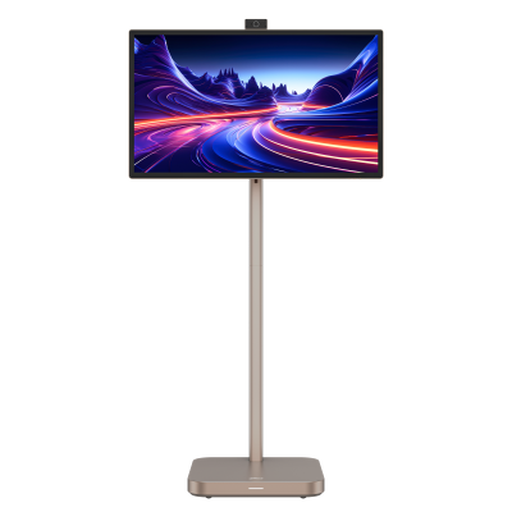
Dahua 31.5-inch 4K Explorer portable smart monitor
Consider this integrated-battery screen if you need to show previews away from an outlet and can accommodate a 31.5-inch display.
The title specifies 4K UHD, Android 11, 8GB+128GB storage and up to four hours of battery life. Check the expected runtime for your use and confirm the panel type before buying, as the product information describes it inconsistently.
View on Joybuy
 No image available
UPERFECT 14-inch 60Hz touchscreen portable monitor
This is an option for sRGB-oriented previews when your source device and power arrangement can support a USB-C screen.
The title states 100% sRGB coverage, a 180° adjustable stand and VESA mounting. Check video-output compatibility, available power and carrying weight for your intended setup; the stated gamut alone does not establish colour accuracy.
View on Joybuy
 No image available
ASUS ZenScreen MB166CR FHD
Consider this host-powered portable screen for selecting images or sharing previews when an independent monitor battery is not essential.
It is an FHD model. Before relying on it away from mains power, confirm that your device supports the required DisplayPort Alt Mode connection and can supply sufficient power. Check colour specifications separately if you intend to judge edits on screen.
View on Joybuy
Frequently asked questions
Can I use a portable monitor away from mains power?
Yes, if you have a suitable power route for the exact monitor. ASUS specifies an integrated 7800 mAh battery and up to 3.5 hours of use for the ZenScreen Go MB16AWP; a host-powered USB-C screen instead needs a compatible device or another workable supply.
Is 100% sRGB enough for final photo edits or print matching?
No: 100% sRGB is a useful display specification, not a guarantee that final colour will match another output. Adobe says accurate ICC-compliant monitor profiles are essential for reliable colour management, so check the profile and your editing workflow before making consequential colour decisions.
What should I check before connecting a phone or tablet?
Check that your exact device can provide the video signal and power required by the monitor through your intended cable or adapter. ViewSonic specifies DisplayPort 1.2 Alt Mode and USB-C Power Delivery for compatible smart devices using the VA1655; ASUS requires DisplayPort Alt Mode and at least 10 W host output for a one-cable connection to the ProArt PA148CTV.
Can I take a monitor power bank on a flight from the UK?
A power bank must travel in cabin baggage rather than checked luggage, according to the UK Civil Aviation Authority. Check its watt-hour marking and your airline’s current conditions before setting off.


