High-volume Adobe portrait retouchers
If you work with large layered Photoshop files or Lightroom Classic catalogues, compare configurations with Adobe’s recommended memory and SSD guidance, not just its installation minimum.


Choose a desktop around the editing software, files and peripherals you actually use, rather than the workstation label alone. A compact Mac Studio is a route for a macOS-compatible workflow; a configurable Windows tower offers different graphics and expansion options, but its exact configuration matters. Neither choice removes the need to select and position a suitable monitor, keyboard and mouse for standing work.
If you work with large layered Photoshop files or Lightroom Classic catalogues, compare configurations with Adobe’s recommended memory and SSD guidance, not just its installation minimum.
When skin tones and tonal decisions matter for client delivery or print, plan the display and its position alongside the computer. The Health and Safety Executive’s screen and input-device guidance also applies to arranging a standing workstation.
If you need Windows-specific tools or room for additional components, compare the graphics, storage, display connections and expansion options of the exact tower configuration. Lenovo’s ThinkStation range illustrates why the family name alone is not enough.
Settle software and peripheral compatibility before choosing a desktop route; then check the configuration and plan the monitor and standing-desk layout together.
Consider it: Mac Studio suits a workflow whose applications and peripherals run on macOS and whose desk benefits from a compact computer with support for several external displays.
Check: Confirm plug-in and colour-management compatibility, and choose memory and storage for your files rather than assuming one configuration fits every workload.
Consider it: A ThinkStation P3 Tower is a route when Windows tools, a choice of graphics configurations or tower expansion matter.
Check: Lenovo lists P3 Tower Gen 2 configurations with different memory and graphics; an 8 GB version falls below Adobe’s recommended 16 GB or more for Photoshop.
Consider it: Larger workstation configurations make more sense when other demanding applications or substantial expansion needs accompany portrait editing.
Weigh up: Check whether those extra capabilities serve your workload before allocating resources to the tower instead of the display and workstation setup.
| Concern | What to check | Who this matters to |
|---|---|---|
| Editing headroom | Compare RAM with Adobe’s recommended 16 GB or more for Photoshop, and check internal SSD and scratch-disk arrangements. For a Windows desktop with a 4K display, check Adobe’s applicable graphics requirements. | Large layered files and concurrent editing applications make me want capacity beyond a basic installation minimum. Around 42% of consumers would put editing headroom first. |
| Display and standing setup | Choose the display separately and check that its stand or arm, desk, keyboard and mouse can be positioned at your working height. | I need to judge portrait tones while using the screen and controls comfortably at a standing desk. For around 33% of consumers, that setup is the primary concern. |
| Platform and expansion | Check operating-system, plug-in and peripheral compatibility, then compare the selected computer’s display connections and expansion options. | If a required tool dictates macOS or Windows, or I plan to add components, the platform can decide the purchase. It would be the leading concern for around 25% of consumers. |
Adobe lists an 8 GB RAM minimum but recommends 16 GB or more for Photoshop. Its recommended storage guidance also calls for a fast internal SSD and a separate internal drive for scratch disks.
Use the recommended specification as a starting check, then account for your file sizes, active applications and image storage.
A desktop specification cannot position the monitor or input devices. The Health and Safety Executive advises placing the top of the screen at eye level, about an arm’s length away, with the keyboard just below elbow height.
Plan the desk, display stand or arm, keyboard and mouse together; check both standing and seated positions if you alternate between them.
Lenovo’s UK ThinkStation P3 Tower Gen 2 listings include both an 8 GB integrated-graphics configuration and one with 48 GB RAM and NVIDIA RTX A400 graphics. They are not interchangeable specifications.
Record the selected RAM, graphics, storage, operating system and display outputs before comparing machines with Adobe’s requirements.
Dell and HP list workstation platforms with extensive configuration options, but portrait editing alone does not establish a need for their higher-end options. The display and standing arrangement remain separate decisions.
Identify any additional applications or expansion requirements that would justify the tower configuration, while allowing for the screen and desk setup.
Mac Studio is a compact macOS route for editors who want a choice of unified-memory configurations and external-display support.
ThinkStation P3 Tower is a configurable Windows workstation line with professional graphics and expansion options.
Precision 7875 is a Windows tower to consider when portrait work is part of a broader, demanding computing workload.
Z2 Tower G1i is a configurable Windows workstation line for buyers considering professional graphics and accessible tower components.
These Windows towers and smaller desktops offer configurations to assess for portrait editing at a standing desk. Check each model against your Adobe workflow and chosen display; the computer is only one part of the workstation.
 No image available
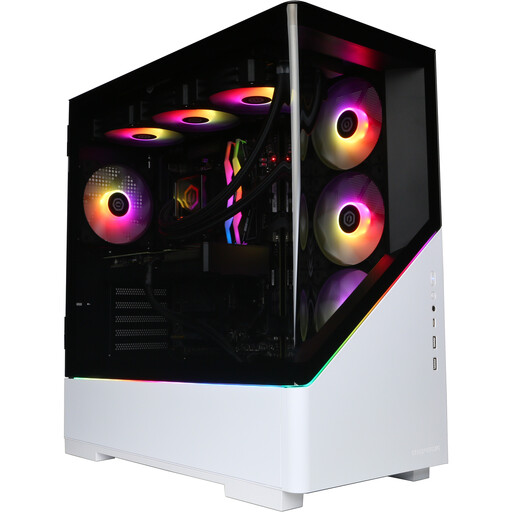
A Windows tower to consider if you want a stated 32 GB memory configuration for editing. Its title specifies an AMD Ryzen 7 9800X3D, NVIDIA GeForce RTX 5080 with 16 GB graphics memory, 32 GB DDR5, a 2 TB NVMe SSD and Windows 11 Home.
Confirm usable SSD space, scratch-disk plans and graphics compatibility for your intended display. Check the included accessories and arrange the monitor and input devices separately.
 No image available
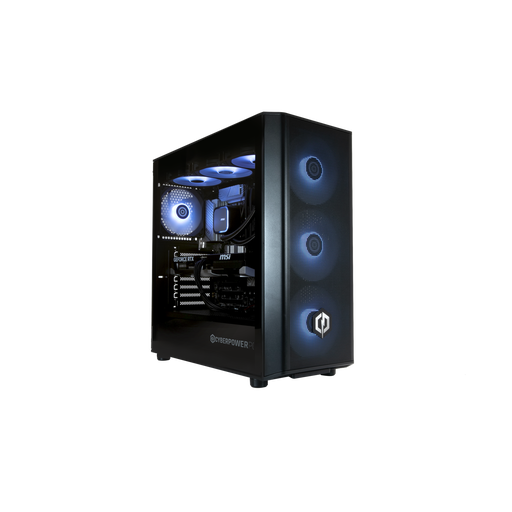
Another Windows tower with 32 GB memory to compare against your file and application needs. Its title specifies an Intel Core Ultra 7 265KF, NVIDIA GeForce RTX 5070 with 12 GB graphics memory, 32 GB DDR5, a 1 TB NVMe SSD and Windows 11 Home.
Check usable storage and scratch-disk arrangements, graphics compatibility with your display, and which monitor and input-device accessories are supplied.
 No image available
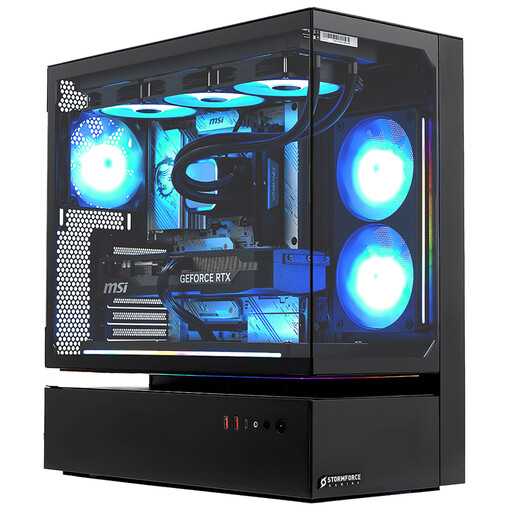
This Windows tower is a candidate if its size and selected display connections fit the workstation. Its title specifies an Intel Core i7, RTX 5080, 32 GB RAM, a 2 TB SSD and Windows 11.
Confirm which outputs connect to the graphics card before choosing monitors, and allow for stable tower placement. Check usable storage and what display and input-device accessories are included.
 No image available
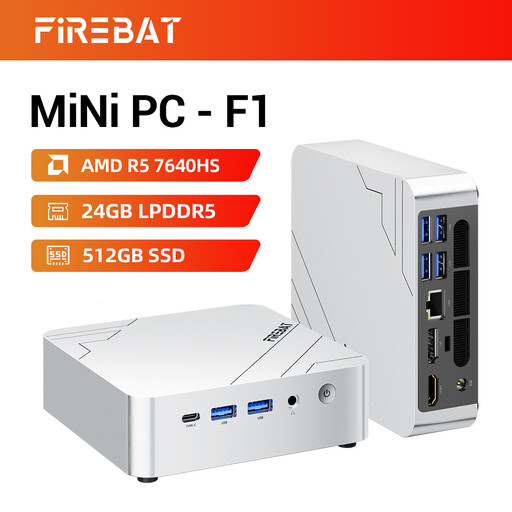
A smaller desktop to assess when desk space matters. Its title specifies an AMD Ryzen 5 7640HS, 24 GB LPDDR5 RAM, a 512 GB PCIe 4.0 SSD, Radeon 760M graphics and support for three 4K displays.
Before choosing it for Photoshop, confirm the operating system, application and peripheral compatibility, graphics requirements for your display, and usable SSD space. Check what is supplied for the standing setup.
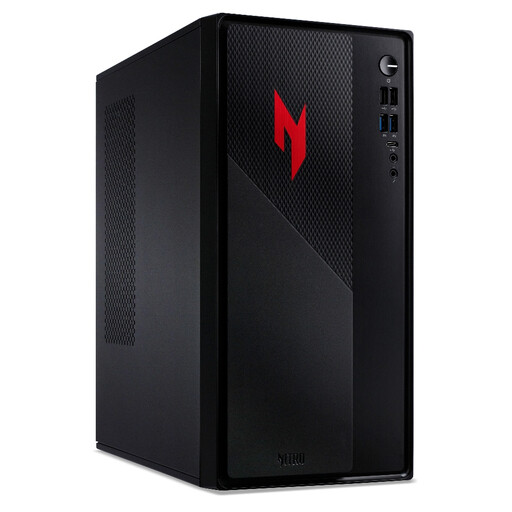 No image available
This desktop’s stated 16 GB RAM matches Adobe’s recommended starting amount for Photoshop. Its title also identifies an Intel Core i5-13420H, a 512 GB SSD, GeForce RTX 5060 graphics and Windows 11.
Confirm the exact graphics and display connections, SSD characteristics and usable space against your editing and monitor plans. Check included accessories before planning the standing workstation.
Start by checking Adobe’s recommended Photoshop specification, including 16 GB RAM or more, a fast internal SSD and a separate internal drive for scratch disks. Adobe also specifies graphics requirements for Windows use with a 4K-or-higher display; check the current requirement against your exact GPU. Recommendations are a starting point, not a performance guarantee for every file or plug-in.
A standing desk changes the workstation plan more directly than the computer specification. The Health and Safety Executive advises positioning the top of the screen at eye level, about an arm’s length away, and the keyboard just below elbow height; check that your desk and accessories allow those positions.
The Health and Safety Executive says an employer must assess the workstation when an employee uses display screen equipment daily as part of normal work, continuously for an hour or more. That employer duty concerns the whole workstation and should not be treated as a blanket requirement for every occasional or self-employed home user.
Choose between them by checking your required software, plug-ins and peripherals first. Mac Studio is a compact macOS route with external-display support; a Windows tower offers different configuration and expansion choices, but Lenovo’s varied P3 Tower Gen 2 listings show why you must inspect the exact memory and graphics option.
No: the workstation name does not establish that a particular configuration meets your editing requirements. Lenovo lists a ThinkStation P3 Tower Gen 2 option with 8 GB RAM, below Adobe’s recommended 16 GB or more for Photoshop, so compare the selected components and monitor connections before buying.