Occasional sellers with a printer
If you want to use equipment you already own, Royal Mail supports printing Click & Drop labels on plain A4 paper or A4 adhesive sheets.


For occasional UK postage, start with an existing printer if it can produce your service’s label format clearly; Royal Mail accepts plain-paper A4 labels when the barcode remains readable. Adhesive sheets can reduce taping, while a thermal printer is worth considering when repeated label handling justifies a separate device and compatible rolls. Some services offer QR-code drop-off options, so check the option available for your shipment before buying printing equipment.
If you want to use equipment you already own, Royal Mail supports printing Click & Drop labels on plain A4 paper or A4 adhesive sheets.
If cutting, positioning or taping labels is a recurring nuisance, check whether adhesive sheets match the format generated for your postage. Royal Mail offers several label templates.
If you prepare sales on a phone, check whether your service offers a QR-code drop-off option or whether a specific printer supports the phone workflow you need. Evri describes a Print In ParcelShop QR-code option for eligible bookings.
Check whether your service offers a QR-code drop-off option first. If you need to print at home, match the service’s label output to your existing printer and the media you plan to use before considering a dedicated label printer.
| Concern | What to check | Who this matters to |
|---|---|---|
| Equipment and supply costs | Check whether your service offers printable labels or QR drop-off, and whether your current printer can handle the printable option. | If I sell only occasionally, I would rather use the equipment I already have than add a printer and its supplies. Around 40% of consumers prioritise avoiding extra equipment and supply costs. |
| Label handling | Compare your current routine with a suitably formatted A4 adhesive sheet or compatible thermal roll. | If I regularly cut, position or tape labels, I want a peel-and-stick option that reduces those steps. About 30% of consumers put reducing label handling first. |
| Format and barcode | Preview the label from your actual service, check the offered A4 or 6 × 4-inch layout, and keep the barcode readable. | If I need the label to fit the service’s output, I would check the template and print layout before buying media. Roughly 20% of consumers prioritise format and barcode suitability. |
| Phone workflow | Check the printer’s app and connection method for your device, or whether your service provides a QR-code drop-off option. | If I manage sales on my phone, I want to know whether I can print from it or use an eligible QR code without switching devices. Around 10% of consumers prioritise a phone-led workflow. |
Royal Mail offers both A4 and 6 × 4-inch label templates. A printer or roll that does not match the label you need may add formatting work or leave you with unsuitable supplies.
Preview a label from your actual postage service and check the printer’s supported format before choosing a device.
Sheets can differ in label size and arrangement, and their printer-technology requirements may vary. A mismatch can waste sheets or require you to adjust your workflow.
Check the sheet layout against your service’s template and confirm that it is intended for your inkjet or laser printer.
Direct-thermal printers still use compatible labels, and the required media can vary by model.
Check the exact supported label type and pack format alongside the printer.
Connection options can differ between operating systems, even for the same printer model.
Check the specific model’s app and operating-system instructions before choosing it for phone-led printing.
Brother’s QL-1100c and QL-1110NWBc are wide-format label-printer options; compare the exact model rather than assuming the whole range supports phone printing.
The 130B/ITPP130B range is a thermal-label option to consider when comparing phone and computer printing workflows.
Avery offers A4 adhesive-sheet options for sellers who want to keep using an ordinary printer.
The PIXMA TS6550i is an example of a general-purpose A4 inkjet printer for someone who also needs ordinary household printing.
The LabelWriter 5XL is a dedicated direct-thermal option to consider if USB or network printing suits your setup.
These Joybuy product choices relate to preparing postage labels at home, including A4 sheets, label printers and thermal roll labels.
 No image available
Consider it if you want to create labels from a phone or tablet, but check that the printer’s supported label format suits your postage service before buying.
The product information specifies Bluetooth connectivity and a built-in rechargeable battery, and lists barcode and QR-code design functions.
 No image available
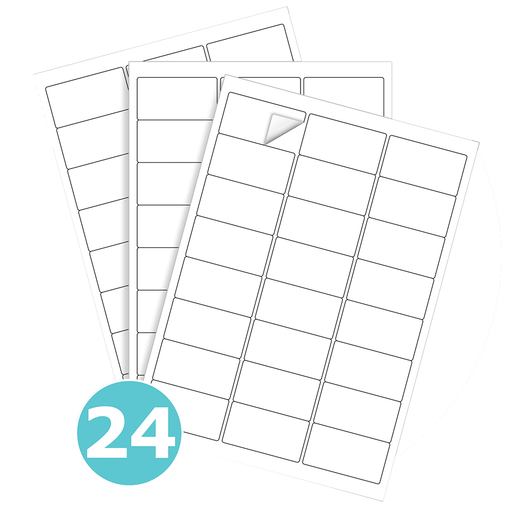
Consider these if you have an inkjet or laser printer and the sheet layout matches the postage label generated by your service.
The product information specifies A4 adhesive sheets, 24 labels per sheet and a pack of 10; it describes them as compatible with inkjet and laser printers.
 No image available
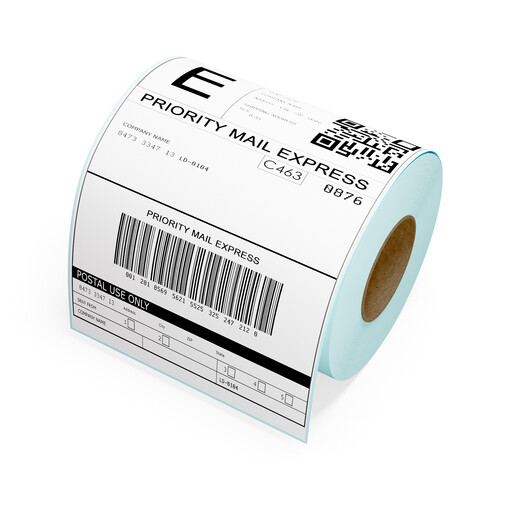
Consider this roll only if you already have a compatible thermal printer and your service’s label output suits the specified size.
The product information specifies direct-thermal labels measuring 4 × 6 inches, permanent adhesive and 220 labels per roll. This is label media, not a printer.
 No image available
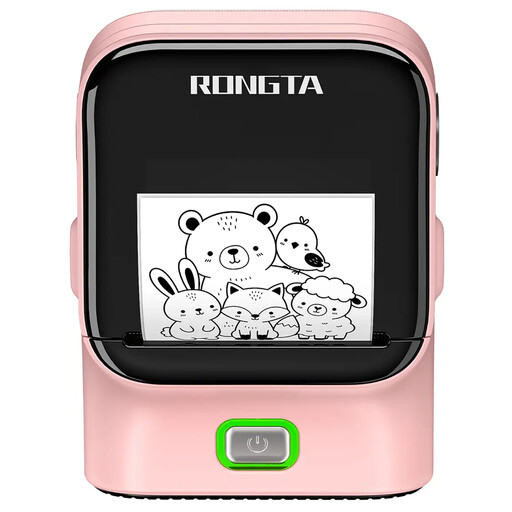
Consider it if you want a compact, app-based label printer for a mobile workflow, but not if you need the 6 × 4-inch format listed by Royal Mail.
The product information specifies Bluetooth, USB, NFC detection and a maximum label width of 54 mm. Its stated width is narrower than Royal Mail’s 6 × 4-inch label format.
 No image available
Consider it for computer-based address or shipping labels if its supported label width matches your needs; it is not suitable for Royal Mail’s 6 × 4-inch label format.
The product information specifies USB connectivity, DK-label compatibility and a maximum label width of 62 mm, which is narrower than the 6 × 4-inch format.
Not necessarily: Royal Mail Click & Drop supports plain-paper A4 labels, A4 adhesive sheets and a 6 × 4-inch label-printer format. Some services also offer QR-code drop-off options, so check what is available for your particular shipment.
For Royal Mail Click & Drop, glue or clear tape is suitable if it does not deface or obscure the label and the barcode remains readable. Check the service’s instructions and keep the printed label clear.
Not necessarily; check the exact model and its connection instructions. MUNBYN’s guidance for the ITPP130B describes a Bluetooth driver for Windows and a driver-plus-USB setup for Mac, while the connection options vary by printer model.
There is no single parcel-volume threshold that suits every occasional seller. Compare the compatible labels and separate device with the supplies you would use on your existing printer, then decide whether reducing label-preparation steps matters enough for your routine.