What to prioritise
For short-term backup of phones and small USB devices, start with the energy your priority devices need, then check sharing, cable fit and how you will keep the bank ready.
| Concern |
What to check |
Consumers who prioritise it |
| Usable reserve |
Use the bank’s stated Wh, or calculate cell Wh as mAh ÷ 1,000 × stated nominal cell voltage. For a planning estimate, allow separately for bank-output conversion and phone-charging losses before comparing with the phone battery’s Wh. |
If I need my priority phone to last through an interruption, I want an energy estimate based on the bank and phone rather than a charge-count promise. Around 33% of consumers put usable reserve first. |
| Sharing across devices |
Count the USB-A and USB-C connections you need, then check the model’s combined output for the ports used together. |
If several people may need one bank, I want to know which devices can connect and how much output is available when ports are occupied. Around 27% of consumers make shared-device charging their primary concern. |
| Connector and output fit |
Match each device’s connector to the cable and bank port, and check the stated output against the device’s charging requirements. |
When an essential device needs a particular connection, I want its cable and the bank’s output to suit that device. About 20% of consumers put connector and output fit first. |
| Readiness after storage |
Check the recharge instructions and charge indicator; keep the bank accessible with suitable cables, inspect it for damage and follow its storage and charging guidance. |
I want the bank to be accessible and properly maintained between power cuts, with cables that suit my devices. Around 20% of consumers prioritise readiness and safe storage. |
Joybuy power banks for phone and small-device backup
For phone and small-device backup, compare each option’s stated capacity and cable arrangement with your priority devices. Check the solar-panel option’s recharge requirements separately before relying on it to replenish the bank.
 No image available
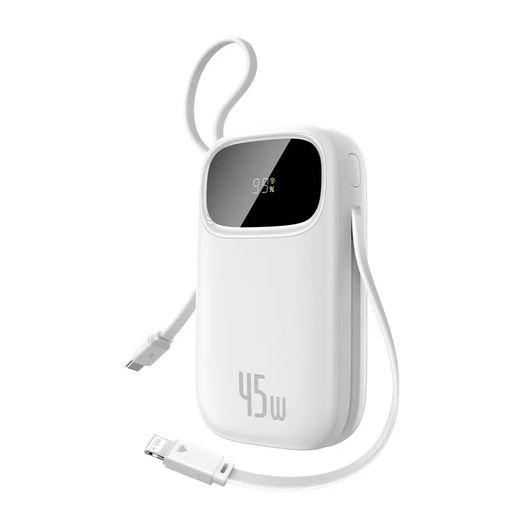
OS-Baseus EnerFill FC31 QPow 3 Digital Display Power Bank, 10,000mAh, 45W, dual cables, 3C, Moon White
Consider it if two cables with the bank suit the devices in your emergency kit.
The product name lists 10,000mAh capacity, 45W charging and dual cables; check that the cable ends match your devices.
Shop on Joybuy
 No image available
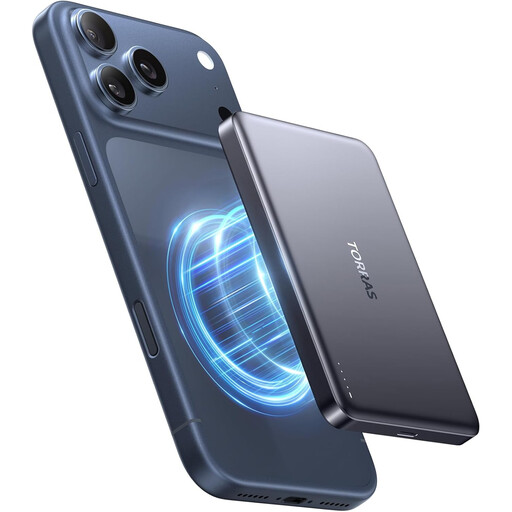
TORRAS MiniMag 10,000mAh Slim MagSafe Magnetic Power Bank with USB-C Cable, Gray Titan
Consider this charging approach only if magnetic attachment suits your phone or case.
The product name lists 10,000mAh capacity and a USB-C cable. Magnetic attachment is described for MagSafe-compatible devices or compatible magnetic cases.
Shop on Joybuy
 No image available
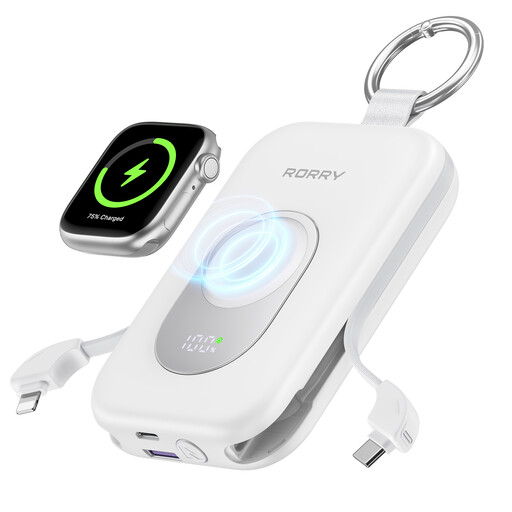
Rorry CharmGo 20,000mAh Power Bank, 30W PD, two integrated cables
Consider it if a higher stated capacity and cables kept with the bank suit your kit.
The product name lists 20,000mAh capacity, 30W PD charging and two integrated cables; check the connections and charging requirements of your devices.
Shop on Joybuy
 No image available
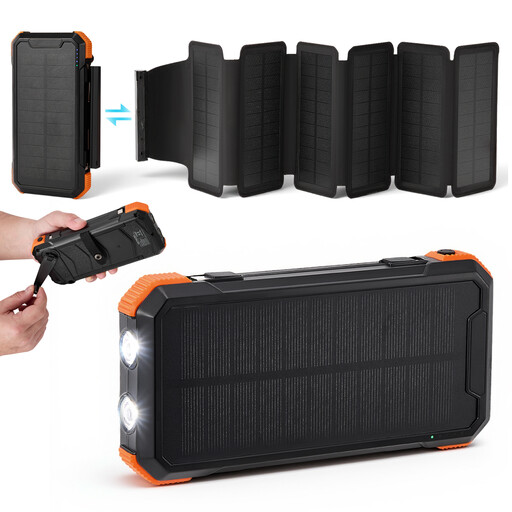
20,000mAh Foldable Seven-Panel Solar Charger
Consider this type only after checking whether its charging inputs suit the conditions in which you expect to replenish the bank.
The product name lists 20,000mAh capacity and a foldable seven-panel solar charger. Check the product’s charging requirements before relying on it as your only recharge route.
Shop on Joybuy
 No image available
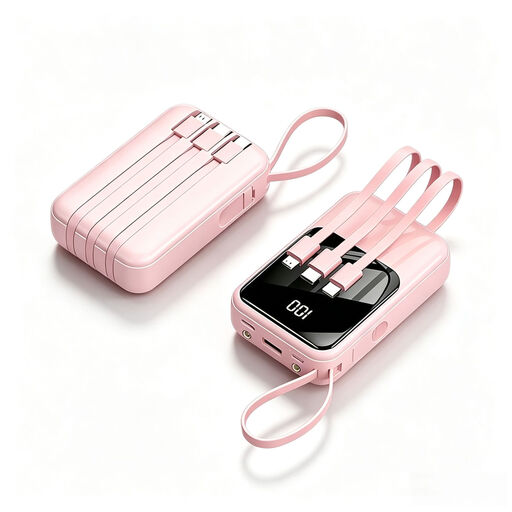
XBJ YXX14 10,000mAh Power Bank, 22.5W, integrated four-in-one cable, Pink
An integrated cable may suit a kit where you want fewer separate cables to remember, provided its connections match your devices.
The product name lists 10,000mAh capacity and 22.5W charging.
Shop on Joybuy
Frequently asked questions
How can I estimate phone charges without dividing two mAh labels?
Compare energy in Wh: calculate the bank’s cell Wh from its stated mAh and nominal cell voltage, then allow separately for bank-output and phone-charging efficiency before comparing with the phone battery’s Wh. Anker’s illustrative 20,000mAh-at-3.7V example starts at 74Wh, but its assumptions and resulting charge count are not guarantees for another bank or phone.
Will a charged phone keep calls and internet working during a power cut?
Not necessarily. UK Government power-cut guidance says home internet will not work without power, and mobile service may stop if the local mast is affected. Keep other ways to obtain updates and important numbers accessible.
Can I leave a power bank plugged in all the time so it is ready?
Electrical Safety First advises against charging power banks overnight or while you are away. Arrange supervised recharging, unplug the bank after charging and follow the instructions for the exact model.
What should I do with a damaged or unwanted power bank?
Do not use or charge a battery showing warning signs such as smoke, extreme heat or swelling, as Scottish Fire and Rescue Service advises. UK Government recycling guidance says batteries and electrical products should go to appropriate collection points rather than household rubbish; follow the collection point’s instructions for a damaged or integrated battery.
Can I pack a power bank in checked luggage if I travel with it?
No. The UK Civil Aviation Authority says power banks must be kept in cabin baggage rather than checked luggage and currently states a limit of two per person. Check its battery-size guidance and your airline’s rules before travelling; these flight conditions do not determine which bank suits home backup.


