Rail and airport phone users
If tickets, maps and messages live on your phone, a portable charging option can help between sockets. Check its connector and output against your phone rather than choosing by capacity alone.


Pack a device-compatible power bank if you need to charge between sockets; a multi-port mains charger serves a different purpose when you expect socket access. Add a travel adapter only if the destination socket requires one, and check that your equipment accepts the local electrical supply. Before flying, match the power bank, charger and cable to your devices and check the current battery rules of every operating airline.
If tickets, maps and messages live on your phone, a portable charging option can help between sockets. Check its connector and output against your phone rather than choosing by capacity alone.
A USB-C laptop adds another compatibility check: the laptop’s required input, the available output from the intended port and the cable’s capability must all match. A large mAh figure does not settle that question.
Charging several devices across countries calls for separate decisions about portable battery power, socket access and plug fit. Electrical Safety First notes that a travel adapter does not change voltage or frequency; airline battery rules also need checking for the journey.
Start with where you will charge: between sockets, at a socket, or both. Then check device compatibility and, for flights, the operating airline’s battery rules.
| Concern | What to check | Who this matters to |
|---|---|---|
| Power between sockets | Check the bank’s stated watt-hour capacity, device-compatible output and the battery rules of each operating airline. | If I need my phone available through a long rail journey and airport transfer, portable reserve power is my first concern. About 40% of consumers put charging between sockets first. |
| Laptop charging compatibility | Match the laptop’s required input to the intended USB-C port’s output and the cable’s power capability. | When I carry a USB-C laptop, I need to know that my whole charging setup suits that device, not just that its plugs fit. For about 30% of consumers, device charging compatibility is the primary need. |
| Several devices at one socket | Check the charger’s total output and its published allocation when the intended ports are used together. | At accommodation or during a stop, I want to charge several devices without relying on separate chargers. Charging from one socket comes first for about 20% of consumers. |
| Destination plug fit | Identify the destination socket and check the equipment’s input rating, the adapter’s load rating and any earthing requirement. | If my journey crosses countries, I need my charger to connect to the destination socket without assuming an adapter changes the electrical supply. About 10% of consumers prioritise destination compatibility. |
GOV.UK tells travellers to check battery restrictions with their airline. easyJet, for example, specifies cabin baggage for power banks and a limit of two per person; its policy is not a rule for other carriers.
Before taking a power bank or device-specific spare battery, check the current policy of every operating airline, including connecting flights.
Electrical Safety First explains that an adapter changes plug fit, not voltage or frequency. Plug compatibility alone therefore does not establish that a charger or appliance can be used at the destination.
Check the local socket type, the connected equipment’s input rating, the adapter’s load rating and whether the appliance needs an earth connection.
The USB Implementers Forum says cables do not all have the same capabilities. A matching connector shape does not establish that a cable carries the power your laptop setup requires.
Check the cable’s stated or marked power capability alongside the device and charger requirements.
The UK Office for Product Safety and Standards has issued recalls for specific Belkin BoostCharge BPB002 and Playa PB0003 power banks, and Anker models A1681, A1689 and A1647. These notices concern the named models, not every product from either brand. London Fire Brigade also warns about risks associated with damaged batteries.
Check the exact model against current recall notices. Stop charging a battery that swells or is damaged, and seek the manufacturer’s advice rather than opening its casing.
These ranges illustrate different charging formats; a brand name alone does not establish device compatibility or airline acceptance.
UGREEN’s Nexode range includes USB-C power banks aimed at phone and laptop charging setups.
Belkin lists integrated-cable phone-oriented banks alongside larger USB-C laptop power banks.
Anker lists compact, magnetic and built-in-cable power-bank formats for travel.
These selections cover power banks for charging away from sockets and multi-port mains chargers for stops with socket access. Choose by your devices’ requirements and travel plans; a mains charger does not replace a battery between sockets.
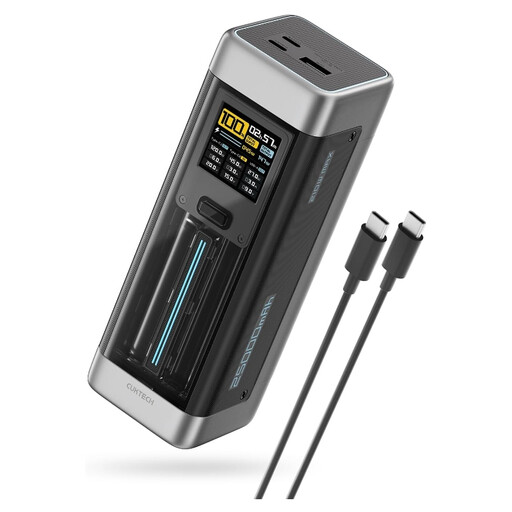 Image unavailable
Consider this for charging away from sockets if its USB-C output meets your laptop’s requirements. Its listing states a 25,000 mAh capacity, up to 140 W USB-C output and three ports. Check its watt-hour rating for your airline and its output allocation when several devices are connected; the maximum output alone does not establish what each device will receive.
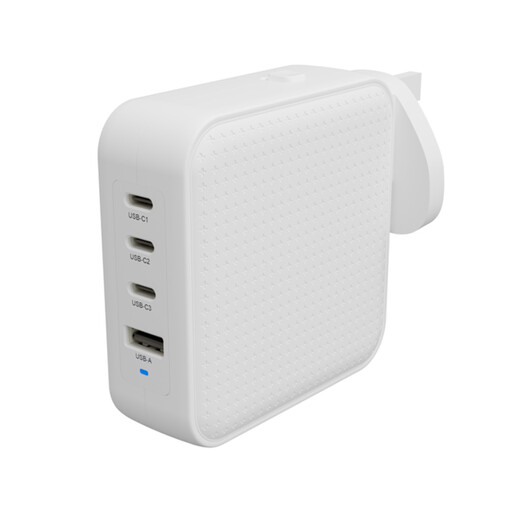 Image unavailable
For stops where a socket is available, this charger offers three USB-C ports and one USB-A port. Its listing states up to 100 W total output, 100–240 V input and EU, UK and AU plug adapters. Check the destination socket and the output available to each device when multiple ports are in use; it cannot charge anything away from a socket.
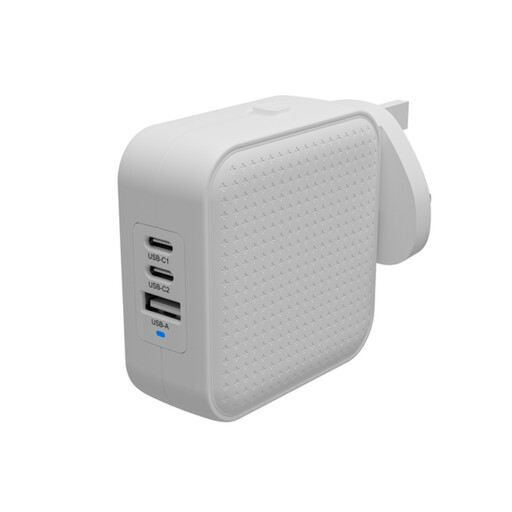 Image unavailable
Choose a socket-based charger such as this one only after checking that its output suits your devices. Its listing states 70 W total output, 100–240 V input and interchangeable EU, UK and AU plugs. Check the actual port arrangement and simultaneous-output allocation for this variant before relying on it for a laptop and other devices; it provides no power between sockets.
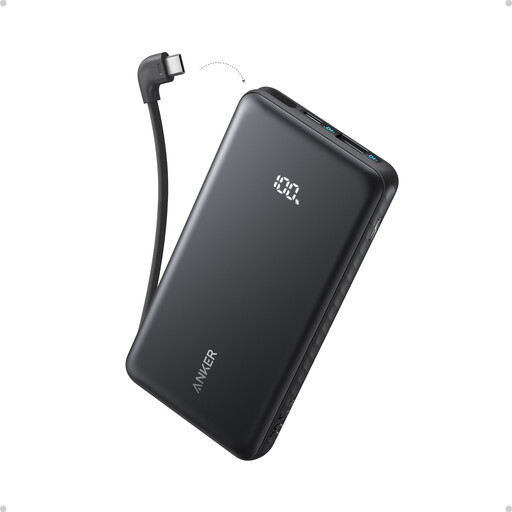 Image unavailable
This is a phone-focused option for charging between sockets when a built-in cable suits your device. The listing states a maximum output of 22.5 W and describes a USB-A port for a second device. Check output when both connections are used, the exact model’s recall status and its watt-hour rating against your airline’s current rules.
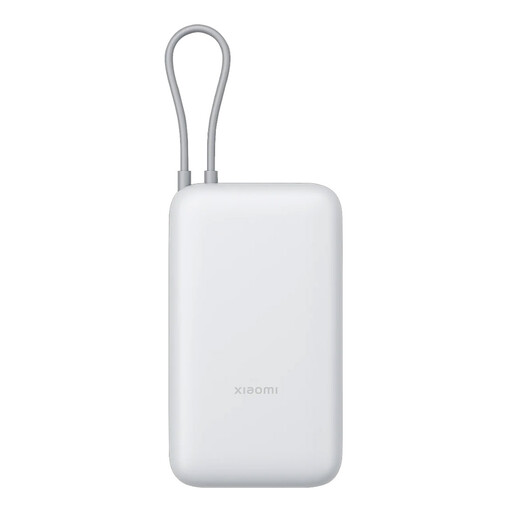 Image unavailable
This offers portable reserve power where sockets are unavailable, provided its output matches the device you plan to charge. The listing states an integrated USB-C cable and output of up to 22.5 W. Check device compatibility, the bank’s watt-hour rating and every operating airline’s current battery rules before travelling.
Check the rules of your operating airline rather than assuming the same allowance applies to every flight. GOV.UK directs travellers to check battery restrictions or contact their airline; easyJet specifically requires power banks to be carried in cabin baggage, not checked baggage.
easyJet states a maximum of two power banks per person in cabin baggage. Its policy also says they must not be used to charge devices or recharged on board. Check the current easyJet policy for your journey, and check other operating carriers separately.
No. Electrical Safety First explains that travel adapters do not convert voltage or frequency. Identify the destination socket and check the charger’s input rating before connecting it.
Take a cable whose stated power capability meets the requirements of your laptop and charger. The USB Implementers Forum notes that USB-C cables differ in capability; connector shape alone is not enough to confirm a suitable charging setup.
Stop charging it. London Fire Brigade advises stopping immediately if a battery begins to swell and avoiding damage such as crushing or puncturing. Seek advice from the manufacturer or a qualified technician rather than opening the casing.