What matters when choosing?
Start with the toothbrush’s required charging method, then decide how much desk space and how many outputs your setup needs. A power bank’s capacity or maximum wattage cannot establish toothbrush compatibility on its own.
| Concern |
What to check |
Who this matters to |
| Charging compatibility |
Check the toothbrush manual for its accessory, connector and permitted input. Match these to the bank’s physical output and specified voltage. |
If my travel case uses USB-A or another model-specific arrangement, a convenient built-in USB-C cable may not charge it. Around 42% of consumers put that charging-method match first. |
| Desk space and clutter |
Compare dimensions and weight, and check whether you will still need a separate toothbrush cable. |
I want backup power for my toothbrush without leaving a bulky battery and spare leads on a shared desk. For around 25% of consumers, a compact arrangement is the primary concern. |
| Charging another device |
Check the number and type of outputs and the total output available when ports are used together. |
If I also charge my phone, I do not want to unplug the toothbrush whenever the phone needs power. Around 33% of consumers place that multi-device need first. |
Joybuy power banks for desk use
These 10,000mAh power banks offer USB-A alongside other connection options for a desk setup. Before choosing one, confirm that its output and the cable or accessory you will use match your toothbrush’s instructions.
 No image available
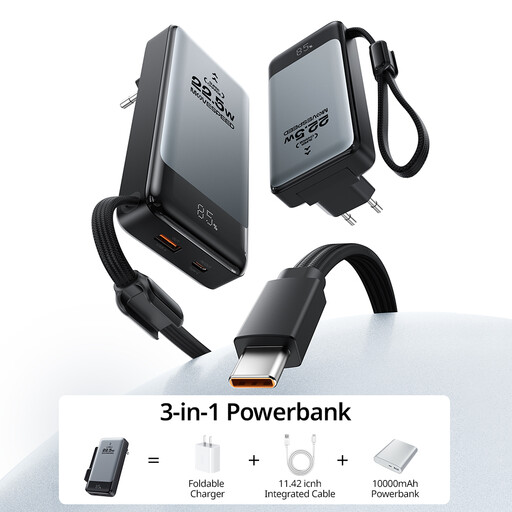
MOVESPEED 3-in-1 Power Bank, 10,000mAh, 15W
Consider this for a USB-A toothbrush accessory if its charging requirements match the stated output. It has three outputs, including USB-A with a stated 5V/3A mode, and an integrated Type-C cable. The listed weight is 470g and the dimensions are 129.41 × 64.12 × 25.56mm, worth checking against the space available at your desk.
View on Joybuy
 No image available
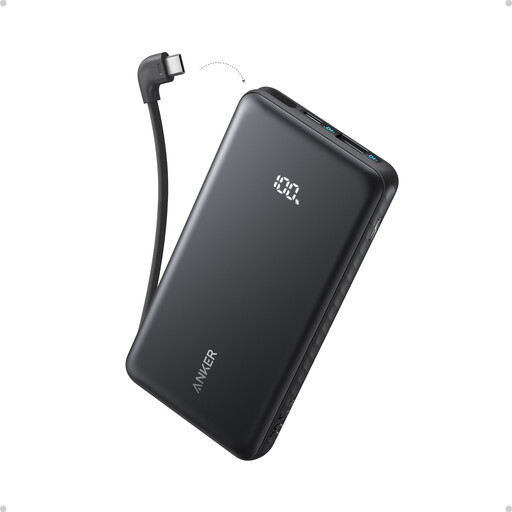
Anker Zolo Power Bank, 10,000mAh, 22.5W, with built-in USB-C cable
This may suit a desk where a toothbrush uses USB-A and another device can use the built-in USB-C cable. The product information lists USB-A output and charging for a second device. Check the USB-A voltage mode against the toothbrush instructions and the output limits if both devices will charge together.
View on Joybuy
 No image available
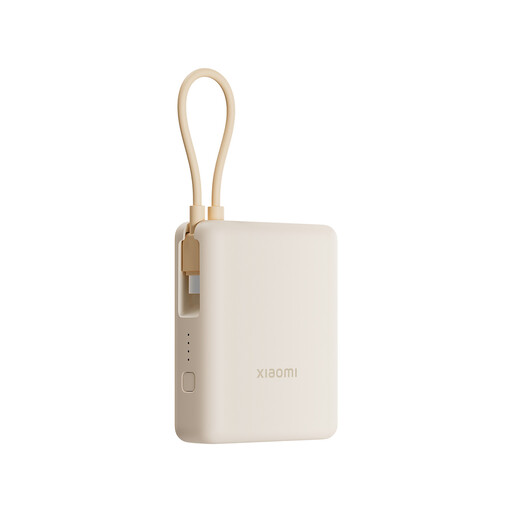
Xiaomi 33W Power Bank, 10,000mAh, integrated cable, Tan
This is an option to examine if you want USB-A for a toothbrush accessory and USB-C connections for other devices. The product information lists USB-A and USB-C ports, a built-in USB-C cable and charging for up to three devices. Confirm the USB-A voltage mode and simultaneous-output conditions for your setup.
View on Joybuy
 No image available
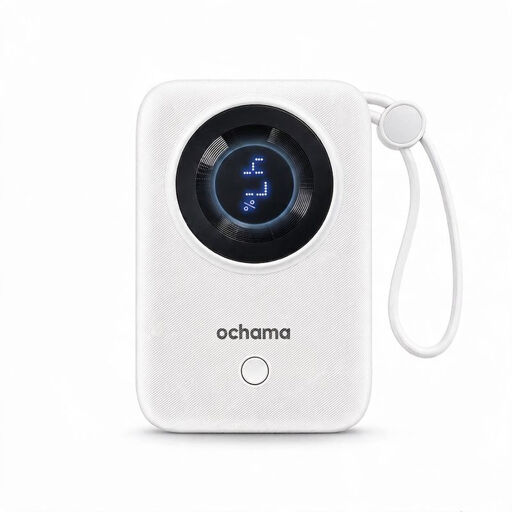
Ochama 22.5W Power Bank, 10,000mAh, with built-in USB-C and Lightning cables
Consider its cable arrangement if you also use devices with USB-C or Lightning connections, while checking the toothbrush accessory independently. The product information lists USB-A and USB-C interfaces, two built-in cables and a battery-level display. Confirm which interface supplies the required toothbrush input and whether the outputs can be used together.
View on Joybuy
Frequently asked questions
Will any USB power bank charge my toothbrush?
No: the bank must suit your toothbrush’s permitted charging method, accessory and connector. Philips says Sonicare charging methods vary by model, so check your exact model’s instructions before relying on a USB-A port or a built-in USB-C cable.
Do I need a 30W or 45W bank for a USB toothbrush?
Not on the basis of the toothbrush alone: its charging design determines what it can use. Higher advertised output may matter for another device, but start by matching the toothbrush’s connector and specified input, including 5V where its instructions require it.
How can I use a power bank safely at a shared desk?
Keep it uncovered on a clear, dry surface, and stop using it if it is damaged, swollen or behaving abnormally. London Fire Brigade warns that damaged, short-circuited, submerged or over-charged batteries can present a fire risk; follow your workplace’s desk and electrical-equipment rules too.
Does a CE or UKCA mark alone establish that a power bank is safe?
No. GOV.UK guidance for products placed on the market in Great Britain explains that these markings indicate the manufacturer believes the product meets relevant requirements. Check the exact model against official safety alerts as well as buying from a traceable seller.
What if my power bank model is recalled?
Stop using an affected model and follow its published recall instructions. The UK Office for Product Safety and Standards’ July 2025 recall names Anker A1681, A1689 and A1647; compare the model number on your own unit rather than assuming a recall applies to, or excludes, every product from a brand.


