For phone-only field work, choose a power bank by the reserve you need through the day, its output to your phone and what you are willing to carry. A 10,000mAh-class model is a lighter-carrying option than a larger bank, while a 20,000mAh-class model offers a greater labelled reserve; neither figure promises a set number of phone charges. If you also need laptop power, confirm the laptop’s USB-C charging requirements against the bank’s single-port output, voltage profile and cable, then check how long the bank takes to recharge.
Who needs which kind of power bank?
Phone-first field workers
If navigation, calls, messages, photographs and notes keep your phone in use away from mains power, start with the reserve needed to get through the workday. Electrical Safety First distinguishes capacity, which affects how many times a device can be recharged, from output power, which affects charging speed.
Workers carrying a USB-C laptop
Charging a phone and laptop between locations calls for more than a large mAh figure. Check that the laptop accepts USB-C charging and that the bank’s single-port Power Delivery output, voltage profile and cable meet its requirements.
People travelling with a light load
When a phone is the main device and pocket or small-bag space matters, a compact bank may be easier to keep with you. The trade-off is a smaller labelled energy reserve, so judge it against your actual time away from a charger.
What matters when choosing?
Work out whether the bank must cover a phone alone or a phone and laptop. Then weigh energy reserve against carrying size and the time available to recharge the bank.
| Concern |
What to check |
Who this matters to |
| Workday reserve |
Compare labelled Wh where available alongside mAh; check the ports and any stated output-sharing rules. |
If navigation, photos and calls keep my phone busy all day, I need enough reserve until I reach a charger. About 36% of consumers put workday reserve first. |
| Laptop charging |
Confirm the laptop’s USB-C charging requirement, the bank’s single-port USB-C PD output and voltage profile, and the cable rating. |
When I carry a laptop as well as a phone, I need to know the bank can meet that laptop’s charging requirement. Laptop compatibility is the main concern for about 29% of consumers. |
| Carrying practicality |
Check the exact model’s mass and dimensions, plus whether its cable needs separate space. |
If I move between sites with a small bag, I need a bank I can comfortably keep with me, even if that means less reserve. Carrying practicality comes first for about 21% of consumers. |
| Recharge turnaround |
Check maximum input power, the conditions behind any stated recharge time and the wall charger required. |
With another demanding workday ahead, I need time to refill the bank before leaving again. About 14% of consumers chiefly prioritise recharge turnaround. |
Buying mistakes to avoid
-
Choosing by mAh alone
A capacity label does not tell you the power available at a port, establish laptop compatibility or promise a particular number of full phone charges.
Compare Wh where stated, then check the exact bank’s output and your device’s charging requirements. Electrical Safety First notes that capacity and output answer different buying questions.
-
Treating total wattage as single-port output
A headline output can be divided across ports. The figure available to a laptop on one USB-C port may therefore differ from the bank’s stated total maximum.
Read the per-port specifications and the allocation with multiple devices connected before matching a bank to a laptop. Anker and UGREEN publish total-output figures for different models, which should not be read as a promise of that power on every port.
-
Overlooking how the bank recharges
A large reserve is less useful across consecutive field days if the bank cannot be refilled during the time available. A quoted recharge time can depend on the charger used.
Check input wattage, the maker’s recharge conditions and whether a suitable mains charger is included. UGREEN’s stated 1.6-hour recharge for its 20,000mAh 130W Nexode model is a manufacturer claim, not a time to assume for other setups.
Achieving a stated rapid recharge may require a higher-power wall charger that you need to obtain separately.
-
Using a damaged or hard-to-identify pack
Damage and poor product traceability make it harder to assess a safety concern or identify an affected product if a recall is issued.
Choose a seller you can identify, keep the product details and stop using a bank that is swollen, damaged or excessively hot. Check relevant product recalls and safety alerts from the Office for Product Safety and Standards.
Relevant brands to consider
Anker
Anker’s 737 Power Bank (PowerCore 24K, A1289) is a reference point for work-bag use involving a phone and a USB-C laptop.
- Anker lists 24,000mAh, two USB-C ports, one USB-A port and up to 140W total output for the A1289.
- Its stated mass is 607g. Check the required single-port output and how power is shared rather than treating the total as available to every device.
UGREEN
UGREEN’s Nexode range includes 20,000mAh models with different output arrangements, making the exact variant important.
- UGREEN states three-device charging and 80W input for its 130W total-output model; it quotes a 1.6-hour recharge under its stated setup.
- A separate 145W model lists individual USB-C port limits of 100W and 45W. Do not transfer those figures, or the recharge claim, to another Nexode variant.
Belkin
Belkin documents both 10,000mAh phone-oriented USB-C banks and a 20,000mAh laptop-oriented model.
- Belkin lists up to 65W Power Delivery output from one USB-C port on its BoostCharge Pro BPB020.
- That output figure does not establish compatibility with every laptop; compare it with your laptop’s USB-C charging requirement.
Joybuy power banks for field work
These Joybuy selections span 10,000mAh phone-focused banks, a 20,000mAh phone-reserve option and a higher-capacity model to assess for phone-and-laptop work. Choose against your devices and carrying needs rather than assuming the same output or workday endurance from every model.
 No image available
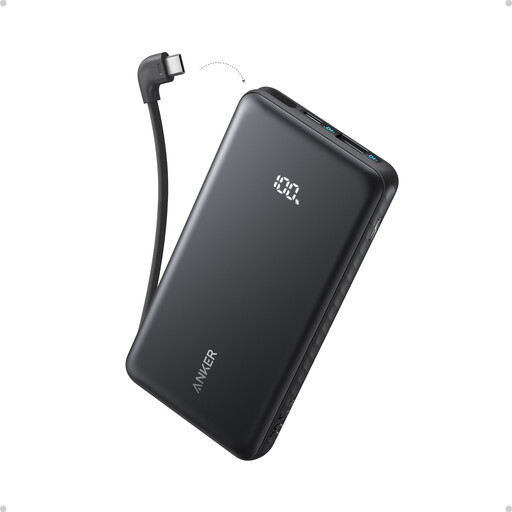
Anker Zolo 10,000mAh 22.5W Power Bank with Built-in USB-C Cable
Consider this for phone-focused work when carrying a separate cable is inconvenient.
The listing states 10,000mAh capacity, 22.5W output and 20W input, and describes USB-C and USB-A ports. Check your phone’s charging compatibility and the recharge setup before relying on it for a full day.
View on Joybuy
 No image available
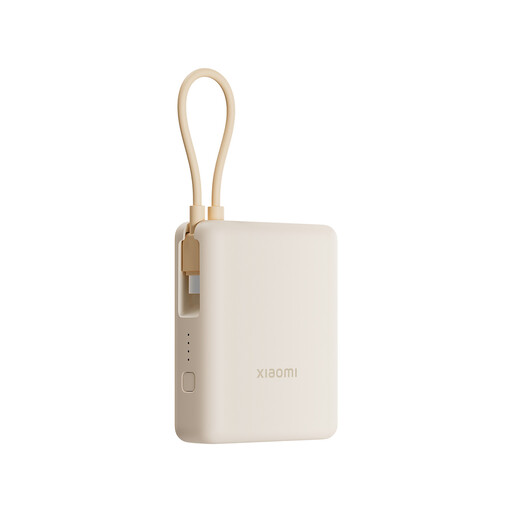
Xiaomi 33W 10,000mAh Power Bank, Integrated Cable, Tan
This is a phone-focused option if an integrated cable and connections for other small devices matter during travel between locations.
The listing states up to 33W output and describes USB-C and USB-A ports with charging for up to three devices. Confirm the output available with your chosen devices connected and whether your phone supports the relevant charging protocol.
View on Joybuy
 No image available
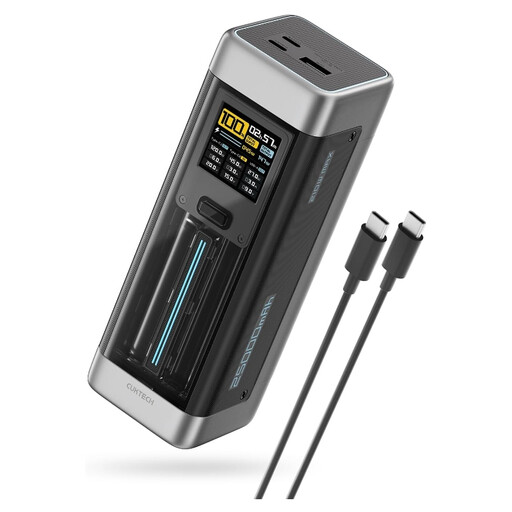
CUKTECH NO.20 P23 Gray 25,000mAh 140W USB-C Power Bank
Assess this model for phone-and-laptop field work if your laptop accepts USB-C charging and you can accommodate a larger-capacity bank.
The listing claims up to 140W USB-C output and describes two USB-C ports and one USB-A port. Confirm the exact single-port voltage and output profile, power sharing and cable rating against your laptop’s requirements; the headline figure alone does not establish compatibility. Follow the listing’s ventilation precautions during high-output use.
View on Joybuy
 No image available
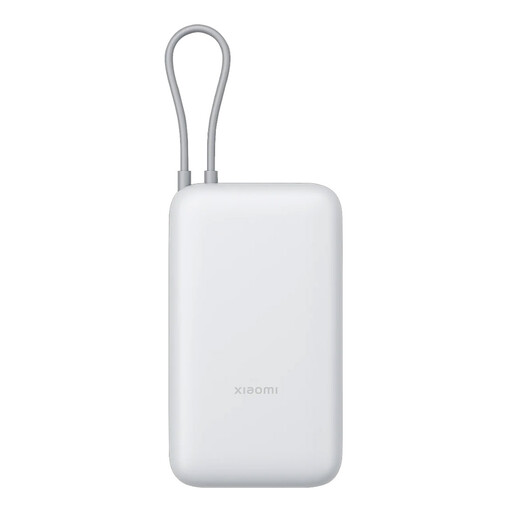
Xiaomi 20,000mAh Power Bank, Integrated Cable, GL Light Gray
Consider this when intensive phone use makes a larger labelled reserve more important than choosing a 10,000mAh-class bank.
The listing states an integrated USB-C cable and up to 22.5W output. Its 22.5W claim is stated for Xiaomi smartphones; check your own phone and cable for the applicable charging protocol, and check the bank’s size and recharge arrangements for your workday.
View on Joybuy
 No image available
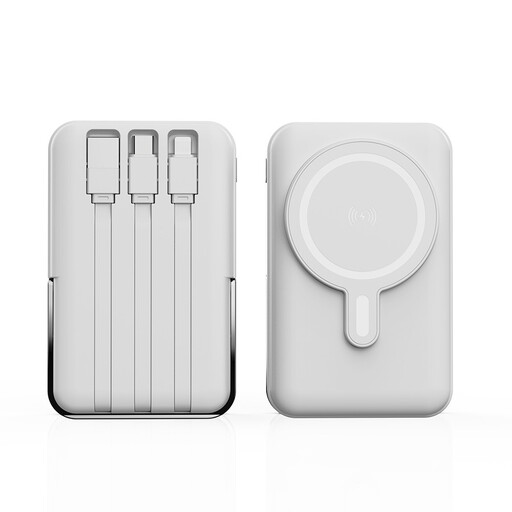
XBJ 852 White 10,000mAh Magnetic Power Bank with Stand
This phone-focused option is worth checking if magnetic wireless charging and a stand would be useful while working away from a desk.
The title claims 22.5W maximum charging and describes an adjustable stand. Confirm wireless compatibility with your particular phone and case, and check the wired outputs before counting on either charging method during a full workday.
View on Joybuy
Common questions
Can any USB-C power bank charge a USB-C laptop?
No. The laptop must accept USB-C charging, and the bank’s documented single-port USB-C Power Delivery output and voltage profile must meet its requirements with a suitable cable. A USB-C connector or high total-output figure does not establish that match.
Why is mAh alone not enough for a full workday?
The mAh label does not promise a fixed number of full charges for your phone. Charging also depends on conversion to USB output, the phone’s behaviour and any other connected devices. Compare labelled Wh when available and check output specifications; Electrical Safety First identifies capacity and output power as separate factors.
What should I check before recharging or storing a power bank?
Use an appropriate charger, keep the bank uncovered and ventilated while charging, and protect it from heat, liquids and damage. Electrical Safety First advises against charging overnight or while away from home. Stop using a pack that is swollen, damaged or excessively hot.
How can I check a listing for safety concerns?
Identify the seller and exact product, keep its documentation and check for relevant recalls or safety alerts from the Office for Product Safety and Standards. A marking or logo alone should not replace checking the specific listing and the condition of the product you receive.
Where should I pack a power bank for a flight?
Keep it with you in the cabin, not in checked luggage: that is the UK Civil Aviation Authority’s advice for power banks. Check your airline’s current requirements for the particular bank before travelling.


