Phone-first field workers
If GPS, photos, notes and calls keep your phone in use away from sockets, concentrate on usable energy and charging that matches the phone. A larger advertised wattage alone does not establish a longer working day.


For a workday spent using phone GPS, taking photos and making calls, start with a power bank whose wired output and charging standard match your phone, then assess capacity without treating its mAh label as a promised number of recharges. A higher-output bank makes more sense if the kit also includes a compatible laptop or other demanding USB-C device; an integrated cable is convenient only if its connector suits what you carry.
If GPS, photos, notes and calls keep your phone in use away from sockets, concentrate on usable energy and charging that matches the phone. A larger advertised wattage alone does not establish a longer working day.
When a tablet, handheld device or USB-C laptop also needs power, check its charging requirements alongside the bank’s ports and combined output. A rating for one connection need not describe what happens with several devices attached.
An integrated USB-C cable removes one loose item from a phone-charging kit. Check the device connector before choosing one, and carry a compatible separate cable if another device needs a different connection.
Match the phone’s charging requirements first, then consider energy, connections and how the bank itself will be recharged between shifts.
| Priority | What to check | Your needs |
|---|---|---|
| Usable energy | Compare watt-hours where stated, and look for rated output capacity. Allow for conversion losses rather than converting nominal mAh into a fixed phone-charge count. | I need enough power while GPS, the camera and the screen remain in use. Anker Support UK explains that the mAh printed on a bank describes charge capacity, not all the energy delivered to a phone. |
| Phone charging | Check the exact phone’s supported input, USB Power Delivery (USB PD) requirements and cable. Treat the bank’s maximum wattage as a ceiling, not the rate every phone will receive. | If I rely on short charging breaks, I want a charging mode my phone can use. Apple Support UK describes USB PD as a condition for fast charging compatible iPhones; Samsung UK specifies further device compatibility conditions for Super Fast Charging 2.0. |
| Another device | Check its required USB-C input and the bank’s applicable output profile. For several connected devices, compare per-port ratings with the combined limit. | My phone may need power at the same time as a tablet or laptop. Higher stated output is useful only when the other device, bank and cable support the required charging arrangement. |
| Cables and ports | Match attached connectors to your devices; note any separate cable needed. Check which USB-C and USB-A connections remain available while the attached cable is in use. | I would rather not depend on remembering a loose cable, but I still need to connect every device in my kit. A USB-C cable attached to a bank will not plug directly into a Lightning-equipped phone. |
| Recharging the bank | Check the bank’s stated input rating and the wall charger and cable required to reach it. Consider when a socket will next be available between shifts. | A bank that serves one long day also has to be ready for the next. I need a recharge setup I can use during the time available, not just a high output rating for charging my phone. |
| Supplier and condition | Choose an identifiable supplier, check the model against UK product-safety alerts and use compatible charging equipment. Stop using a bank that becomes swollen or damaged. | I carry a rechargeable battery through the working day. London Fire Brigade identifies damaged batteries and short circuits as fire risks, so traceability and the unit’s condition matter alongside its specifications. |
A bank’s nominal mAh describes its internal cells; it does not specify how much energy reaches a phone after conversion and charging losses. Using GPS and the camera while charging also draws power.
Compare watt-hours and rated output capacity where available, then judge the bank against your phone and expected use rather than a generic charge-count claim. Anker Support UK explains the distinction between stated charge capacity and usable output.
A maximum output can be shared. Belkin UK states that its Power Bank 20K with Integrated Cable can connect three devices with up to 30W shared output, so that figure is not a separate allowance for each device.
Check both single-port and combined-output ratings for the devices you intend to connect, and try that combination before depending on it during a shift.
A high-output bank does not make a phone accept a charging mode it lacks. Apple Support UK and Samsung UK both describe device and charging-standard conditions for their respective fast-charging modes.
Check the exact phone model, required USB PD mode and cable capability before deciding whether extra bank output will serve any device in your kit.
Battery faults have consequences beyond an interrupted charge. The UK Office for Product Safety and Standards recalled POM power banks in June 2026 because insecure internal wiring presented a fire risk.
Buy from a supplier you can identify, retain the model details, check official recalls and stop using a swollen or damaged bank. London Fire Brigade advises care with damaged rechargeable batteries and chargers.
These examples illustrate specifications worth comparing; the brand references are separate from the Joybuy products listed below.
Anker UK describes its Zolo Power Bank (20K, 30W, Built-In USB-C Cable) as a 20,000mAh model weighing 318g, suited to consideration for a phone-focused kit that needs an attached USB-C cable.
UGREEN UK lists a 20,000mAh Nexode integrated-cable model with a stated 45W output. It is an example to examine when the field kit includes a compatible USB-C device with higher input requirements.
Belkin UK describes its Power Bank 20K with Integrated Cable as a 20,000mAh option with an attached USB-C cable and additional USB-C and USB-A ports.
These options include cable-attached banks for a phone-focused work kit and a higher-output model to consider when you also carry a compatible USB-C device. Check your exact devices before relying on any stated capacity or maximum output for a full shift.
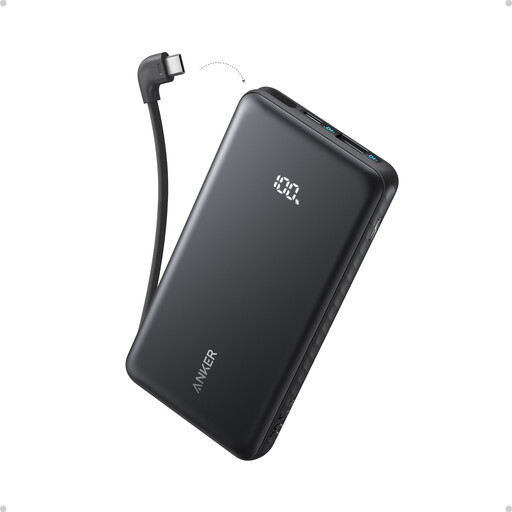 Image unavailable
The attached USB-C cable suits a phone-focused kit when that connector matches your phone. Check rated output capacity and the phone’s charging requirements before relying on the stated 10,000mAh capacity or 22.5W maximum for a full shift.
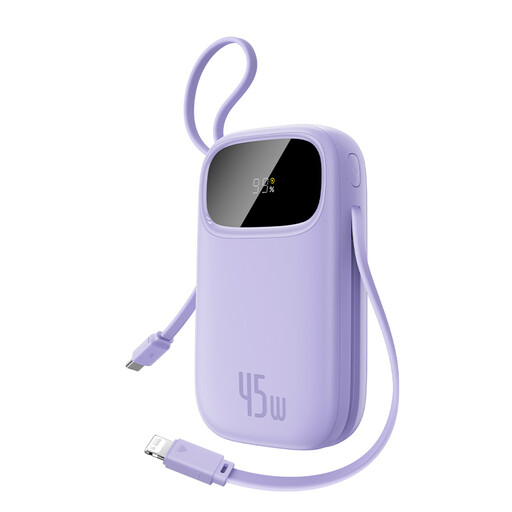 Image unavailable
Attached USB-C and Lightning cables may simplify a kit containing different phone connectors. Confirm the capacity before planning a full day around it: the product information presents both 10,000mAh and 5,000mAh at 7.3V/36.5Wh. The stated 45W maximum concerns single-device charging, so check the combined output if several devices will be connected.
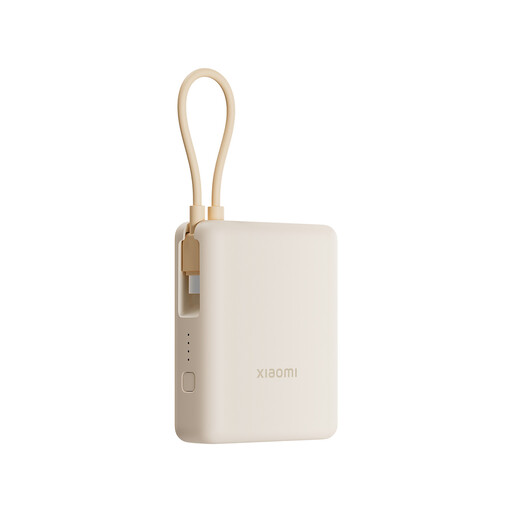 Image unavailable
The integrated cable is worth considering if you want fewer loose items in a phone kit. Check the maximum output before choosing it for short charging breaks: the product information states 22.5W, while the title and description state 33W. The 10,000mAh figure alone does not establish usable energy through a full shift.
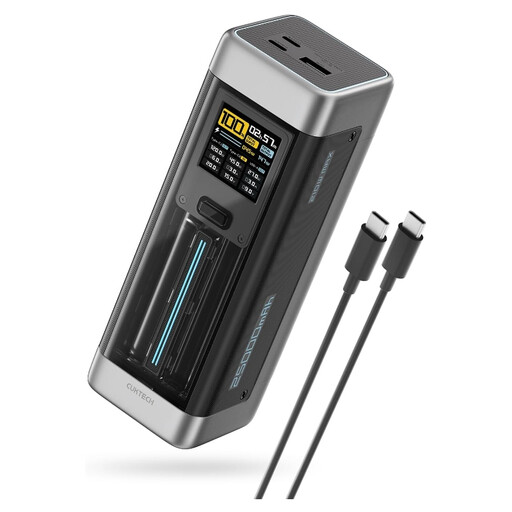 Image unavailable
Consider this higher-output model when a laptop or another demanding USB-C device is part of the work kit, not solely because a phone needs charging. Its title states 25,000mAh and a 140W maximum. Confirm the required device and cable profiles, plus per-port and combined output, before depending on that rating.
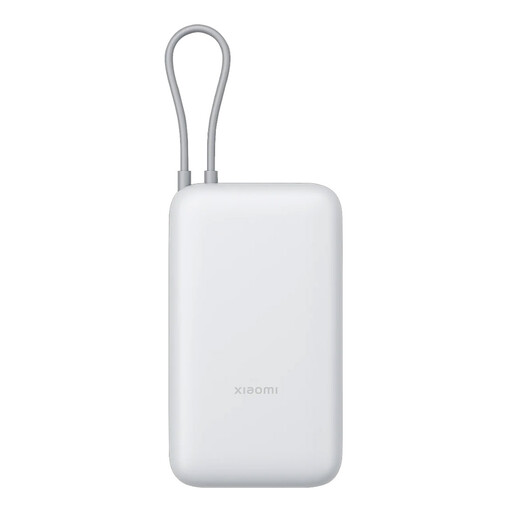 Image unavailable
This cable-attached option is aimed at carrying a phone backup without a separate USB-C cable. Its stated 20,000mAh capacity is not a delivered-energy or full-day-runtime figure; compare rated output capacity where available and confirm charging compatibility with your exact phone.
Choose output and a charging standard that meet the exact phone model’s requirements; there is no single wattage for every phone. Apple Support UK describes USB PD requirements for fast charging compatible iPhones, while Samsung UK sets device-compatibility conditions for Super Fast Charging 2.0. A larger bank rating cannot make an incompatible phone use that mode.
Not from the mAh label alone. Anker Support UK explains that nominal charge capacity differs from usable output; voltage conversion and charging losses matter. Compare watt-hours and rated output capacity where stated, then account for phone use during charging.
Not directly: use a compatible USB-C-to-Lightning cable instead. Belkin UK specifies a separate USB-C-to-Lightning cable for charging iPhone 13 and iPhone 14 with its integrated-USB-C Power Bank 20K. Check both the phone connector and the bank’s available ports.
Choose an identifiable supplier, keep the model details and check the UK Office for Product Safety and Standards product-safety alerts and recalls service. London Fire Brigade advises using appropriate charging equipment and avoiding damaged batteries; a capacity or output figure cannot replace those checks.
Stop charging and using it, and disconnect it where safe rather than continuing a work shift with it. London Fire Brigade identifies damaged rechargeable batteries as a fire risk; seek the manufacturer’s advice on handling the affected unit.