What should you check before buying?
Start with the devices and time you need to cover, then check charging connections and carrying requirements against the exact model.
Compact wired bank
Consider it when: One phone needs an occasional top-up during a commute or day out.
Trade-off: A smaller reserve gives you less scope for repeated charging or a second device.
Higher-capacity multi-port bank
Consider it when: Several devices need charging through a long day, especially if one is a compatible laptop.
Trade-off: More capacity adds carrying bulk, and a stated total wattage may be divided between ports.
Magnetic wireless bank
Consider it when: A compatible phone and case make cable-free attachment useful.
Trade-off: Charging depends on alignment; Belkin UK warns that its Qi2 model may not align correctly and could interfere with the phone camera.
| Priority | What to check | Your needs |
|---|
| Capacity and weight |
Compare the stated mAh, labelled Wh, dimensions and weight. Decide whether the reserve is for one top-up or several devices; mAh does not tell you the exact number of charges you will receive. |
I want enough reserve to reach the next socket without carrying a larger bank than my day calls for. |
| Device output |
Match the bank’s stated USB-C output and supported charging standard to the device’s requirement. For a laptop, check the output of the specific port you will use, not just the headline total. |
A tablet or laptop is coming with me, so I need to know whether this bank can charge that particular device. |
| Ports and shared power |
Count the usable USB-C and USB-A connections. Read the model’s output table for what each port can supply when several devices are connected. |
My phone may be charging alongside an accessory or someone else’s device; one fast port would not cover that plan. |
| Cables |
Check the connector at both ends, whether a suitable cable is built in or supplied, and its rating for the intended device. Apple UK documents USB-C-to-Lightning fast charging for selected Lightning devices. |
I would rather use an integrated cable, but it still has to fit my device; a laptop cable also needs an appropriate power rating. |
| Wireless fit |
Confirm the phone and case support the stated magnetic or Qi2 arrangement. Check whether the model also offers wired charging if alignment is inconvenient. |
Cable-free attachment appeals to me, provided it works with the phone and case I actually carry. |
| Flight packing |
Check the visible Wh rating and your carrier’s current policy. The UK Civil Aviation Authority says power banks belong in cabin baggage, limits passengers to two and says not to recharge them onboard; 100–160Wh batteries require airline approval. |
I am taking this bank on a flight, so I need a readable battery label and a packing plan that meets my airline’s requirements. |
Brand ranges to compare
These ranges illustrate different charging arrangements; check the specifications of the individual model rather than treating a brand name as a compatibility guarantee.
UGREEN
UGREEN UK lists higher-capacity USB-C banks for buyers considering several devices or a compatible laptop.
- One listed 20,000mAh model specifies two USB-C ports, USB-A and up to 100W from USB-C1.
- A separate 20,000mAh model states 130W total output and has an integrated USB-C cable. Check its per-port allocation before relying on that total for a laptop.
Belkin
Belkin UK lists wired USB-C and magnetic Qi2 options, allowing buyers to compare a cable connection with attachment to a compatible phone.
- Its 10,000mAh BoostCharge Slim Qi2 listing states up to 15W wireless charging and 30W USB-C charging.
- Belkin warns that wireless alignment may not be correct and may interfere with a device camera; check the phone and case.
Power banks on Joybuy
These options cover integrated-cable, magnetic and higher-capacity USB-C charging for days away from a socket. Compare the exact connector and output requirements of your devices before choosing.
 No image available
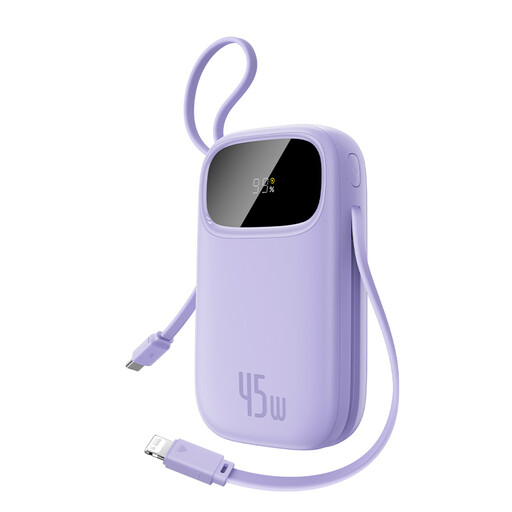
Baseus EnerFill FC31 Qpow 3, 45W, Nebula Purple
Consider this for carrying USB-C and iP cables together: both are named in the product title. The title states 10,000mAh and 45W, but the supplied capacity details conflict; confirm the rated capacity, Wh label and output when charging more than one device before buying.
View on Joybuy
 No image available
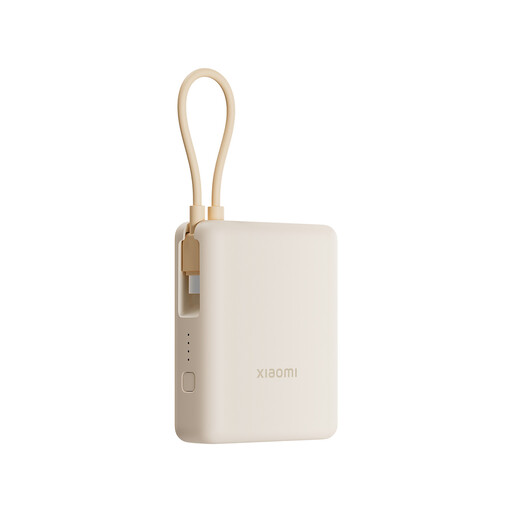
Xiaomi 33W Power Bank 10000mAh, Integrated Cable, Tan
The integrated cable may reduce what you need to pack for a day out. The title states 10,000mAh and 33W; check the cable connector against your device and the output allocation if you plan to charge several devices together.
View on Joybuy
 No image available
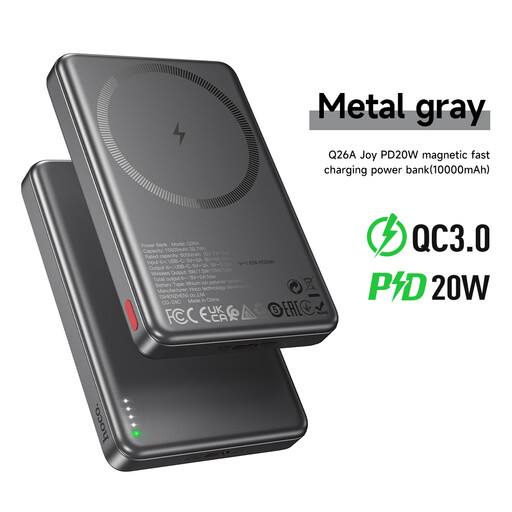
HOCO Q26A Joy 10000mAh Magnetic Power Bank, Metal Grey
This is a magnetic option for a phone with a compatible charging arrangement. Check your phone and case before relying on attachment, and confirm that the unit has a visible Wh marking if you intend to fly.
View on Joybuy
 No image available
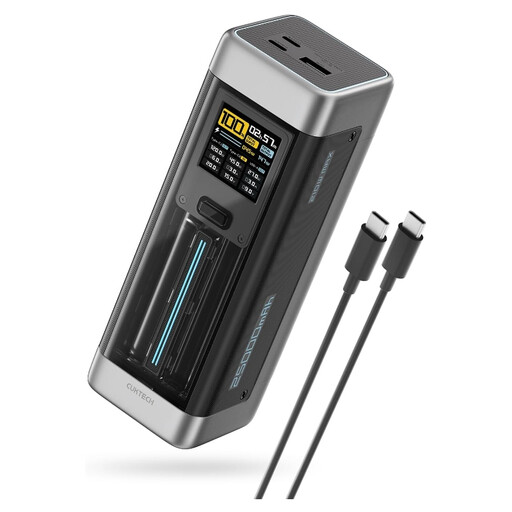
CUKTECH NO.20 P23 25,000mAh 140W USB-C PD3.1, 3-Port, Gray
Consider the three-port format when a compatible laptop and other devices need charging away from mains power. The title states 25,000mAh and 140W USB-C PD3.1; compare your laptop’s requirement with the relevant port’s output, including its allocation during simultaneous charging. Check the weight and visible Wh rating for travel.
View on Joybuy
 No image available
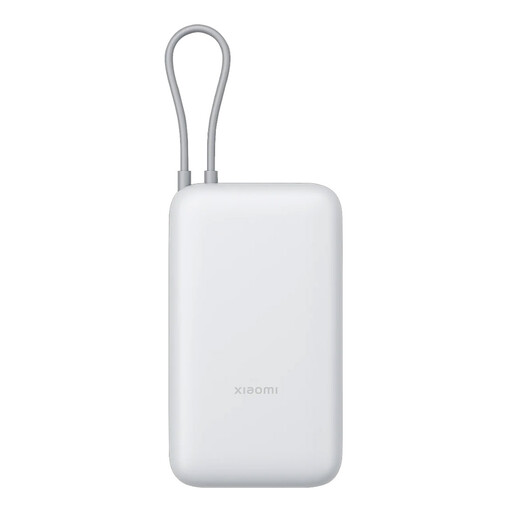
Xiaomi Power Bank 20000mAh, Integrated Cable, GL Light Gray
The stated 20,000mAh capacity and integrated cable make this worth comparing for a longer day with devices that fit its connector. Confirm the connector, port count and output if several devices need charging, plus the bank’s weight and visible Wh rating before travel.
View on Joybuy
Frequently asked questions
What capacity makes sense for a phone top-up or several devices?
For an occasional phone top-up, start with a compact bank and compare its reserve with the time until your next socket. For several devices over a long day, consider higher capacity together with enough ports and output. UGREEN UK lists 20,000mAh three-port examples, but mAh alone cannot tell you how many charges your particular devices will receive.
How much USB-C output does my laptop need?
Use your laptop manufacturer’s charging requirement, then check the bank’s output for the specific USB-C port and for simultaneous use. Requirements differ by model: Apple UK says the MacBook Neo supports a USB PD source and needs at least 20W. A bank’s total wattage is not necessarily available from every port.
Do I need to pack a separate charging cable?
Not if the exact power bank has a built-in or supplied cable suitable for your device. Check its connector and power rating: Apple UK documents USB-C-to-Lightning charging for selected Lightning iPhone and iPad models, while a USB-C device needs a compatible USB-C connection.
Can I take a power bank on a flight from the UK?
The UK Civil Aviation Authority says to carry power banks in cabin baggage, not checked luggage, and limits passengers to two; it also says not to recharge them onboard. Its guidance requires airline approval for batteries rated 100–160Wh and prohibits those over 160Wh in passenger baggage. Check the visible Wh rating and your operating airline’s current rules before travelling.
What should I check when buying a power bank for regular use?
Check that its connections and output suit your devices, and buy from a reputable retailer. Electrical Safety First also advises registering the power bank so you can be contacted if it is recalled.


