Flyers carrying a phone and power bank
A power bank can provide charge during waits and transfers. For a flight, check its watt-hour marking and your operating airline’s limits, packing requirements and onboard-use policy.


Choose a power bank for stretches away from a socket, or a multi-port charger when you can use mains power and need to charge several devices. Match the cable, charger output and plug to your devices and destination. Before flying with a power bank, check its watt-hour label and the operating airline’s current rules for carrying and using it.
A power bank can provide charge during waits and transfers. For a flight, check its watt-hour marking and your operating airline’s limits, packing requirements and onboard-use policy.
Compare the devices’ charging requirements with the charger’s output when ports are used together. Check that each cable has the right connectors and power rating.
Check the destination’s socket type against your charger’s plug and input-rating label. Choose an identifiable charger or adapter from a reputable seller; Electrical Safety First warns about substandard and counterfeit USB chargers.
Start with where you will recharge, then check flight rules for batteries and the connections needed at the wall socket and device.
| Priority | What to check | Your needs |
|---|---|---|
| Power bank for a flight | Read the actual watt-hour label. Check the operating airline’s capacity, quantity, approval and onboard-use rules; pack power banks in hand baggage, as British Airways requires and International Air Transport Association guidance describes for spare batteries. | I may be away from a socket during a long wait or journey, but I need to know whether I can carry and use the power bank on each flight. |
| Multi-device charging | Compare each device’s charging requirement with the charger’s single-port output and its stated output when several ports are occupied. Belkin, for example, specifies up to 65W from one port but 45W plus 20W from both ports on its cited dual-USB-C model. | At accommodation or a lounge, I want to charge my laptop and phone from one outlet without assuming both ports deliver the headline wattage. |
| Cable compatibility | Match connectors and cable power capability to the charger and device. USB Implementers Forum describes 60W and 240W labelling for USB-C-to-USB-C cables; Samsung says its specified 45W charging setup also needs a 5A cable. | My cable needs to fit the devices I am carrying and support the charging setup I intend to use. |
| Destination sockets | Check the destination’s socket format, the charger’s input-rating label and the exact plugs or adapters supplied. A plug adapter does not establish compatibility with every socket. | I want to use the charger where I am staying, rather than discover that its plug does not fit. |
| Product traceability | Identify the model and seller, inspect the plug and check relevant GOV.UK safety alerts. The UK Office for Product Safety and Standards has reported serious fire risks involving a counterfeit USB-C charger and a universal travel adapter. | For equipment I will plug into a wall socket, I want a product I can identify and check if a safety alert is issued. |
Airline battery conditions concern the watt-hour rating and can also include quantity, approval and onboard-use restrictions. International Air Transport Association guidance advises checking with the airline for batteries over 100Wh.
Read the watt-hour marking on the unit, pack it in hand baggage and confirm the operating airline’s rules for every flight.
A connector that fits does not establish the device’s charging mode, the cable’s power capability or the output available after another device occupies a port.
Check the device maker’s charging requirements, the cable rating and the charger’s output table for the number of ports you will use.
The UK Office for Product Safety and Standards has reported serious fire risks in a counterfeit USB-C laptop charger and a universal travel adapter with unsuitable plug dimensions and fusing.
Choose an identifiable model from a reputable retailer, keep the seller details and check safety alerts for the exact product.
Anker’s UK description of its 20K power bank with a built-in USB-C cable is relevant if you need charging away from mains power.
Belkin’s cited dual-USB-C wall charger is an example for travellers who expect access to a mains socket.
Apple’s cable and Mac guidance provides model-specific checks for travellers charging compatible Apple devices.
These options cover mains-powered multi-port chargers and USB-C cables for travel. Choose between them by checking your devices’ requirements, the sockets you will use and, for a charger, its output when several ports are occupied.
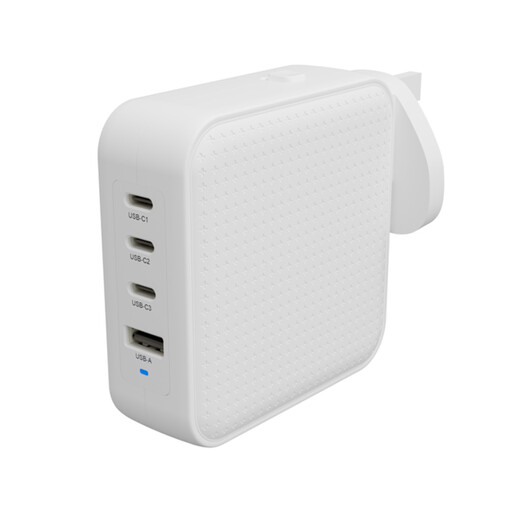 No image available
A mains charger to consider when several USB devices need charging at the same stop. Check the output available with your planned port combination and confirm which plug adapters come with the delivered unit.
No image available
A 1M cable for a travel setup with USB-C connections at both ends. Its stated 240W rating does not mean your device will charge at that power; check the charger and device requirements too.
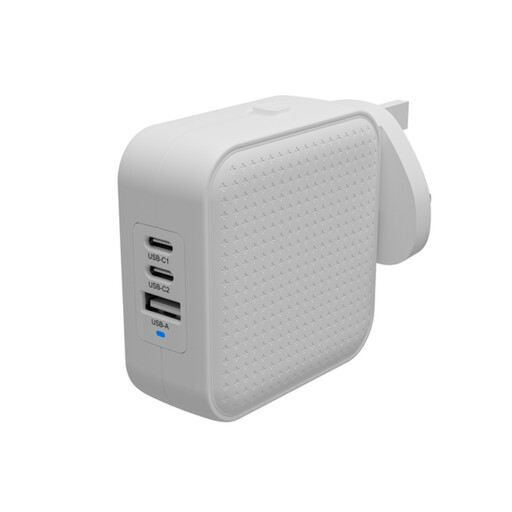 No image available
A mains-powered travel charger for a setup that needs USB-C charging. Before planning to charge several devices together, check its output allocation and confirm the plugs supplied with the delivered unit.
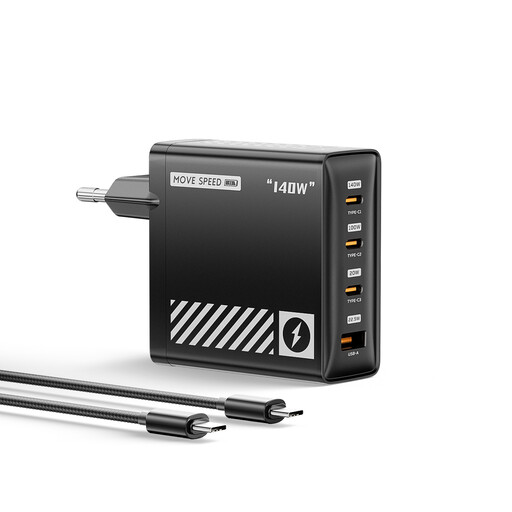 No image available
A mains charger to assess for a higher-power USB-C device alongside other electronics. Its EU plug makes destination-socket compatibility important; also check the output available when several ports are occupied.
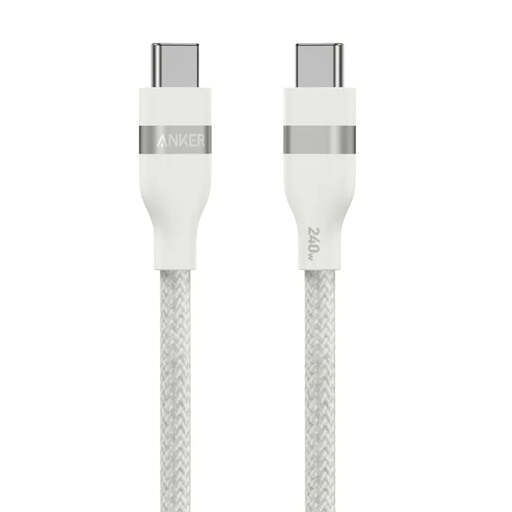 No image available
A 0.9M cable for devices and chargers with USB-C connections. Check whether that length reaches your charging position and whether the connected equipment supports the charging load you need.
No. British Airways says power banks and spare batteries must travel in hand baggage, not checked baggage; International Air Transport Association guidance also places power banks with spare batteries carried in the cabin. Check the operating airline’s requirements before departure.
Do not assume you can. International Air Transport Association guidance says to check with the airline for batteries over 100Wh because approval may be required. Read the rating on the actual unit and confirm the operating airline’s rules for each flight.
Check the operating airline’s policy before flying. easyJet, for example, says passengers may carry a maximum of two power banks in cabin baggage and may neither use them to charge devices nor recharge them onboard.
Check the laptop’s recommended charging wattage, whether it needs USB Power Delivery, and the cable’s rated power. Apple says USB-C-charging Mac laptops can use USB-PD adapters; USB Implementers Forum describes 60W and 240W power-capability labels for USB-C-to-USB-C cables. If you will charge another device at the same time, check the charger’s multi-port output too.
Identify the exact model and seller, check that the plug fits your intended socket, and look for relevant GOV.UK safety alerts. The UK Office for Product Safety and Standards has reported serious fire risks involving a counterfeit USB-C laptop charger and a universal travel adapter, so avoid assuming that an unfamiliar plug or product is safe because it fits.