Ticket-and-navigation phone commuters
If your phone holds your ticket, route information and messages, a bank you can carry routinely and connect with the right cable may matter more than laptop-level output.


Choose a phone-focused power bank if your essential loads are tickets, maps and messages. If you need to charge a laptop, first confirm that it accepts USB-C Power Delivery and compare the bank’s single-port output with the laptop maker’s wattage requirement; for several devices at once, check how output is shared between ports.
If your phone holds your ticket, route information and messages, a bank you can carry routinely and connect with the right cable may matter more than laptop-level output.
If you work on longer journeys, check your exact laptop’s USB-C charging support and recommended wattage before choosing a bank. Apple Support and Microsoft Support both make device compatibility and sufficient power central to their laptop-charging guidance.
If you charge more than one device at once, look beyond port count to the output available with those ports in use. Belkin UK, for example, distinguishes the single-port rating of its BoostCharge Pro 3-Port Laptop Power Bank 20K from its three-device charging capability.
Start with the device you cannot afford to leave uncharged on the journey, then check its connector and power requirement. Because sockets and outlet types can vary between rail services, plan around the charging equipment you can carry rather than an assumed seat-side supply.
| Concern | What to check | Who this matters to |
|---|---|---|
| Phone backup | Match the phone’s connector to the bank’s output or built-in cable; check the stated wired output. | If my phone carries my ticket and journey updates, keeping it available comes before charging larger devices. Around 33% of consumers put phone continuity first. |
| Laptop charging | Confirm USB-C Power Delivery support and compare the bank’s single-port wattage with the exact laptop’s requirement. | When I work on the train, a large capacity is little help unless the bank can supply my laptop. Laptop continuity is the primary concern for around 27% of consumers. |
| Simultaneous charging | Check port types and the published output allocation with your intended devices connected. | If a phone and another device need power together, I need to know what each port can deliver at the same time. Around 20% of consumers prioritise shared charging. |
| Carry and refill routine | Compare the exact model’s size and capacity, and match its charging input to the charger used between journeys. | I am more likely to bring a bank that fits my daily bag and can be ready for the return trip. For around 20% of consumers, easy carry and replenishment come first. |
A large mAh figure does not establish whether a bank can charge your laptop. Apple Support and Microsoft Support advise checking USB-C charging compatibility and sufficient power for the particular device.
Find your laptop model’s charging requirement, then compare it with the bank’s single-port USB-C Power Delivery output and the cable’s rating.
The highest stated output may apply to one port in a particular setup, not to every port while several devices charge. Belkin UK states up to 65W from one USB-C port on its BoostCharge Pro 3-Port Laptop Power Bank 20K.
Check the exact bank’s simultaneous-output table for the combination you intend to use.
A cable must suit the intended charging power, while the bank’s own input rating affects how it can be refilled. The USB Implementers Forum says USB Power Delivery 3.1 operation up to 240W requires a full-featured USB-C cable and connector.
Check the cable rating, the bank’s input specification and your wall charger’s output.
You may need to carry a separately compatible cable or wall charger.
The UK Office for Product Safety and Standards has published overheating and fire-risk recalls for Anker A1681, A1689 and A1647, and for Belkin BPB002 and PB0003. Those notices concern the specified models, not every product from either brand.
Compare the model number on a unit or its packaging with current product-safety notices, especially when buying older stock.
Anker UK lists laptop-oriented USB-C power banks, including 20K/220W, 25K/165W and 26K/300W variants.
UGREEN UK lists phone-focused and laptop-oriented power banks, including 10,000mAh/45W and 20,000mAh/130W models.
Belkin UK lists phone-focused USB-C banks and laptop-oriented 20K and 25K products.
These models cover phone backup, integrated-cable options and a higher-output bank to assess for laptop charging. Match the exact output, cable and device requirements before choosing for a particular journey.
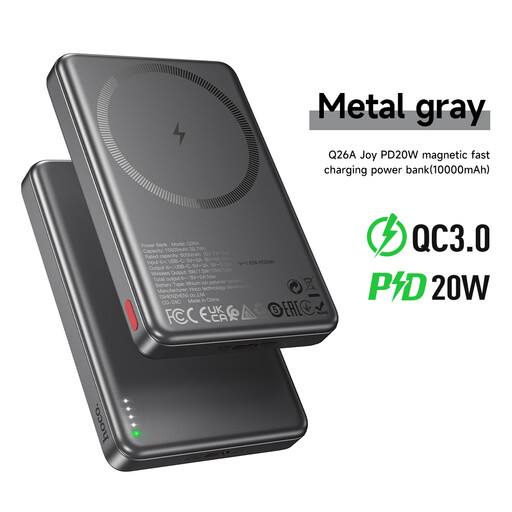 Image unavailable
A phone-backup option if magnetic attachment suits your device. Check your phone and case compatibility before relying on the magnetic connection.
Stated capacity: 10000mAh.
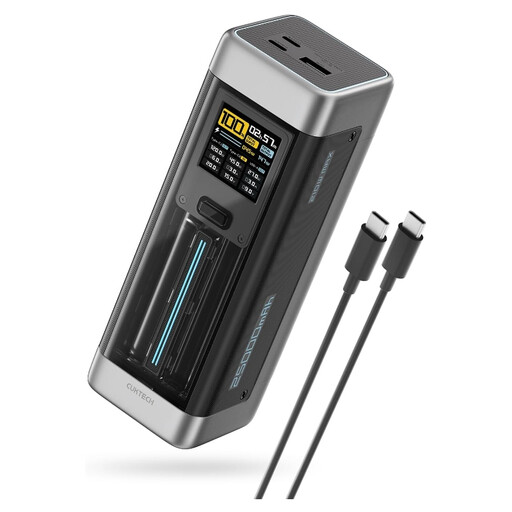 Image unavailable
Consider this for a USB-C-chargeable laptop only after checking its single-port output against that laptop’s requirement.
The title states 25,000mAh, 140W, three ports and PD3.1; the 140W figure alone does not establish the output available in every port combination.
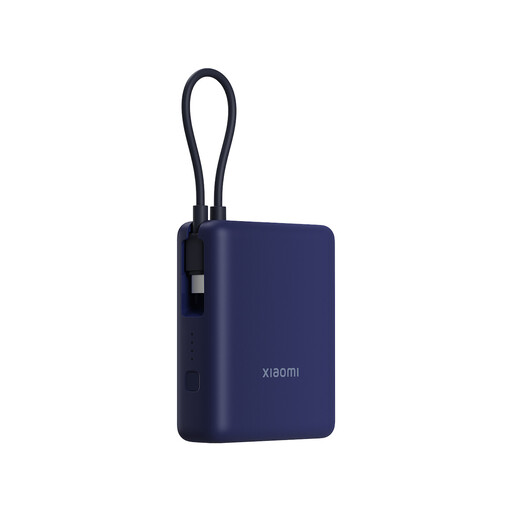 Image unavailable
A phone-backup choice when the integrated cable matches the device you carry.
The title specifies 10000mAh and 33W; check your device’s charging compatibility rather than assuming it will use the stated maximum.
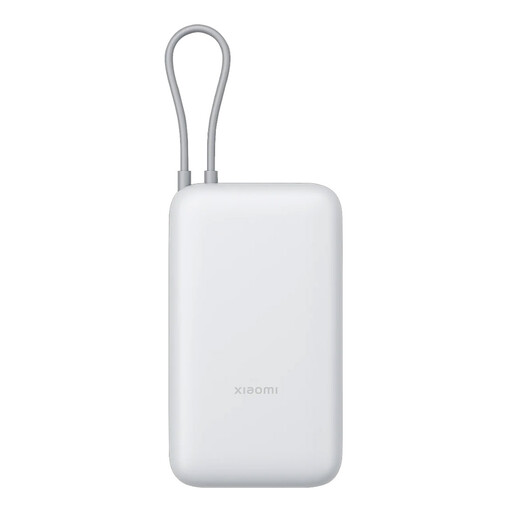 Image unavailable
Consider this for phone backup if its integrated cable fits your device and the stated capacity suits your carry routine.
Check the exact output specification before considering it for a laptop.
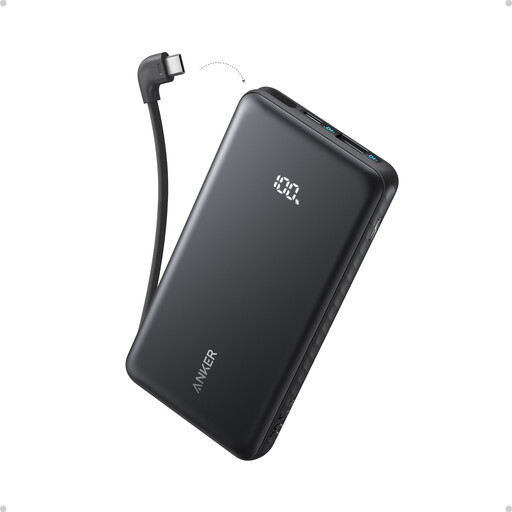 Image unavailable
A phone-backup option when a built-in USB-C cable matches the device you use on the train.
The title states 10,000mAh and 22.5W. If you intend to charge several devices, check the output available with them connected together.
No: the laptop must accept USB-C charging, and the bank must provide sufficient USB-C Power Delivery output. Apple Support recommends at least the adapter wattage recommended for the particular USB-C-charging Mac, while Microsoft Support says a USB-C Power Delivery charger must provide enough power for the particular Surface.
A headline wattage does not tell you how power is divided when several ports are in use. Compare the exact model’s single-port rating and simultaneous-output table with the devices you plan to connect.
You may not need one for a device that matches a bank’s built-in cable, but check every connector and the cable’s power rating before travelling. For compatible high-power USB Power Delivery 3.1 equipment, the USB Implementers Forum specifies a full-featured USB-C cable and connector for operation up to 240W.
Check the exact manufacturer and model number against current product-safety notices, and read the supplied charging instructions. The UK Office for Product Safety and Standards has issued overheating and fire-risk recalls for specific Anker and Belkin power-bank models; a brand name alone does not identify whether a unit is affected.
Stop using the affected model and follow its recall notice. The UK Office for Product Safety and Standards notices for Anker A1681, A1689 and A1647, and Belkin BPB002 and PB0003, identify an overheating and fire risk and direct consumers to stop using the affected products.