Regular portable-fan users
If you use a rechargeable desk, clip or handheld fan repeatedly, you may need enough reserve for more than an occasional top-up.


Start with your fan’s charging label and cable: a power bank needs a compatible output and a way to connect to the fan before its capacity matters. A 10,000mAh bank offers a middle capacity option for regular use; consider a smaller one for occasional top-ups or a 20,000mAh model if you need more reserve between opportunities to recharge the bank. The number of fan recharges will depend on usable output and the fan’s own battery.
If you use a rechargeable desk, clip or handheld fan repeatedly, you may need enough reserve for more than an occasional top-up.
If a mains socket is needed for another appliance, a power bank may let you recharge a compatible USB fan without occupying that outlet. Check the fan’s input and cable first.
If you want a small reserve for charging away from home, a compact bank may be easier to carry, provided you can accept fewer recharges between charging the bank itself.
Check the fan’s input and cable first, then choose a capacity for the time you expect to spend away from a socket. As Electrical Safety First explains, capacity affects how often a power bank can recharge a device, while output power affects potential charging speed.
| Concern | What to check | Who this matters to |
|---|---|---|
| Fan and cable compatibility | Read the fan’s input label and instructions; match its connector and charging requirements to the bank’s output and an appropriate cable. | If my fan cannot connect to the bank, extra capacity is no help. Around 33% of consumers put a working fan-and-cable connection first. |
| Usable energy reserve | Compare the fan’s battery or charging information with the bank’s watt-hours or rated output capacity where stated; do not plan around an exact recharge count from headline mAh alone. | When I need to recharge the fan repeatedly before reaching a socket, running out of reserve matters most; roughly 27% of consumers prioritise that need. |
| Socket-saving convenience | Check whether a suitable cable is supplied or built in, and the total output if you intend to charge another device at the same time. | I want to keep the wall outlet free without juggling separate leads or chargers. Around 20% of consumers put that convenience first. |
| Safe purchase and charging | Choose an identifiable manufacturer and retailer, follow the charging instructions, and inspect the bank and cable for damage. | If I will keep a battery pack close by while it charges, I want clear instructions and a way to identify the product if a problem arises; about 20% of consumers make this their primary concern. |
The number on the pack describes its nominal cell capacity, not the amount delivered through USB. Anker explains that cell and USB output voltages differ, so a nominal capacity cannot be read as an exact fan recharge count.
Compare watt-hours or rated output capacity where available with the fan’s battery information, and allow some reserve.
A USB-C cable will not help if its plug does not fit your fan, and a bank’s maximum wattage does not establish the fan’s charging rate.
Check the fan’s label, instructions and supplied cable before choosing the bank and connection.
If the plugs do not match, you may need an additional suitable cable or adapter.
London Fire Brigade warns that damaged, short-circuited or water-exposed batteries can present a fire risk. A familiar brand name does not replace checking the product and following its instructions.
Buy from an identifiable retailer, keep the bank away from liquids and damage, and stop using it if the casing or cable is damaged or the pack swells.
Anker offers a 10,000mAh wired option for consumers who want a cable attached to the bank.
Belkin has 10,000mAh models with different cable and multi-device arrangements.
UGREEN discusses smaller capacity banks for light use and larger ones for heavier or multi-device use.
These wired power banks cover 10,000mAh options for regular fan charging and a 20,000mAh option for consumers seeking more nominal reserve. Check your fan’s input and cable before choosing any of them.
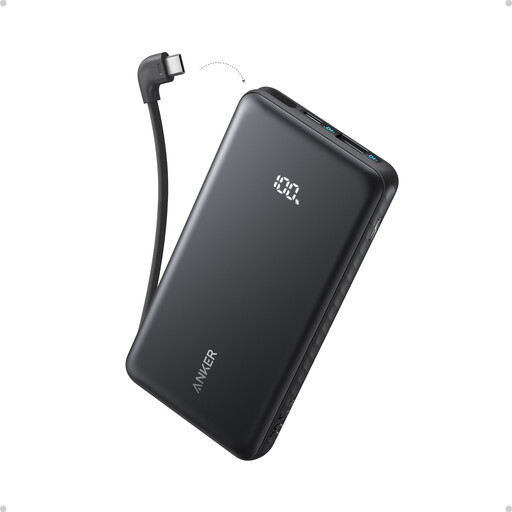 No image available
A wired option if your fan can charge through a suitable USB-C connection; check the fan’s label before relying on the built-in cable.
Nominal capacity: 10,000mAh. Stated maximum output: 22.5W. Neither figure establishes how many times it will recharge your fan.
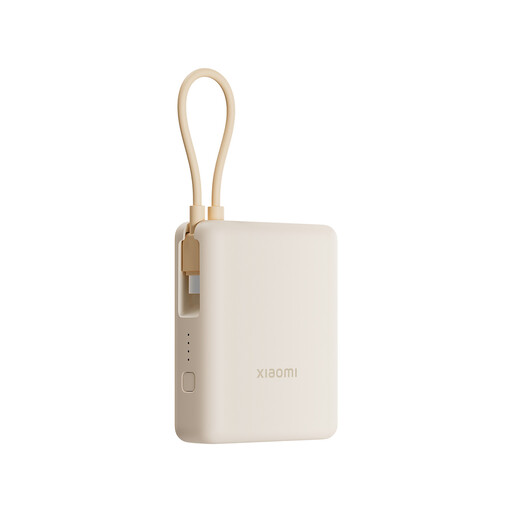 No image available
Consider this for regular fan charging if its integrated cable and output match your fan’s charging requirements.
Nominal capacity: 10,000mAh. The 33W figure does not establish the charging rate your fan will accept.
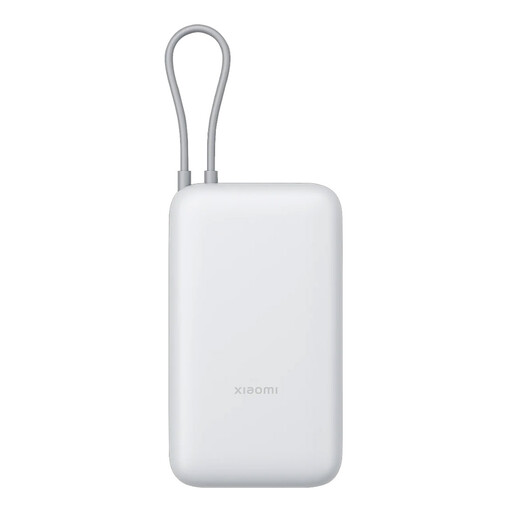 No image available
Its larger nominal capacity is worth considering when you need to recharge the fan repeatedly before you can recharge the bank. Confirm that its integrated cable suits your fan.
Nominal capacity: 20,000mAh. Check the rated output capacity and your fan’s battery information before estimating recharge sessions.
No: the bank needs an output and cable that match the fan’s charging requirements. Some USB fans specify that they can charge from a power bank, but check the label and instructions for your particular fan.
Not necessarily: the fan’s charging circuit determines what input it accepts. Match its stated requirements rather than choosing a bank solely for its maximum wattage.
The advertised figure commonly describes internal battery-cell capacity, while USB output operates at a different voltage and conversion uses some energy. Anker’s capacity guidance distinguishes the headline rating from rated output capacity; use the latter or watt-hours where stated when assessing reserve.
Follow the manufacturer’s charging instructions and stop using a pack that is swollen or damaged. London Fire Brigade warns that damage, water exposure and short circuits can present battery fire risks; keep the bank and its cable in good condition and away from liquids.