Travellers carrying several devices
If you take a phone alongside a laptop, tablet or camera, check each device’s connector and charging requirement before deciding how many cables and chargers to pack. Leave enough cabin-bag space for the kit.


Pack the cables and mains charger your devices need, and add a power bank if you expect to need power away from a socket. Keep devices charged so they can be switched on if security staff ask, and check the operating airline’s battery rules before choosing or packing a power bank. An organiser can make accessories easier to reach, but a laptop, tablet or camera may also need its own fitted case.
If you take a phone alongside a laptop, tablet or camera, check each device’s connector and charging requirement before deciding how many cables and chargers to pack. Leave enough cabin-bag space for the kit.
If sockets may be hard to reach, a power bank offers another source of power. Check its watt-hour marking and the operating airline’s rules on capacity, quantity, placement and use before you fly.
Keep devices charged and arrange them so you can reach them if asked. GOV.UK says a device that cannot be switched on when requested will not be allowed onto the aircraft; screening procedures can also differ between airports.
Start with the devices you must keep charged, then decide whether mains charging is enough or whether you need portable power. Check the operating airline’s battery conditions before buying a power bank for the flight.
| Concern | What to check when buying | Who this matters to |
|---|---|---|
| Battery and airline rules | Look for an identifiable watt-hour (Wh) rating. Check the operating airline’s current capacity, quantity, placement and in-flight-use rules for your route. | If I need a power bank during the journey, I want to know I can carry and stow it as required. Around 36% of consumers put battery and airline rules first. |
| Charging several devices | Compare each device’s charging requirement and connector with the charger’s rated output and ports, including its shared output if you will charge devices together. | A phone and laptop may call for different charging arrangements, so I need a kit that connects to both. For around 29% of consumers, charging their device mix is the main concern. |
| Protection and access | Match a fitted case to the device’s dimensions; choose an organiser with room for the accessories you will carry and can reach when asked. | When my bag is crowded, I want to find devices and small accessories without unpacking everything. Protection and access come first for around 21% of consumers. |
| Keeping the kit small | Choose a charger, cable and organiser that meet your actual needs while fitting within your airline’s cabin-bag allowance. | For a short trip, I would rather carry a workable small kit than add accessories I do not expect to use. Around 14% of consumers make minimal bulk their primary concern. |
Airline battery conditions use watt-hours, so the mAh figure alone is not enough to check them. The International Air Transport Association says an operator may refuse a battery if its Wh rating cannot be verified.
Choose a power bank with an identifiable Wh rating and check it against the operating airline’s current conditions before travel.
British Airways and easyJet require power banks to travel in cabin baggage rather than checked baggage. A bag taken for the hold at the gate needs attention too: the International Air Transport Association advises removing lithium batteries and devices first.
Keep those items accessible and follow staff instructions if your cabin bag is gate-checked. Check your operating carrier’s placement rules as well.
A charger’s USB-C connector does not establish that its output meets the laptop’s needs. Anker notes that laptops requiring 65W or more may show a slow-charging message with its 45W Nano charger.
Compare your laptop manufacturer’s charging requirement with the charger’s rated output, particularly if you plan to charge while using the laptop.
Heathrow says large electronics can remain in cabin bags under its process, but warns that other airports may apply different rules.
Pack devices so you can remove them promptly if asked, and check the security guidance for each departure airport.
Anker has USB-C chargers, cables and power banks relevant to a compact charging kit.
Thule’s Subterra 2 Powershuttle small is an organiser for cables, adapters and other small accessories.
Peak Design’s Tech Pouch is intended for travellers carrying several small electronics accessories.
These mains chargers and USB-C cables are options for assembling a flight charging kit. Match their connectors and stated ratings to your devices; a cable alone does not provide power.
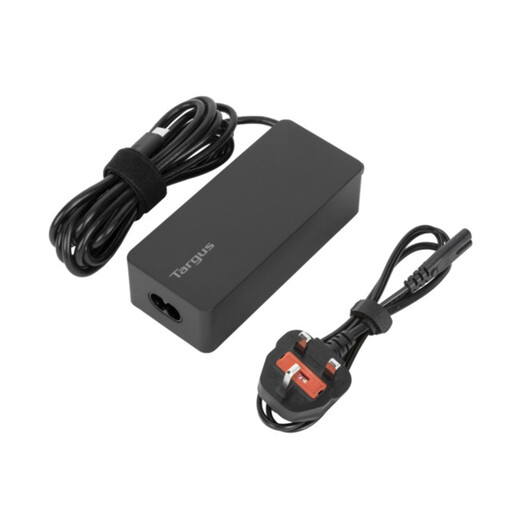 No image available
A mains-charging option to consider if your USB-C device needs an output within the charger’s stated rating.
Rated 65W. Check your laptop’s charging requirement and the connections you need before buying.
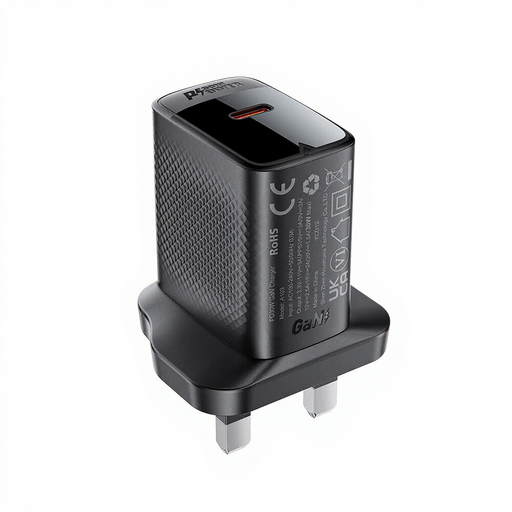 No image available
Consider this mains charger for a compatible USB-C device when its stated output meets your charging needs.
Rated 30W. If you need a cable in the same purchase, check what is included.
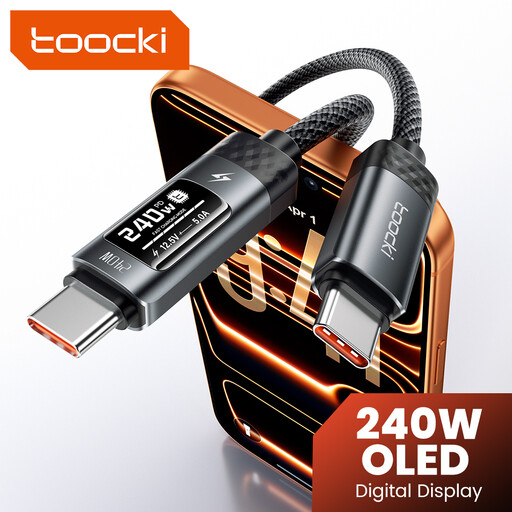 No image available
This cable may suit a kit that connects a compatible USB-C device to a USB-C power source.
The stated length is 3.3ft and the cable is rated up to 240W; reaching a particular charging rate also depends on the charger and device.
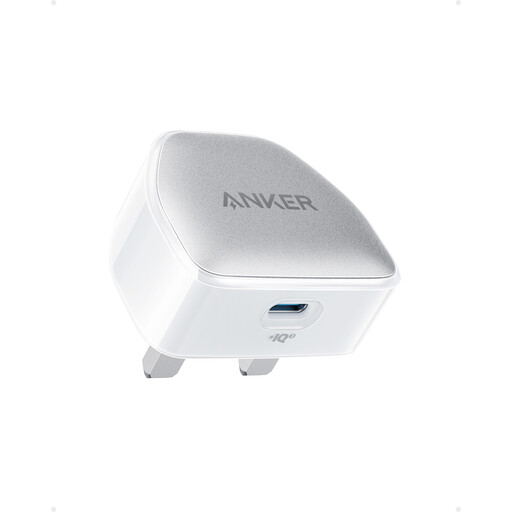 No image available
Consider this mains charger for a compatible USB-C device that does not require higher output.
Rated 20W. Compare that rating with your device’s charging requirement and check whether you need to obtain a cable separately.
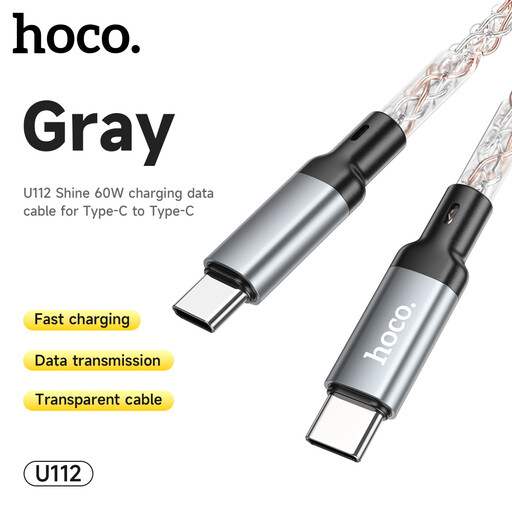 No image available
This cable is an option when both the device and its power source use USB-C connections.
Rated up to 60W. Check the charger and device requirements, and confirm the cable length or data-transfer capability if either matters to your kit.
A power bank may be carried in cabin baggage if it meets the operating airline’s conditions; do not put it in checked baggage. Check its Wh rating and the carrier’s current rules on capacity, quantity, placement and in-flight use for your journey.
No: check the airline operating your flight rather than applying another carrier’s policy. British Airways requires power banks in hand baggage, while Ryanair and easyJet each state a limit of two per passenger and specify their own cabin-placement conditions. Check the current policy for your booking before packing.
Yes. GOV.UK says that if an electronic device does not switch on when requested, it will not be allowed onto the aircraft. Charge devices before travelling even if you also carry a power bank.
That depends on the airport’s screening process and staff instructions. Heathrow says large electronics can remain in cabin bags under its process, but other airports may use different rules. Pack devices where you can reach them quickly if asked.