What matters when choosing?
Start with the device that must stay powered, then check how much of your work requires a live connection. A mains charger helps only where a suitable socket is available; a hotspot still needs usable mobile signal, and offline files cannot replace live calls.
| Concern |
What to check |
Who this matters to |
| Independent device power |
Match the power bank’s USB-C output and cable to your device’s charging input; consider capacity alongside journey length. |
If my device runs flat before I finish working, I need power that does not depend on a seat socket. Around 27% of consumers put independent power first. |
| Live connectivity |
Check likely mobile coverage on your route, tethering support and your data allowance; plan for signal interruptions. |
If calls or cloud tools are central to my journey, an alternative connection is useful even though it may also drop out. Around 33% of consumers prioritise live connectivity. |
| Compatible charging kit |
Check connector and cable ratings, and whether a multi-port charger supplies enough output when devices are connected together. |
When I carry several devices, I want a small kit whose plugs and cables fit them rather than spare items I cannot use. Roughly 20% of consumers place compatible, portable charging first. |
| Offline work |
Confirm that essential apps and files work offline; check device and workplace rules before using removable storage. |
If a connection disappears, I still need access to documents for reading or drafting, even if live collaboration must wait. About 20% of consumers make offline continuity their primary need. |
Joybuy power-bank choices
These power banks address the independent-power part of a train-work setup. Choose by the devices you need to charge and verify their input requirements; you will still need a separate plan for connectivity and offline work.
 No image available
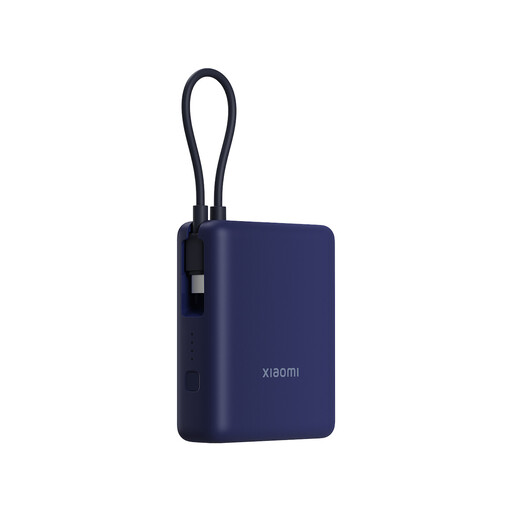
Xiaomi 33W Power Bank 10,000mAh, Integrated Cable, Ice Blue
For phone-led journeys where you want a portable reserve without relying on a train socket.
The listed capacity is 10,000mAh, with 33W stated output and an integrated cable. Check your device’s charging input and the cable connection before buying.
Joybuy
 No image available
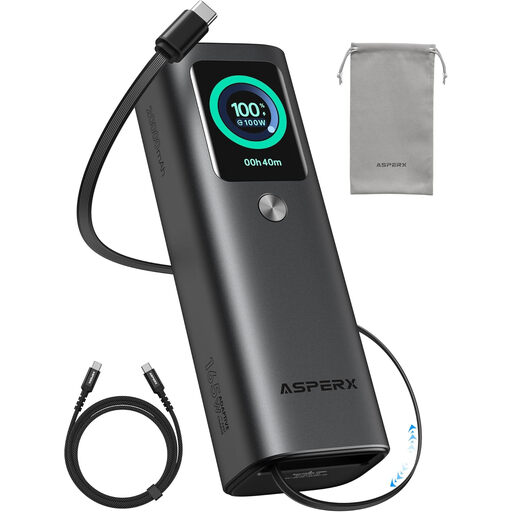
ASPERX Laptop Power Bank 165W 20,000mAh, Retractable Cables
For travellers considering independent power for a laptop and other devices when a seat socket cannot be assumed.
The title states 20,000mAh, 165W and retractable cables. Confirm the output available from the port you intend to use against your laptop’s charging input, and check the carrying dimensions.
Joybuy
 No image available
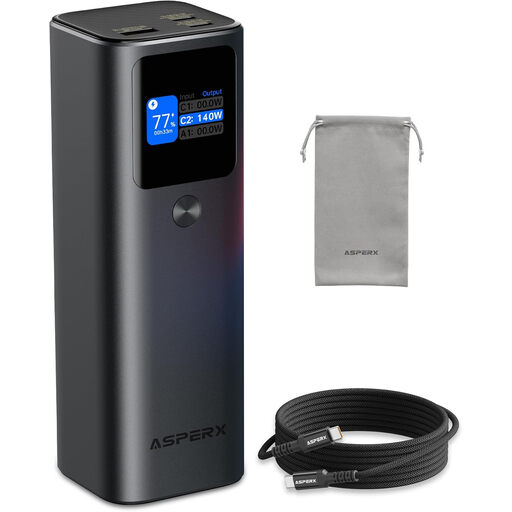
AsperX Laptop Power Bank 27,600mAh 162.5W PD3.1, 99.36Wh
For laptop-led journeys where a portable battery is part of the plan for working away from a socket.
The title specifies 27,600mAh, 99.36Wh and 162.5W. Check the exact per-port charging profile against your laptop, as well as the bank’s size and weight for your bag.
Joybuy
 No image available
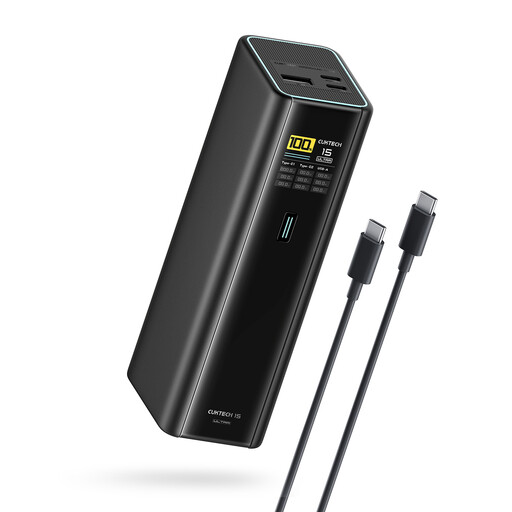
CUKTECH 15 Ultra PB200U Power Bank 20,000mAh 140W, Black
For journeys where you want independent power and may need to connect more than one device.
The title states 20,000mAh, 140W, three ports and PD3.1. Check each port’s output and your devices’ charging requirements, particularly if charging simultaneously.
Joybuy
 No image available
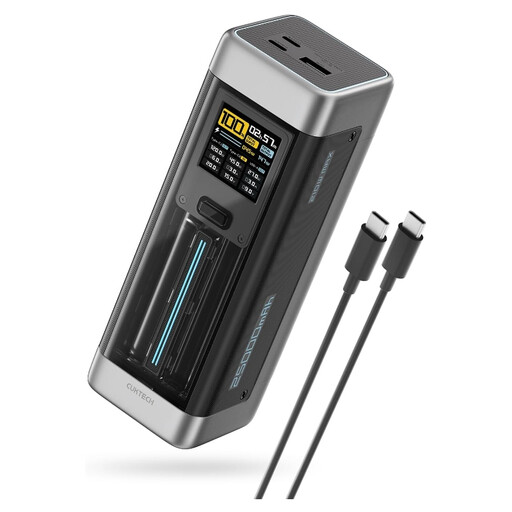
CUKTECH NO.20 P23 Power Bank 25,000mAh 140W, Gray
For work journeys where you are considering a portable reserve for a laptop and other devices.
The title specifies 25,000mAh, 140W, two USB-C ports, one USB-A port and PD3.1. Compare the relevant per-port outputs with your devices and check the bank’s carrying dimensions.
Joybuy
Frequently asked questions
Can I plan a work journey around the train’s Wi-Fi and socket?
Treat them as useful additions, not your only power and connection plan. National Rail says availability and charges vary by train company, so check your service and prepare for work that needs to continue without either facility.
Will a mobile hotspot keep calls connected throughout a train journey?
A hotspot cannot guarantee an uninterrupted call because it still depends on mobile coverage. Ofcom’s February–March 2026 measurements across 50 journeys on 24 Great Britain rail lines found variable performance, with poorer results on some routes; check likely coverage and have work you can do offline.
What should I check before buying a power bank for my laptop?
Match your laptop’s required charging input to the bank’s supported output on the port you will use. Capacity alone does not establish compatibility, and a stated total output may differ from what one port supplies.
How should I carry and use a power bank on the train?
Protect it from damage, water, heat and contact with loose metal items, and use a compatible charger and cable. Follow the manufacturer’s instructions, leave it uncovered while charging and stop using it if it is damaged, swollen or overheating.
Where should an old power bank go?
Take it to an appropriate battery or electrical-waste collection point rather than putting it in household rubbish. The Office for Product Safety and Standards warns that lithium-ion batteries can catch fire in rubbish, particularly when wet or damaged.


