What should you prioritise when choosing backup power?
A charged phone does not guarantee a working connection: UK government guidance notes that a local mobile mast may also be affected during a power cut. Decide whether your priority is charging a phone, sharing a reserve, powering compatible fixed equipment or receiving updates offline.
| Concern |
What to check when buying |
Who this matters to |
| Keeping one phone charged |
Check the phone connector, the bank’s output and how you will keep the bank charged. |
If I need one compatible phone ready for calls and updates without a mains socket, I want a reserve I can keep charged. Around 36% of consumers put keeping a single phone charged first. |
| Sharing a reserve |
Check port types, combined output when charging together and which cables are needed. |
If more than one person or a compatible hotspot may need power, I want to know what can connect and how the output is shared. Around 29% of consumers prioritise sharing backup energy between devices. |
| Powering fixed equipment |
Match the UPS voltage, connector and total load to the equipment; runtime depends on the connected load. |
If my priority is keeping eligible fixed communications equipment powered, I need its input and connector to match the UPS. Around 21% of consumers prioritise continuity for fixed equipment. |
| Receiving offline updates |
Check the radio’s power method and stated broadcast bands. |
If mobile or internet service is unavailable, I want a separate way to hear broadcasts rather than relying on a charged phone alone. Around 14% of consumers prioritise receiving updates offline. |
Brands and product lines to consider
These examples cover different backup roles; the details apply to the cited models, not every product from each brand.
Anker
Anker’s Nano and Zolo power-bank lines are relevant to phone-first portable backup.
- Anker specifies 10,000mAh capacity and up to 30 W on the USB-C cable or port for the cited Nano A1259, with a 24 W maximum total output.
- Its integrated USB-C cable will not fit every device, and these ratings do not establish outage endurance.
Belkin
The cited BoostCharge BPB012 20K is an example of a power bank with multiple output ports.
- Belkin specifies two USB-A ports and one USB-C port on this model.
- Belkin states that the total output is 15 W when the ports are used simultaneously; the supplied cable is USB-A to USB-C.
UGREEN
The cited Nexode 20,000mAh, 100 W model is aimed at buyers considering compatible higher-power devices as well as phones.
- UGREEN specifies two USB-C ports, one USB-A port and a 72 Wh rated battery for this model.
- Its high output may be unnecessary for a phone-only kit; the manufacturer’s multi-day battery-life claim is not a household power-cut runtime.
Roberts
The R9957S is a portable radio option for receiving broadcasts separately from phone charging.
- Roberts states that this model receives AM/FM and can operate with AA batteries or its hand-crank dynamo.
- Those specifications do not establish phone-charging capability or reception of every local broadcast.
Eaton
The 3S Mini UPS 3SM36B is a candidate for suitably matched, low-power fixed DC equipment.
- Eaton specifies 36 W output and DC barrel connections with stated voltage options.
- Match the exact device input and connector; the specifications do not guarantee broadband service or a particular runtime at your load.
Joybuy power banks for portable phone backup
These product choices are portable power banks for keeping compatible phones charged during a household power cut. Check each model’s stated connection and output against your device before relying on it.
 No image available
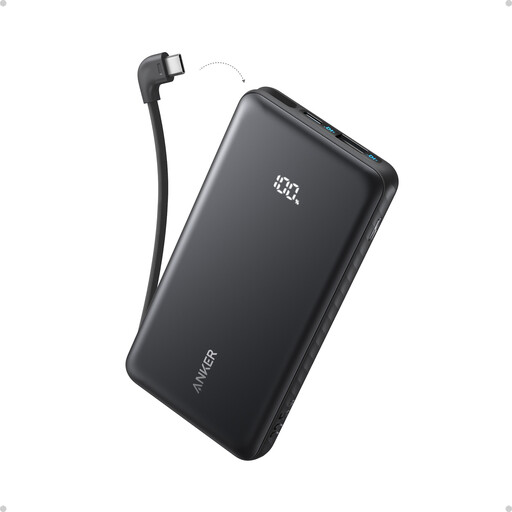
Anker Zolo Power Bank, 10,000mAh, 22.5 W, built-in USB-C cable
A portable phone-backup option when the built-in USB-C cable suits your device.
10,000mAh capacity; 22.5 W; built-in USB-C cable.
View on Joybuy
 No image available
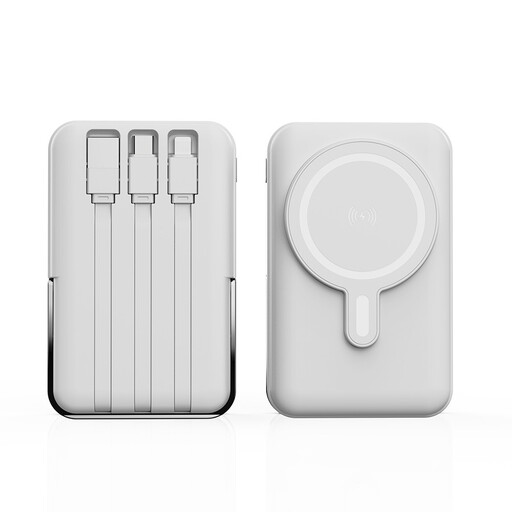
XBJ 852 Power Bank, 10,000mAh, 22.5 W, magnetic wireless charging, white
A portable phone-backup option if the stated charging method is compatible with your phone.
10,000mAh capacity; 22.5 W; magnetic wireless charging; adjustable phone stand; white.
View on Joybuy
 No image available
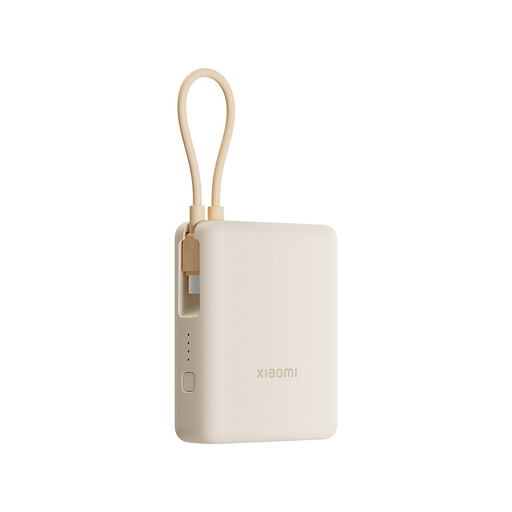
Xiaomi 33W Power Bank, 10,000mAh, integrated cable, tan
A portable phone-backup option when the integrated cable suits your device.
33 W; 10,000mAh capacity; integrated cable; tan.
View on Joybuy
 No image available
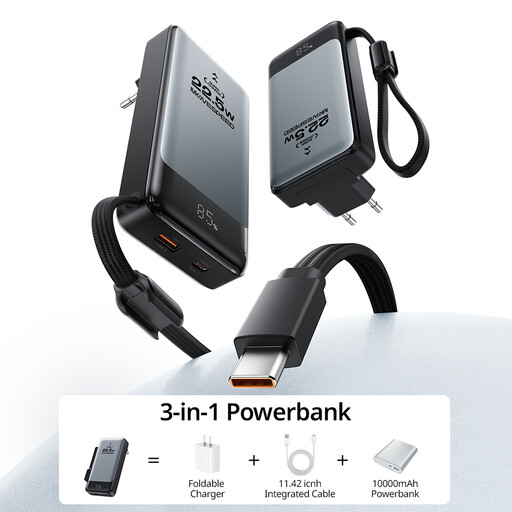
MOVESPEED 3-in-1 Power Bank, 10,000mAh, 15W, integrated Type-C cable, 3 outputs
A portable option for a phone or shared charging when the stated connections suit the devices.
10,000mAh capacity; 15 W; integrated Type-C cable; three outputs.
View on Joybuy
 No image available
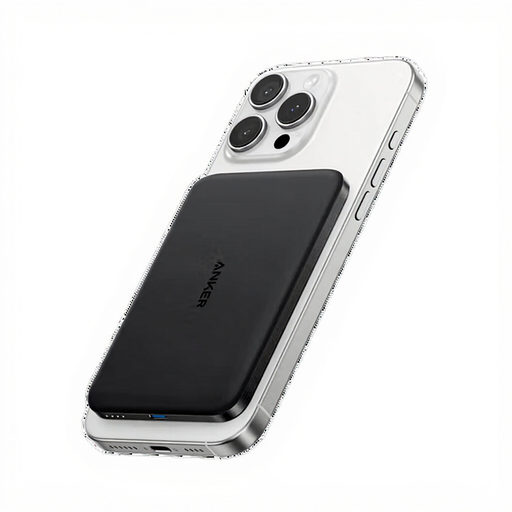
Anker Nano Magnetic Wireless Power Bank, 5,000mAh, 15W, black
A compact phone-backup option if your phone or case is compatible with its magnetic wireless charging.
5,000mAh capacity; 15 W magnetic wireless charging; black. The stated compatibility condition is a MagSafe-compatible phone or case.
View on Joybuy
Common questions about power-cut backup
Will a power bank guarantee calls and updates during a power cut?
No. A power bank can supply a compatible phone, but UK government guidance warns that the local mobile mast may also be affected, and home internet may not work. Keep a separate way to receive information, such as a battery- or hand-crank-powered radio.
Can I assume a 20,000mAh power bank will charge three devices at full speed?
No. Check the exact model’s combined output as well as its ports. Belkin states that its BoostCharge BPB012 shares 15 W total when ports are used simultaneously; that specification does not apply to every power bank.
How should I keep an emergency power bank ready and use it safely?
Follow the manufacturer’s instructions and check the charge before relying on it. Electrical Safety First advises keeping power banks away from heat, liquids and conductive objects, leaving them uncovered and ventilated while charging, and not charging them overnight or while you are out of the house. Stop using one that becomes too hot to handle.
Should I buy a UPS for a digital landline used for emergency calls?
Speak to your landline provider first if you depend on that service. Ofcom says that if you lack a working mobile phone or reliable mobile signal, your landline provider must offer a free backup solution so you can contact emergency services during a power cut. This condition-specific provider obligation is not a reason to prescribe a retail UPS to every household.
Can any portable solar panel charge a phone directly?
No. Check the panel’s stated outputs and whether it is designed for direct USB charging or to charge a separate battery. Goal Zero distinguishes its Boulder panels, intended for its power packs and stations, from its foldable Nomad panels, which it suggests for phones and other USB devices.


