What should you check before buying?
Start with the task: repeated device charging, compatible laptop charging, uninterrupted local connectivity or a larger reserve for several devices. Treat solar charging as a possible way to recharge a compatible station, not as the reserve itself.
| Concern |
What to check |
Who this matters to |
| Repeat phone and tablet charging |
Compare stated capacity or energy, available USB outputs and the devices’ charging connections. Capacity does not promise a fixed number of recharges. |
If I mainly need my phone and tablet for calls and updates, I want a pack I can keep charged and use to recharge them in turn. About 31% of consumers put repeat phone and tablet charging first. |
| Laptop charging compatibility |
Confirm that the laptop accepts USB-C charging, then compare its requirement with the bank’s single-port output and a suitable cable. |
When my laptop is needed during a cut, a USB-C socket on the bank is not enough unless my laptop can actually charge from it. For about 31% of consumers, laptop charging compatibility is the primary concern. |
| Router and ONT continuity |
Check the load and plugs of all required equipment, which outlets have battery backup, and the exact model’s documented switchover behaviour. |
If a brief interruption would disconnect my router, ONT or digital landline equipment, I need the local setup to stay powered without a manual changeover. Keeping that connection powered is the first concern for about 23% of consumers. |
| Energy for several devices |
Compare the station’s rated energy in Wh with the simultaneous load and its continuous output in W; allow for conversion and standby losses when planning runtime. |
With several devices to charge and an uncertain restoration time, I need an energy reserve rather than just a short interruption bridge. About 15% of consumers prioritise that larger, multi-device reserve. |
A UPS addresses continuity at the moment mains power fails; its battery size and the connected load determine how long it can help afterwards. The UK Government Prepare campaign notes that although most power cuts are short-lived and local, wider outages can last several days. A compatible solar panel may offer another recharge route for a power station, but its input requirements and charging conditions need checking.
Brands and product lines to consider
These examples help identify specifications to compare on the exact model; a brand name alone does not establish laptop compatibility, runtime or suitability as a UPS.
UGREEN
USB-C power banks relevant to compact phone, tablet and compatible-laptop charging.
- UGREEN describes its Nexode 20,000mAh model as supporting up to 130W total output across three ports.
- Total output is not necessarily the output available to one laptop. Check the exact port allocation, laptop requirement and cable.
Anker
Higher-output power-bank models worth comparing when portable USB-C laptop charging is the priority.
- Anker advertises up to 140W laptop charging for a specified product using a 5A cable.
- That claim does not apply to every Anker bank or laptop; confirm the selected model’s port rating and cable requirements.
EcoFlow
Portable power stations for buyers comparing stored energy, AC output and device-charging outlets.
- EcoFlow lists its RIVER 3 at 245Wh with 300W rated output and a stated UPS mode.
- Those are model specifications, not a runtime for your equipment. Check the outlets, load and operating mode of the unit you choose.
Jackery
Portable stations to compare for local device charging and AC-powered equipment.
- Jackery lists its Explorer 240 v2 at 0.2kWh and 300W and claims switching within 20ms.
- The stated switching time does not predict runtime or describe the behaviour of another Jackery model.
BLUETTI
Portable stations relevant where AC and USB-C outlets may both be needed.
- BLUETTI describes its Elite 30 V2 as a 288Wh, 600W station with a stated UPS function.
- Confirm the exact operating mode, supported load and device connections before relying on that function for communications equipment.
Joybuy power banks and power stations
These selections cover portable USB charging for phones or compatible laptops and power stations for several devices. If uninterrupted router or ONT power is your priority, confirm switchover behaviour and battery-backed outlets on the exact product before choosing it.
 No image available
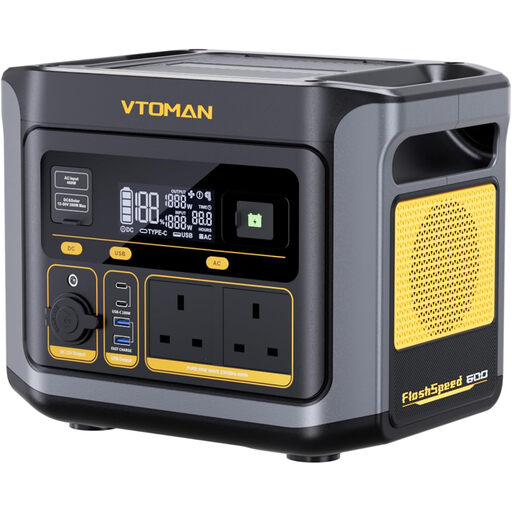
VTOMAN FlashSpeed 600, 499Wh
Consider this station when several personal devices need a shared reserve and an AC outlet may be useful. Its title specifies 499Wh, 600W output, 1200W peak and a 100W USB-C connection. Check your laptop’s charging requirements and cable; for router or ONT continuity, confirm automatic switchover and which outlets remain powered. Runtime depends on the connected load and losses.
View on Joybuy
 No image available
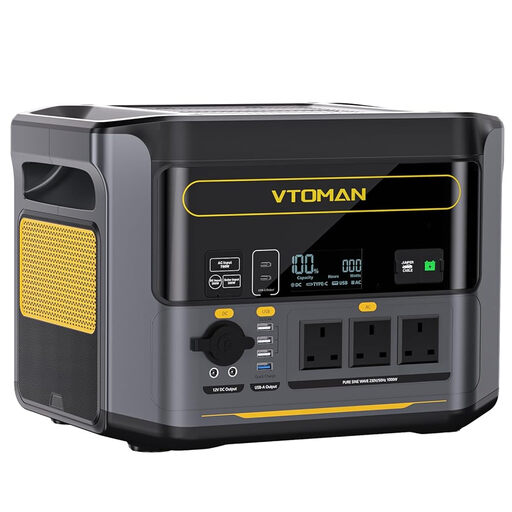
VTOMAN FlashSpeed 1000, 828Wh
Consider this station if your planned simultaneous load calls for its stated AC output and you want an 828Wh reserve. The title specifies 1000W rated output and 2000W peak; use the rated figure, not the peak, when assessing a continuing load. Check runtime against that load and confirm switchover and battery-backed outlets separately if uninterrupted connectivity matters.
View on Joybuy
 No image available
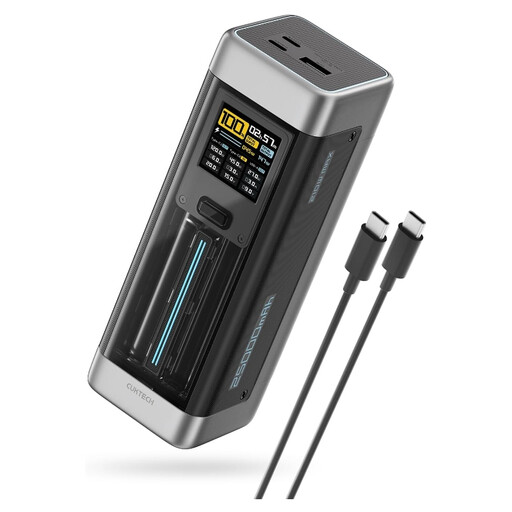
CUKTECH NO.20 P23, 25,000mAh, Grey
This three-port USB-C power bank is worth checking if you want portable charging for a laptop that accepts USB-C power, alongside smaller devices. Its title states 25,000mAh and 140W USB-C. Confirm the output available from the port you will use, how it changes with other devices connected, and whether your laptop and cable meet the charging requirements.
View on Joybuy
 No image available
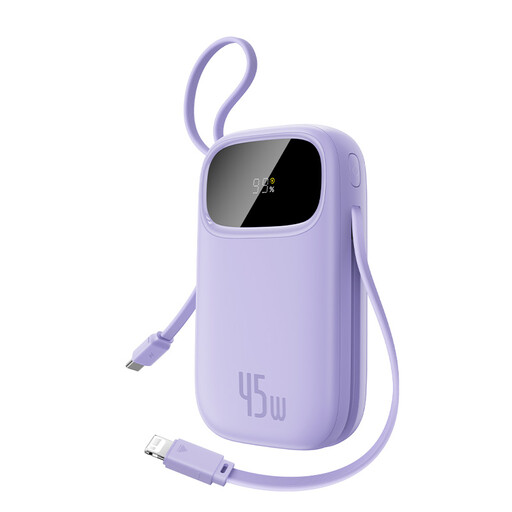
Baseus EnerFill FC31 Qpow 3, 10,000mAh, Nebula Purple
This power bank suits a phone-and-tablet charging plan where its built-in USB-C and iP cables match the devices you use. Its title states 10,000mAh and 45W. The stated 45W applies with one device; simultaneous charging reduces total output to 15W, so check that limit before planning to charge several devices at once. Confirm a particular laptop’s requirements rather than assuming it can use this bank.
View on Joybuy
 No image available
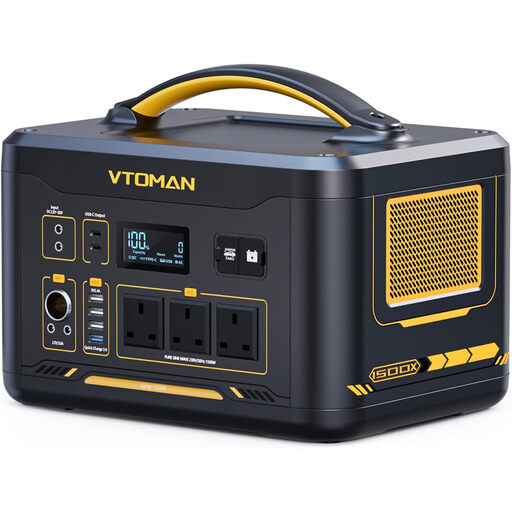
VTOMAN Jump1500X, 828Wh
Consider this station when several devices require an energy reserve and the intended AC load fits its stated output. The title specifies 828Wh, 1500W AC output and 100W USB-C; check USB-C compatibility for the particular laptop and cable. Plan runtime from the actual load, and verify switchover and battery-backed outlets before using it as a router or ONT bridge.
View on Joybuy
Frequently asked questions
Will battery backup guarantee internet or calls during a power cut?
No. It can power your equipment locally, but service also depends on equipment and networks beyond your home. Ofcom says a digital landline needs battery backup during a cut; ask your broadband or landline provider which parts of your setup need power and what outage support applies to you.
How can I plan runtime without relying on a promised duration?
Start with the exact unit’s rated energy in Wh and the combined load in W of the devices you will use. Allow for conversion and standby losses and for loads that change during use. A UPS switchover claim describes continuity, not how long its battery will last.
Can any USB-C power bank charge my laptop?
No. The laptop must accept USB-C charging, and the bank’s selected port and cable must meet its requirements. Check single-port output and any shared-output limits rather than relying on the shape of the connector or a total-output figure.
Do CE or UKCA markings tell me how long a backup battery will run?
No. Department for Business and Trade guidance lists UKCA or CE marking for electrical equipment placed on the Great Britain market, with different marking arrangements for Northern Ireland. Marking is not a runtime or device-compatibility rating; compare the exact product’s energy, output and instructions for your intended use.
Can I use a consumer power bank or station as backup for medical equipment?
Do not substitute consumer backup-power advice for the arrangements required for medical or other safety-critical equipment. Energy Networks Association guidance says the Priority Services Register does not guarantee continuous supply; if you depend on powered medical equipment, discuss an outage plan with your healthcare provider.


