Households charging phones and tablets
A USB power bank can reserve energy for calls, messages and downloaded content. Check its capacity and whether its ports can serve the devices you expect to charge together.


For phones and tablets, start with a USB power bank; for a laptop, choose one only if the laptop accepts USB-C charging and the bank’s single-port output meets its requirements. A UPS suits equipment that must stay on through a brief interruption or shut down safely. For longer backup across several devices or a router, compare portable power stations by stored energy, output and recharge options rather than treating capacity as a guaranteed runtime.
The right starting point depends on whether you need to recharge portable devices, power a laptop or keep mains-connected equipment running.
A USB power bank can reserve energy for calls, messages and downloaded content. Check its capacity and whether its ports can serve the devices you expect to charge together.
Check that the laptop accepts USB-C Power Delivery, then compare its required input with the power bank’s output from one port and the cable’s rating. High capacity alone does not establish laptop compatibility.
A UPS addresses a brief interruption or gives a computer time to shut down. If the plan is to power low-wattage network equipment for longer, compare the stored energy and suitable outputs of a portable power station instead.
Decide first whether uninterrupted power matters; then check the connections, combined load and duration your household needs.
| Priority | What to check | Your needs |
|---|---|---|
| Phone and tablet charging | Check battery capacity, device connections and the output of each port. Count the devices that may need charging at once. | I want to keep phones and tablets available for communication without needing mains power. |
| Laptop compatibility | Confirm that the laptop accepts USB-C Power Delivery. Match its required wattage to the bank’s single-port output, and check the cable rating and shared-output limits. | A large phone power bank is not enough for my plan unless it can charge my particular laptop. |
| Uninterrupted operation | For a router, desktop or similar mains-connected load, check UPS battery-backed outlets, connected watts and runtime at that load. CyberPower’s UPS buying guide advises output watt capacity 20–30% above the connected equipment’s total wattage. | If the power goes off, I need the router to stay on briefly or enough time to save work and shut down. |
| Longer-duration energy | Compare capacity in Wh, continuous output in W and the outlets your equipment uses. Assess runtime against the combined load and how you would recharge the station. | For an extended interruption, I need to plan for several devices or low-power network equipment, not just a brief switchover. |
| Charging and storage | Follow the exact product’s charging instructions; keep it dry, uncovered and ventilated while charging. Check it for damage before use. | I want backup batteries that are ready to use and a suitable place to charge and store them. |
| Separate lighting | Keep a torch or battery-operated light and its batteries accessible. Scottish Fire and Rescue Service advises using battery-operated lights or torches during a power cut. | With a separate light to hand, I can reserve my phone’s battery for communication. |
A capacity figure does not tell you which outlets are available, whether a laptop can charge or how long several connected devices will run.
Compare stored energy in Wh where stated, the output needed by each device and runtime information for a named load. For a UPS, check output watts as well as its VA rating.
UPS runtime gets shorter as the connected load increases. A unit chosen to cover a brief outage or orderly shutdown should not be assumed to run equipment for days.
Use a UPS when continuity is the priority. Plan separate stored energy for longer device charging or router use.
Even a high-capacity bank may not provide the connection or single-port output a particular laptop requires.
Check the laptop manual or original charger for USB-C charging support and required wattage. Compare these with the bank’s port output, cable rating and output when other devices are connected.
Heat, moisture, damage or poor ventilation matter when storing and charging a power bank.
Follow its manufacturer’s instructions and charge it dry, uncovered and in a ventilated place. Electrical Safety First advises against charging a power bank overnight or while nobody is home.
These examples illustrate different backup-power formats; compare the exact model and variant rather than assuming a feature applies across a brand.
Anker’s UK range includes USB power banks and SOLIX portable power stations.
The BoostCharge Pro 3-Port Laptop Power Bank 20K is a USB-C laptop-charging option.
The Nexode 20,000mAh model is a USB-C power bank for consideration alongside laptop, tablet and phone charging needs.
The RIVER 3 Plus is a portable power station for loads needing USB or AC outputs.
Eaton’s home UPS range addresses brief interruptions to connected equipment such as routers and computers.
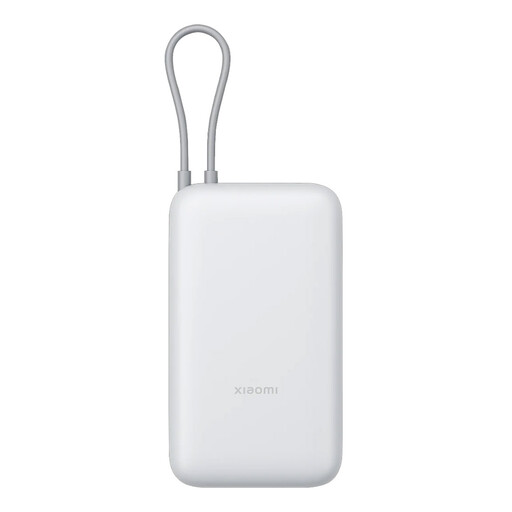
This power bank is an option for charging personal devices during a power cut; choosing backup for a laptop or mains-powered router requires the separate compatibility and load checks above.
 No image available
For keeping a phone or tablet charged during an interruption to mains power. It has a stated 20,000mAh capacity and an integrated cable; check the connector and charging output against the devices you intend to use.
Start with the battery’s energy in Wh and the wattage of the devices you plan to run together, then allow for conversion losses. Use published runtimes only for the stated model and load: EcoFlow, for example, estimates up to 35 hours for a 3W Wi-Fi router on its RIVER 3 Plus, not for a laptop or a group of devices.
No. The laptop must accept the bank’s charging method, and the relevant port and cable must meet its input requirements. Anker and Belkin each specify up to 65W from one port on particular 20,000mAh models, but that does not establish compatibility with every laptop or the output available when other devices are connected.
Choose a UPS when connected equipment needs power through a brief interruption or enough time for an orderly shutdown. If longer-duration energy for devices or a low-power router matters more, assess a portable power station’s capacity, outlets and output against those loads. Eaton positions home UPS products for routers and computers; runtime still depends on the equipment connected.
Follow the model’s instructions and keep it away from heat, liquids and damage. Anker advises charging in a cool, dry, well-ventilated area; Electrical Safety First advises against leaving a power bank charging overnight or while nobody is home.
Yes, if you want to reserve phone and power-bank energy for communication and charging. Keep a torch or battery-operated light accessible; Scottish Fire and Rescue Service advises using battery-operated lights or torches during a power cut.