Phone-first field workers
If one phone handles navigation, location records, photos, notes, calls and email, focus on keeping that phone charged through the shift. Check the bank’s usable output and consider how much you are willing to carry.


For a workday centred on one phone, start with a USB-C power bank whose stated capacity, output and cable arrangement suit the phone and your opportunities to recharge the bank. Consider multiple ports when two devices need power at once, or higher output when you also carry a compatible tablet or laptop. The capacity printed on a bank is not the amount guaranteed to reach your devices, and a higher wattage helps only when the device, port and cable support it.
If one phone handles navigation, location records, photos, notes, calls and email, focus on keeping that phone charged through the shift. Check the bank’s usable output and consider how much you are willing to carry.
If a second USB device regularly needs power alongside your phone, check total output with both ports occupied. Port count alone will not tell you how much power each device can receive.
If a tablet or USB-C laptop is part of the work kit, check its charging requirements against the bank’s output on the intended port and the cable you will use. Greater capacity may also change what is practical to carry and recharge between shifts.
Work out how much backup the phone needs over a shift, then check charging compatibility, shared output if you carry another device, and how you will recharge the bank before the next shift.
| Concern | What to check | Who this matters to |
|---|---|---|
| Enough delivered energy | Compare watt-hours or rated output capacity where stated, and leave room for your phone’s use throughout the shift. Belkin notes that energy delivered to a device is lower than the bank’s internal capacity and varies with conditions. | If navigation, photos and calls keep my phone busy all day, I need backup that lasts until work ends. Around 36% of consumers would make avoiding a depleted phone their primary concern. |
| Charging compatibility | Check the device’s supported input, the bank’s output on the port you intend to use, and the cable. A USB-C connector alone does not establish a particular charging wattage. | When I have a limited chance to top up my phone or tablet, I want a charging setup my device can actually use. For around 29% of consumers, compatible charging output would come first. |
| Two-device charging | Check the port types and total output with both devices connected, not just the largest single-port figure. Belkin specifies 20W on one port but 15W total with two ports in use for its 10K display model. | If my work phone and another USB device both need power during a shift, I cannot judge the setup by port count alone. Around 21% of consumers would put simultaneous charging first. |
| Next-shift readiness | Check the bank’s input rating, the charger needed to use it, and whether a suitable cable is built in or must be carried separately. | Arriving with an empty bank or the wrong cable would leave me without backup when I need it. Keeping the bank and cable ready would be the primary concern for around 14% of consumers. |
A bank’s stated capacity describes its internal battery, not a guaranteed amount delivered to a phone. Belkin says delivered discharge is lower and varies with conditions, so the headline figure cannot promise a particular number of refills.
Compare watt-hours or rated output capacity where available, and allow a reserve for your actual workday use.
A high maximum output does not make an incompatible device charge at that rate. USB Power Delivery allows a compatible device to request power from the source; the relevant port and cable also matter.
Check the device’s supported charging input and the bank’s per-port output before choosing a higher-output model.
You may also need a suitably rated cable or charger to use the charging setup you have chosen.
Output can change when more than one device is connected. Belkin’s 10K display model, for instance, specifies 20W with one port in use and 15W total with both ports in use.
Read the model’s simultaneous-output information when your phone and a second device may need charging together.
GOV.UK warns that discarded lithium-ion batteries can pose a fire risk, particularly if wet or damaged.
Take an unwanted power bank to an appropriate battery or electrical-product recycling collection point rather than putting it in household rubbish.
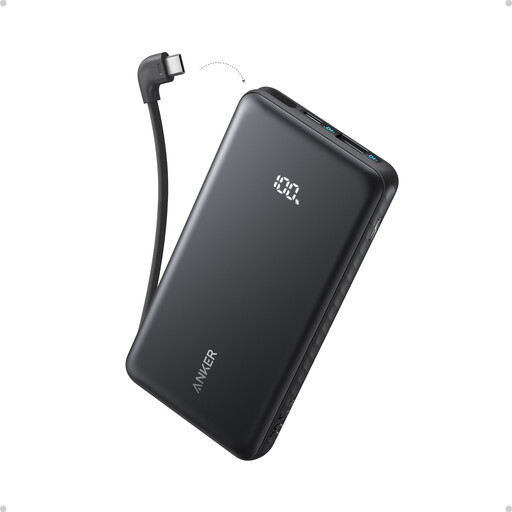
Anker’s A1259 Nano is an example of a compact, phone-focused USB-C power bank with a built-in cable.
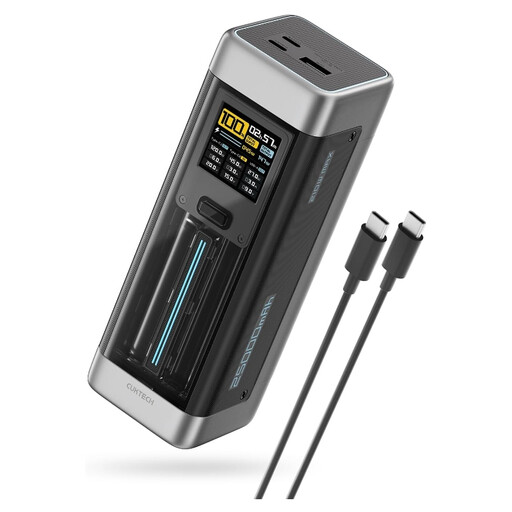
UGREEN’s cited Nexode model illustrates a higher-capacity, multi-port option for a kit that may include a compatible tablet or laptop.
Belkin’s cited 10K display model provides a useful example of why shared output matters when charging two devices.
These options cover a higher-output bank for a compatible larger device and USB-C banks for phone-led work, including models with integrated cables. Match any choice to your devices, the number you charge at once and your recharging routine.
 No image available
Consider this three-port option if your field kit includes a compatible USB-C laptop or tablet alongside your phone.
The product name specifies up to 140W USB-C output and PD3.1. Before relying on it for a shift, check the intended device and cable, output with several ports occupied, and the bank’s recharge input.
 No image available
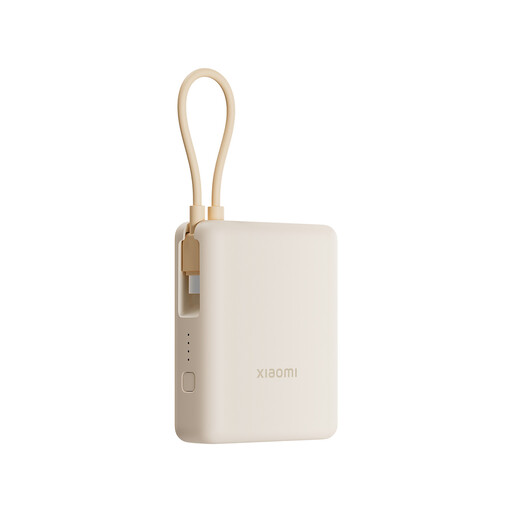
The integrated cable may suit a phone-led workday when carrying a separate cable is inconvenient.
The product name states 10,000mAh and 33W. Check your phone’s charging compatibility and the total output if you plan to connect another device; the stated capacity does not guarantee how much charge reaches your phone.
 No image available
The built-in USB-C cable suits a phone-first kit where forgetting a charging cable is the main concern.
The product name states 10,000mAh and up to 22.5W. Check your device’s supported charging mode and the output available if a second device is connected.
 No image available
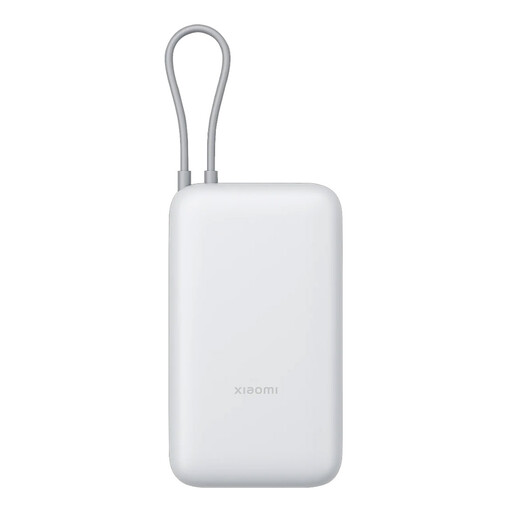
This option is worth considering for a phone-led shift if you want the stated capacity of a 20,000mAh bank and an integrated cable.
Check its carrying weight, recharge input and compatibility with your phone. The capacity label does not establish the amount of energy your phone will receive.
No. That figure describes internal battery capacity, not a guaranteed amount delivered to the phone. Belkin says delivered discharge is lower and varies with conditions; compare rated output capacity where stated and allow a reserve for your workday.
Not unless the device and charging setup support that output. Under USB Power Delivery, a compatible device requests power from the source, so check the phone’s supported input, the bank’s intended port and the cable. Higher output may be relevant if you also carry a compatible tablet or laptop.
Do not assume so; check the model’s simultaneous-output specification. Belkin’s cited 10K display model specifies 20W with one port in use, but 15W total when both ports are occupied.
Check whether a suitable cable is included, integrated or needed separately, and read the warranty terms for the exact model and seller. If an integrated cable matters to your work routine, also check what support is available if it stops working.
Take it to an appropriate battery or electrical-product recycling collection point, not household rubbish. GOV.UK warns that lithium-ion batteries can catch fire if binned, particularly when wet or damaged; check which local collection route accepts a power bank with a non-removable battery.