Phone-first outage planners
These households want enough stored power for calls, messages and updates during a temporary loss of mains power. A compatible cable matters as much as having a charged power bank ready to use.


Start with a charged, safely stored power bank that connects to your phone; add a battery-powered or wind-up radio if you need information that does not depend on mobile service. Choose capacity for the phones you expect to charge, but remember that stored power cannot keep calls or data working if local communications infrastructure is affected.
A household kit can serve two different purposes: keeping a phone powered and receiving information if phone service is disrupted. Prepare warns that a local mobile mast may also be affected by a power cut.
These households want enough stored power for calls, messages and updates during a temporary loss of mains power. A compatible cable matters as much as having a charged power bank ready to use.
A battery-powered or wind-up radio gives these households a way to receive broadcasts without relying solely on one charged handset. Reception and the radio’s power method still need checking for the home where it will be used, as reflected in guidance from Prepare and Staffs Prepared.
For consumers who store equipment between disruptions, an identifiable model, a charging routine, a compatible cable and regular damage checks make the kit easier to keep ready. Electrical Safety First and London Fire Brigade provide guidance on power-bank use and battery safety.
Work out which phones need power, then decide whether a separate broadcast source belongs in the kit. Check the connections and safe-storage instructions before putting rechargeable equipment away.
| Concern | What to check | Who this matters to |
|---|---|---|
| Stored phone power | Compare stated capacity with the number of phones you intend to charge; check the bank’s stated outputs if more than one device may need power. | If several people may need their phones during a cut, I want enough stored energy to share rather than relying on one nearly empty handset. Around 33% of consumers put stored phone power first. |
| Information without mobile service | For a radio, check its power methods, local broadcast reception and stated operating time. | When phone or broadband service is disrupted, I still want a way to hear updates. Roughly 25% of consumers make an independent information source their primary need. |
| Phone and cable compatibility | Match the phone connector to the bank’s output or integrated cable, and check what cable comes with the product. | I need the kit to connect to my actual phone when I take it out of storage, without searching for a missing lead. Around 25% of consumers prioritise that connection. |
| Safe stored readiness | Check the manufacturer’s charging and storage instructions, inspect for damage and retain the exact model number for recall checks. | Because my power bank may sit unused between disruptions, I need a manageable way to keep it charged and check its condition. Roughly 17% of consumers place safe readiness first. |
A power bank can supply phone power, but Prepare notes that a local mobile mast might also be affected during a power cut.
Keep written essential contacts and consider a battery-powered or wind-up radio for broadcast information. A radio does not replace calls or texts.
Electrical Safety First distinguishes capacity, which affects potential recharges, from output power, which affects charging speed. Neither resolves a connector mismatch.
Check the phone connector, the bank’s ports and output limits, and whether the cable you need is included. Belkin notes that its BPB021 integrated USB-C cable requires a separate USB-C-to-Lightning cable for iPhone 13 or iPhone 14 charging.
A phone that cannot use an integrated cable may require a separate compatible cable kept with the kit.
Damage, overheating and unsuitable charging can create battery fire risks. A unit kept for emergencies still needs inspection and appropriate charging.
Follow the manufacturer’s instructions, charge uncovered in a ventilated place while attended, and stop using a damaged unit. London Fire Brigade advises against charging at extreme temperatures or leaving devices continuously on charge once charging is complete.
Recalls apply to identified products. The Office for Product Safety and Standards issued a recall for Anker power-bank models A1681, A1689 and A1647 because of a medium fire risk; that identification should not be extended to unrelated models.
Keep your product’s model number, register it if offered and check current Office for Product Safety and Standards recall information before relying on a stored unit.
These examples show different equipment choices for a household kit, not a judgement about every product from each brand.
Anker’s Nano A1259 is an example of a compact power bank with an integrated cable.
Belkin’s BPB021 focuses on keeping a USB-C cable with a phone power bank.
The SolarDAB 99 illustrates the separate broadcast-information role of a radio in an outage kit.
These Joybuy choices cover stored phone power and a separate charging cable. Match any bank or cable to your phone before buying; a radio remains a separate option if you need broadcast information when mobile service is unavailable.
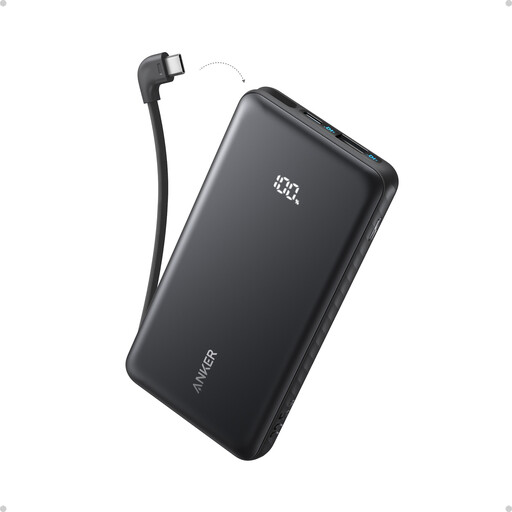 No image available
For a phone that connects through USB-C, the built-in cable reduces the number of loose items to keep in the kit.
The stated capacity is 10,000mAh and the stated output is 22.5W. Check the exact model number against recall information and confirm output limits if you plan to charge two devices together.
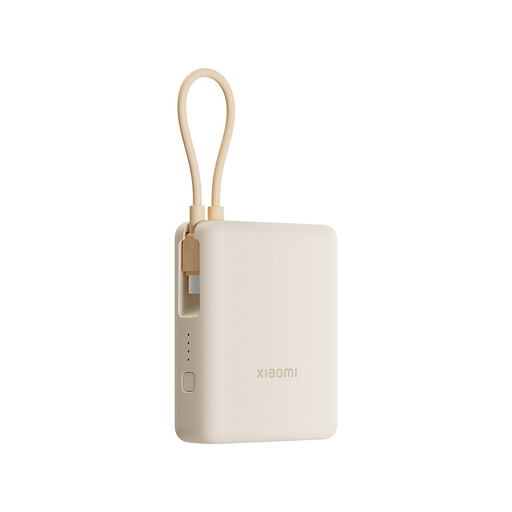 No image available
Consider this when you want to store the charging cable with the power bank, provided its connector matches your phone.
The stated capacity is 10,000mAh and the title specifies 33W. Confirm the cable connection, exact model number and output limits before relying on it for multiple devices.
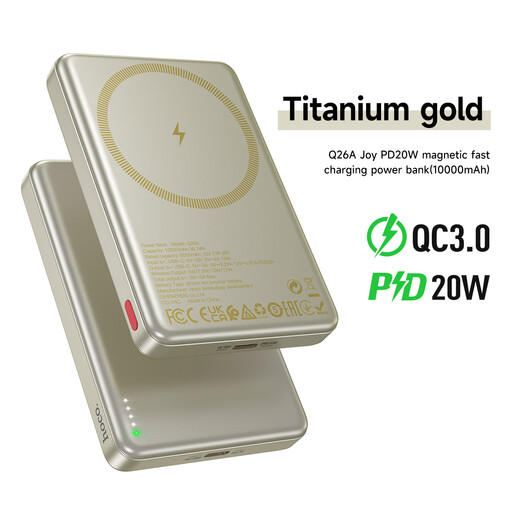 No image available
This is a magnetic power-bank option to consider only after checking that its charging method works with your phone.
The stated capacity is 10,000mAh. Confirm phone compatibility, what cable or accessories are included, and the output limits before planning to charge two devices.
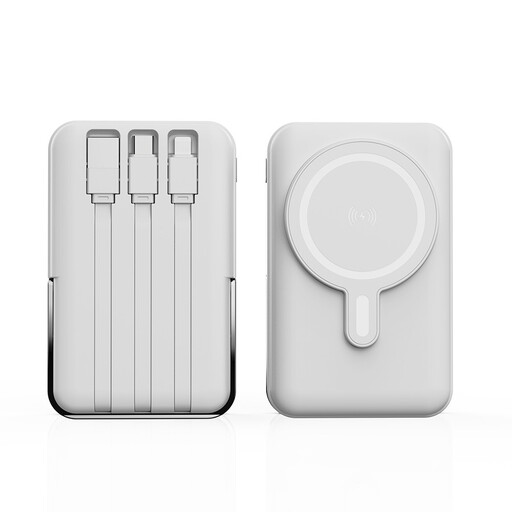 No image available
Its wireless charging function is relevant if your phone supports the charging method used by this model; check compatibility before treating it as emergency phone power.
The title states 10,000mAh capacity, 22.5W maximum charging and an adjustable phone stand. Check the available wired connections and charging instructions if you also need to use a cable.
 No image available
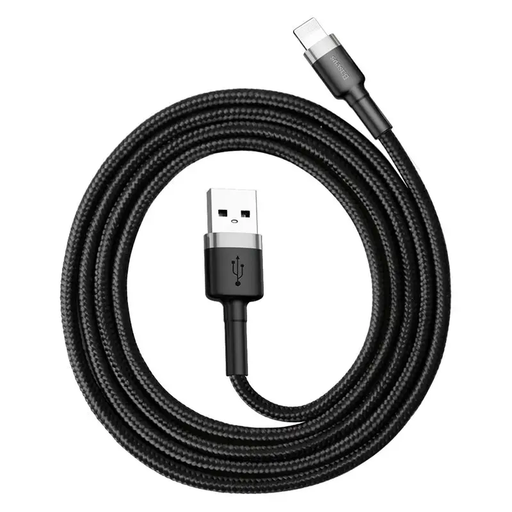
Keep a separate cable in the kit if your USB-C phone and power bank have matching connections; the cable itself does not store power.
The title specifies a 1m cable and 3A rating. Check the power bank’s output connection and supported current before pairing them.
No power bank can guarantee a working connection: it supplies power to a compatible phone, but Prepare warns that a local mobile mast may also be affected. Keep written essential contacts and consider a battery-powered or wind-up radio for broadcast updates.
Start with stated capacity, output power and a connection that fits the phone. Electrical Safety First explains that capacity affects potential recharge quantity while output affects charging speed; also check the exact bank’s ports and whether the cable you need is included.
Follow its manufacturer’s charging and storage instructions, inspect it for damage and check its charge as part of maintaining the kit. Electrical Safety First advises against prolonged unattended or overnight charging, while London Fire Brigade advises against extreme temperatures and leaving a device continuously on charge after its cycle completes.
Stop using it if it is damaged, behaves abnormally or its exact model is subject to a recall, and follow the manufacturer’s or recall notice’s instructions. Keep the model identifier so you can check Office for Product Safety and Standards product alerts rather than relying on a fixed replacement timetable alone.