What matters when choosing?
Compare an upload beside the router with one in the office before buying: if both are slow, changing the office link may not address the problem. Then decide whether the office needs Ethernet alone or Ethernet plus Wi-Fi, and check where the adapters would plug in.
| Concern |
What to check |
Who this matters to |
| Actual upload connection |
Check that the computer can connect by Ethernet, then test a representative photo upload from the intended office socket. Treat the advertised powerline rate as a maximum, not an upload-speed promise. |
If a large album upload struggles over office Wi-Fi, I want to know whether a wired path makes the connection usable; around 50% of consumers put the actual upload connection first. |
| Office Wi-Fi coverage |
Decide whether other office devices need Wi-Fi as well as a wired computer connection. Check that a kit has a Wi-Fi endpoint if they do. |
When phones or other devices also lose Wi-Fi in the office, connecting the computer alone leaves part of my problem unresolved; roughly 30% of consumers prioritise wireless coverage. |
| Sockets and compatibility |
Check for direct wall outlets that can communicate, whether a pass-through socket is needed, and the technology family of any existing adapters. |
With a single convenient desk socket or an existing powerline setup, I need the new kit to fit the installation; around 20% of consumers make setup compatibility their primary concern. |
Joybuy products for these needs
These kits address two home-office needs: a wired connection that retains use of the wall socket, and a powerline connection that also provides office Wi-Fi. Check the sockets and broadband connection before choosing between them.
 No image available
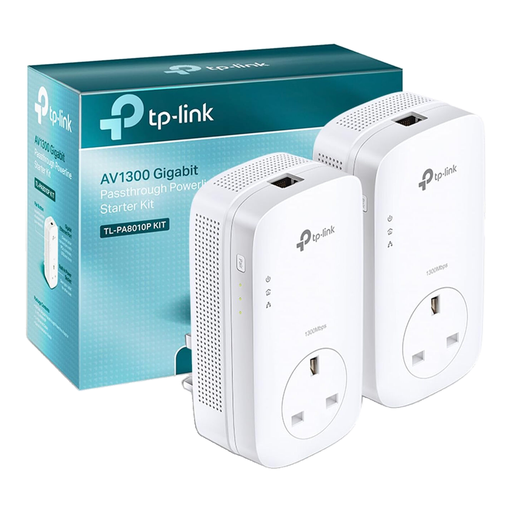
TP-Link TL-PA8010P KIT AV1300 Gigabit Passthrough
Consider this wired kit if the office computer can use Ethernet and you need to retain use of the desk’s wall socket.
The product name identifies an AV1300 Gigabit powerline kit with a pass-through socket. The AV1300 designation does not establish the speed of a photo upload.
Check that the intended sockets can communicate, and compare a representative upload from the office with one beside the router.
Joybuy
 No image available
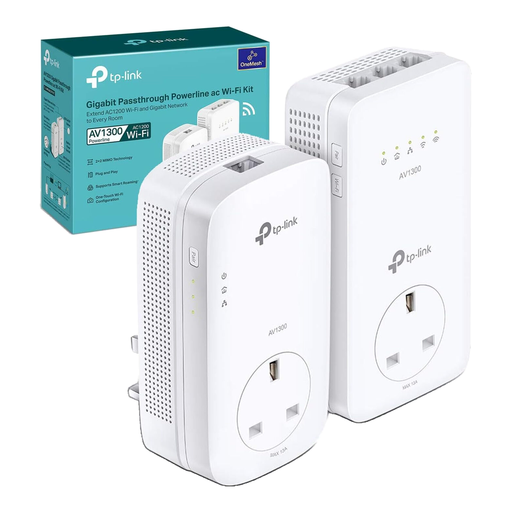
TP-Link TL-WPA8631P KIT AV1300 Gigabit Powerline Wi-Fi Extender
Consider this kit if the office computer needs a wired connection and other devices also need Wi-Fi in the office.
The product name identifies an AV1300 Gigabit powerline Wi-Fi extender kit. Its advertised powerline designation is not a guaranteed upload rate.
Test the intended wall outlets and a representative upload; neither the powerline link nor the added Wi-Fi can exceed the broadband service’s upload capacity.
Joybuy
Frequently asked questions
Can a powerline adapter make photo uploads faster than my broadband service allows?
No. A powerline adapter may improve the connection between your router and office if local Wi-Fi is the bottleneck, but it cannot raise the upload speed supplied by your broadband service. Ofcom notes that Wi-Fi cannot outperform that service; compare an upload near the router with one in the office before buying.
How do I connect a powerline pair to a home-office computer?
Connect one adapter to a router LAN port by Ethernet and plug it into a wall socket; pair it with a second adapter, then connect the office computer to that adapter by Ethernet. TP-Link advises initially plugging both units into wall sockets in the same room before moving one to the office, and says adapters on separate electrical circuits will not communicate.
Can I plug a powerline adapter into an extension lead or surge protector?
Use a direct wall outlet for the connection described in NETGEAR’s powerline guidance, which advises against power strips and surge protectors. Electrical Safety First also advises against overloading or daisy-chaining extension equipment; check the load of any device connected through a pass-through adapter.
Will a new G.hn adapter work with my HomePlug AV2 kit?
No for the TP-Link families covered by its guidance: TP-Link says its G.hn devices are incompatible with HomePlug AV and AV2 adapters. Check your existing adapter’s technology before purchasing an expansion unit; devolo likewise says its Magic and older dLAN families are incompatible.


