Upper-floor concert viewers
You watch on a fixed TV, streaming box or computer upstairs and want to connect it by Ethernet where the Wi-Fi signal at the screen is weak.


For a fixed TV, streaming box or computer upstairs, start with a two-adapter powerline kit with Ethernet, provided the intended sockets can communicate over the home’s electrical circuit. Choose an endpoint with Wi-Fi if that floor also needs wireless coverage, or consider mesh Wi-Fi if coverage across several floors is the main aim. Test the connection at the viewing-room socket before relying on it for a live event: wiring, interference and household traffic affect actual performance.
You watch on a fixed TV, streaming box or computer upstairs and want to connect it by Ethernet where the Wi-Fi signal at the screen is weak.
You want several devices near the screen connected by Ethernet. A multi-port endpoint may avoid the need for a separate switch.
You need to connect the concert screen while phones, tablets or other wireless devices also need coverage on that floor.
Decide whether the viewing device needs Ethernet alone or the floor also needs Wi-Fi, then check the sockets and existing equipment before choosing a kit. If wireless coverage throughout the house matters more than a fixed wired screen, compare a mesh Wi-Fi system instead.
| Concern | What to check | Who this matters to |
|---|---|---|
| Connection at the screen | Check that the two intended sockets can form a powerline link; test the stream there before the event. | If I watch on one fixed screen upstairs, I want its connection to hold throughout the concert. Around 42% of consumers put that fixed-screen connection first. |
| Wired device capacity | Count the devices that need Ethernet at the viewing location and check the endpoint’s port count. | With a TV and other wired equipment in the same room, I need enough connections without rearranging cables. For around 25% of consumers, connecting several wired devices is the priority. |
| Upstairs Wi-Fi | Check whether the endpoint provides Wi-Fi; confirm router compatibility if you want a mesh feature. | If phones and tablets also need a connection upstairs, Ethernet at the screen alone will not meet my needs. Wireless coverage comes first for around 33% of consumers. |
TP-Link says actual powerline throughput and range vary with electrical interference, traffic and circuit conditions. A stated signalling rate does not tell you how the connection will perform at an upstairs socket.
Pair the adapters at the intended router and screen sockets, then try the stream while the household is using the network normally.
TP-Link says its G.hn adapters cannot join a HomePlug AV/AV2 network; devolo says Magic adapters cannot join its older dLAN network.
Check the standard and model of every existing adapter before buying an expansion unit. If they cannot work together, choose a compatible kit for the connection you intend to create.
Changing powerline families may mean replacing existing adapters rather than adding just one.
NETGEAR recommends plugging powerline adapters directly into wall sockets rather than power strips or surge protectors; nearby high-power appliances can also interfere.
Start with wall sockets near the router and viewing device. If the link is poor, try another suitable wall socket before deciding the kit will not work in that room.
A powerline kit changes the connection inside the home, not the incoming broadband service. Ofcom advises checking for heavy household network use when investigating broadband and Wi-Fi problems.
Check the connection at the router and rule out a service problem before changing how the concert screen connects across the house.
Its UK powerline range includes wired G.hn kits and a G.hn kit with a Wi-Fi 6 endpoint. For this decision, compare the wired PG2400P KIT with the Wi-Fi-capable PGW2440 KIT.
The Magic 2 LAN triple Starter Kit is a wired option for an entertainment area with several Ethernet devices.
Its UK guidance provides a way to weigh a fixed powerline connection against mesh Wi-Fi coverage across a multi-storey home.
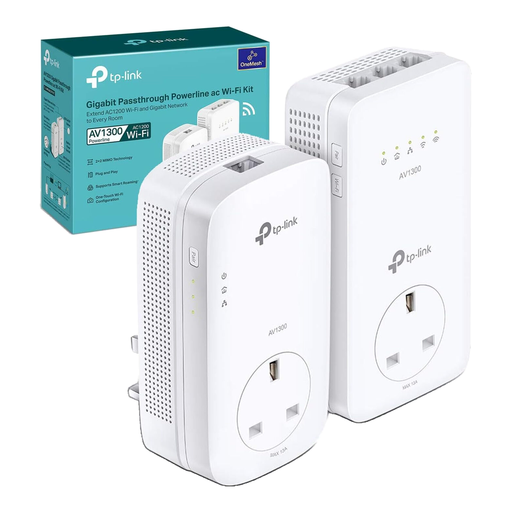
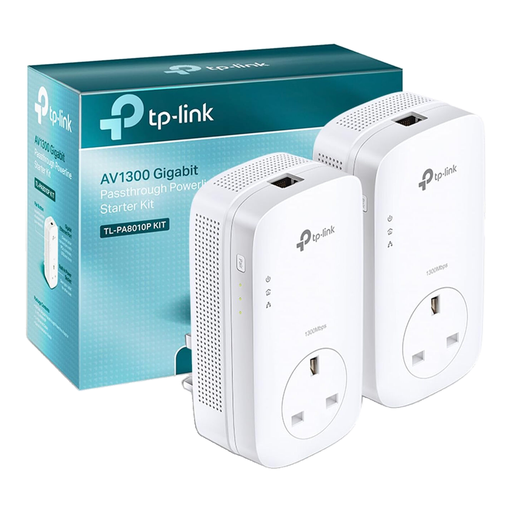
These TP-Link kits are options for connecting a fixed viewing device over household wiring. The TL-WPA8631P KIT also offers Wi-Fi at the far end; compare each kit’s connections and compatibility with what you already use before choosing.
 No image available
Consider this kit when the fixed concert screen needs a wired connection and nearby devices also need Wi-Fi. AV1300 is a stated product rate, not a promise of throughput at your sockets; check compatibility with existing powerline adapters before expanding a network.
 No image available
Consider this kit for a fixed device that you plan to connect by Ethernet rather than for upstairs wireless coverage. It has a passthrough socket; check its powerline standard if you intend to add it to an existing network. The stated AV1300 rate does not establish throughput between your chosen sockets.
It may, but the number of floors does not establish whether the link will work. TP-Link says the adapters need a suitable electrical circuit, while actual throughput and range vary with wiring and interference; test the intended sockets before the concert.
Start with a direct wall socket for each adapter. NETGEAR advises against power strips and surge protectors for powerline connections, and TP-Link’s setup guidance also specifies wall sockets.
No: TP-Link states that its G.hn adapters are not compatible with HomePlug AV/AV2 adapters. Check the standard on your existing equipment before buying an additional adapter.
Not if the fixed viewing device is the only one that needs a connection upstairs; a wired endpoint may meet that need. Choose a Wi-Fi-capable endpoint if nearby wireless devices also need coverage, or consider mesh Wi-Fi when roaming coverage across several floors is the main requirement.