Presenters dealing with household noise
If flatmates may talk or move nearby, focus on the sound sent to your audience. Look for a positionable boom microphone and a stated call-noise feature; ANC for your own listening is a separate consideration.


For a research presentation from a shared flat, prioritise a boom microphone and a stated call-noise-reduction feature: these address what listeners hear, while active noise cancellation (ANC) mainly addresses what you hear. A wired headset avoids charging and Bluetooth pairing if you can stay at a compatible computer; choose wireless when movement or switching devices matters enough to justify testing the connection and battery beforehand. No microphone feature guarantees that nearby household speech will disappear.
If flatmates may talk or move nearby, focus on the sound sent to your audience. Look for a positionable boom microphone and a stated call-noise feature; ANC for your own listening is a separate consideration.
If you will present from one computer, a compatible wired headset removes headset charging and Bluetooth pairing from your preparations. Check the connector and microphone input before the call.
If presentations and calls take place across a laptop and phone, wireless connectivity and the model’s stated talk time become relevant. Allow time to charge, pair and test the headset on the device you will actually use.
Decide first what your audience needs to hear, then whether a fixed wired connection or wireless movement better fits the presentation.
| Concern | What to check | Who this matters to |
|---|---|---|
| Outgoing voice clarity | Look for a boom microphone and a stated call-noise feature. Do not treat listener-facing ANC as a substitute. | If nearby conversations could interrupt my research summary, I need listeners to follow my voice without repeated explanations. Around 42% of consumers put outgoing clarity first. |
| Connection reliability | Match the headset connection to your computer and confirm its microphone works in your meeting software. | For a presentation from one desk, I would rather avoid a last-minute pairing or battery problem. Around 25% of consumers prioritise a dependable connection. |
| Movement and concentration | For wireless models, check device switching and talk time under the settings you intend to use; assess ANC separately. | When I move around the flat or take calls on both phone and laptop, flexibility matters, though I must keep the headset charged. Roughly 33% of consumers put that need first. |
ANC reduces sound reaching the wearer; call-noise processing addresses sound sent to remote listeners. One feature does not establish the performance of the other.
Compare the stated microphone features separately, and consider ANC if household sound also distracts you while listening.
Similarly named headset variants can differ in connector, accessories or UC and Microsoft Teams configuration.
Check your computer’s ports, meeting software and the exact contents of the variant before buying.
A wireless headset depends on its charge, pairing and the device selected for microphone input. Published talk time can also depend on which features are enabled.
Charge and pair it with the presentation device, select it in the meeting software and rehearse with the mute control before the event.
A third-party ranking identifies a model, not necessarily the connector, accessories or variant offered by a particular retailer.
Compare the full model and variant details on the product page rather than relying on a ranking label.
Its Evolve2 40 is a corded option for presenting at a computer; the wireless Evolve2 75 adds features aimed at calls in distracting spaces.
The wireless Voyager Focus 2 is relevant when you want to assess both incoming distractions and outgoing call noise.
The wireless Zone Vibe 100 is an option to examine for occasional presentations and calls across devices.
These wired gaming headsets offer microphone-equipped options for presenting from a computer. Their connection types differ, so check how each microphone connects and works with your meeting software; a noise-cancelling microphone claim alone does not establish clarity over nearby speech.
 No image available
Consider this wired option if you will present at a computer and want to avoid Bluetooth pairing. The title lists a USB connection, a microphone and 50 mm drivers, as well as PC, Mac and PS4 compatibility. Check microphone operation in your meeting software and test the noise-cancellation claim against the sounds in your room.
 No image available
Its wired design and flexible microphone may suit a presentation from a fixed desk. The title lists PC and Xbox use but does not establish which connections your computer will need for microphone audio. Confirm the plugs and test the microphone in your meeting software.
 No image available
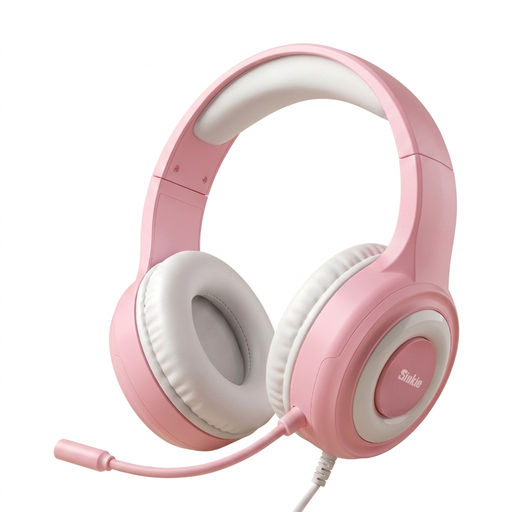
Consider this wired headset if you can confirm a suitable audio connection for your presentation computer. The title lists USB and a 3.5 mm jack, a microphone and 50 mm drivers; check which connection carries microphone audio before buying. Test its claimed microphone noise cancellation in your room rather than assuming it will remove nearby conversation.
Not by itself: ANC primarily reduces sound reaching you. For a research presentation in a shared flat, check the boom microphone and any stated call-noise-reduction feature separately, then test how your voice sounds with household activity nearby.
A compatible wired USB headset is the simpler choice when you will stay at your computer and want to avoid headset charging and Bluetooth pairing. Bluetooth offers movement and, on applicable models, device switching, but you should confirm compatibility and test the connection before presenting.
Charge and pair it with the device you will use, select it as both microphone and speaker in the meeting software, and test its mute control. Rehearse while the room has the kinds of background sound you expect during the presentation.