Early-years and KS1 coding teachers
May want pupils to enter and correct a visible sequence with little set-up. TTS describes Bee-Bot’s directional controls, while Sphero describes colour-tile programming for Indi.


Choose a simple programmable robot when pupils need to enter, test and correct movement sequences; choose a build-and-code kit when the lesson allows time for construction and debugging. A humanoid demonstration can prompt discussion, but it is not the same as pupils programming a robot, while a provider-led session may suit occasional activities if the equipment and pupil involvement are confirmed in advance. Check the age guidance, lesson resources, required devices, power and any connected-data functions for the specific option.
May want pupils to enter and correct a visible sequence with little set-up. TTS describes Bee-Bot’s directional controls, while Sphero describes colour-tile programming for Indi.
May want pupils to build, explore inputs and outputs, and debug across lessons. Cardiff University’s research discusses barriers including resources, training and support; check the kit’s age guidance, preparation requirements and available devices.
May need a supervised activity without taking on ongoing equipment ownership. The Government Office for Science’s school pilot used humanoid-themed materials to prompt discussion, rather than establishing a need to buy a classroom humanoid.
Consider when: pupils need to enter, run and correct simple movement sequences. TTS describes Bee-Bot’s directional controls; Sphero describes Indi’s physical colour-tile approach, with optional app progression.
Check: how pupils will take turns, what mats or tiles the chosen pack includes, and how charging and storage will work.
Consider when: the session is about discussing what humanoid robots can and cannot do, with time for pupils to question or investigate.
Bear in mind: watching a demonstration is not the same as each pupil programming a robot; the Government Office for Science pilot used a poster to start discussion.
Consider when: pupils have time to construct, program and revise a project involving inputs and outputs. LEGO Education’s UK Years 1–3 Computer Science & AI kit lists a motor, colour sensor and lesson materials.
Check: assembly, staff preparation, coding devices and power needs; Kitronik labels its :MOVE Motor model age 11+ and specifies a micro:bit and four AA batteries.
Consider when: the school wants an occasional activity or staff development before maintaining its own equipment. STEM Learning offers primary robotics professional development and STEM Ambassador support.
Confirm: what equipment is actually supplied, how much time pupils spend programming, staff roles, safeguarding arrangements and any local charge.
| Concern | What to check when buying | Who this matters to |
|---|---|---|
| Pupil control and debugging | Compare the controls, pupil turn-taking plan and time available for the task. | If I want pupils to enter commands, see what happens and correct a sequence, I would put direct control first. Around 40% of consumers prioritise pupil programming and debugging. |
| Lesson fit and preparation | Review the lesson materials and time needed to prepare or learn the coding method. | When a session has limited preparation time, I need an activity that fits the lesson and staff confidence. Around 30% of consumers put lesson readiness and staff preparation first. |
| Equipment and devices | Confirm required devices, power, included components and a workable storage routine. | If I plan to repeat activities with groups, I need to manage charging or batteries and keep track of the components. Around 20% of consumers prioritise equipment and device management. |
| One-off discussion or activity | Establish whether pupils will handle or program equipment, and who supplies and supervises it. | For an occasional session, I may prefer a facilitated activity to maintaining a set of robots, provided the pupil task is clear. Around 10% of consumers prioritise a one-off discussion or facilitated session. |
The Government Office for Science’s March 2025 pilot used a poster to prompt discussion with pupils; it was not a purchasing trial of classroom humanoids.
Decide what pupils will do and discuss first, then consider whether a live demonstration adds something to the planned activity.
LEGO Education states that sales of SPIKE Essential ended on 30 June 2026, while its stated app-support period continues until 30 June 2031.
If considering existing SPIKE Essential stock, confirm the exact kit, required devices and applicable support terms rather than assuming it is a current manufacturer-sales programme.
Power requirements and included classroom materials vary between products; a kit may also depend on a separate coding device or controller.
Check the full group set-up, including power, required devices, activity materials and the components needed for pupils to take part.
Bee-Bot floor robots for introductory movement sequences.
Indi uses physical colour tiles, with optional block-based app programming.
Its UK Years 1–3 Computer Science & AI kit is described for projects using a motor and colour sensor.
The :MOVE Motor is a micro:bit buggy for coding movement and sensor responses.
These Joybuy listings cover interactive and programmable robots, including humanoid models. Check each product’s age guidance, intended pupil activity and supervision needs before using it in a school session.
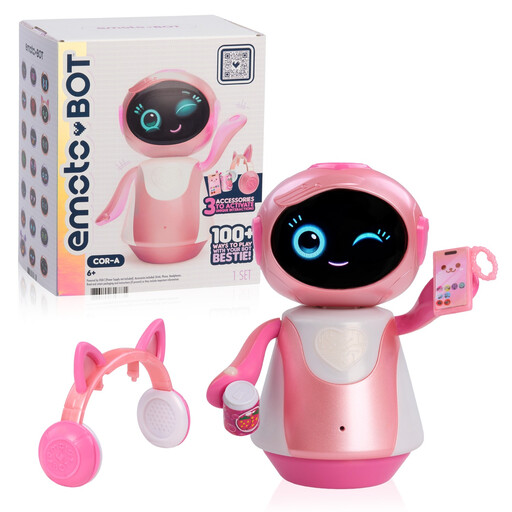 No image available
Its listed touch and sound responses may suit a supervised activity exploring how a robot reacts.
Described for children aged 6 and up; adult supervision is recommended. The USB-C charging cable is not included, and the description warns of small parts.
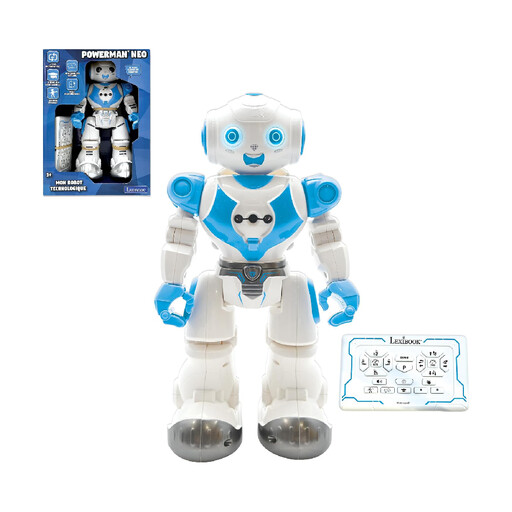 No image available
The described programmable movement sequences and dances may suit an activity where pupils create and replay actions.
Remote and gesture control are listed. The description states that 2 AA batteries are required and not included, and recommends direct adult supervision because of small parts.
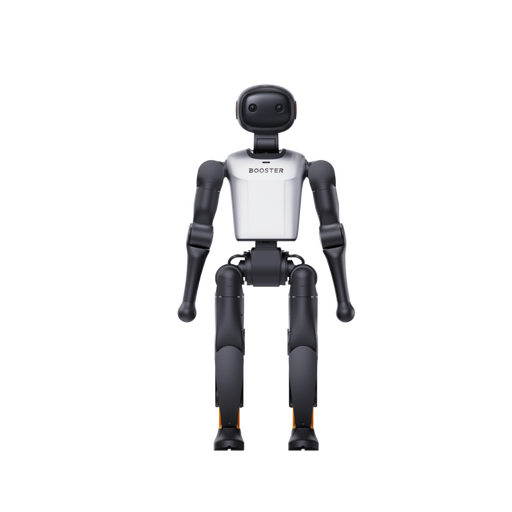
 No image available
The listing describes this humanoid robot for performances, so consider it only for a supervised demonstration with a defined pupil activity.
The product title specifies 29 total degrees of freedom and 16 joint degrees of freedom. Its instructions call for an open area of at least 6 m × 6 m and advise reviewing the manual and usage videos before operation.
 No image available
The product title identifies this as an embodied-AI development platform; check that its intended use matches the session before considering it for a demonstration.
The title specifies 48 TOPS AI and 22-DoF.
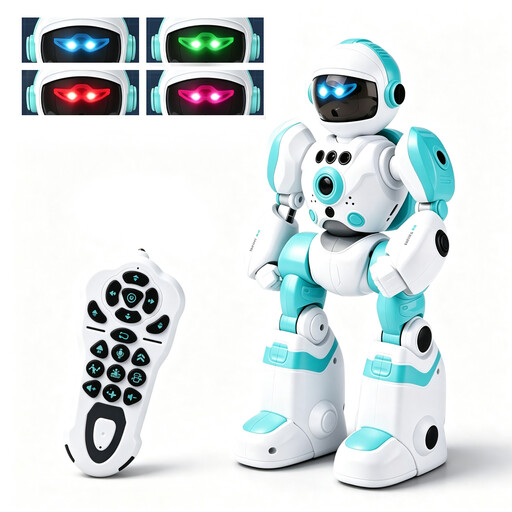 No image available
The listed action programming, recording and playback may suit a supervised activity where pupils explore a sequence of robot actions.
The title specifies gesture sensing, four-colour custom LED eyes, an infrared sensor and a USB-rechargeable 3.7 V 200 mAh battery. The description says the remote requires 2 AA batteries, not included, and warns of small parts not suitable for children under 3.
No particular robot is prescribed by the cited England computing programme. Its programming objectives can inform a pupil task, but the England document should not be treated as the curriculum for every UK nation.
Run the intended pupil task and check its power, coding device and complete components. Kitronik specifies a micro:bit and four AA batteries for :MOVE Motor; LEGO Education lists a coding canvas and teacher materials for its Years 1–3 kit.
Check the complete pack, required power and devices, and the support period for any software the activity depends on. LEGO Education states that SPIKE app support continues until 30 June 2031 after SPIKE product sales ended; this statement does not guarantee support for unrelated products.
The robot category alone does not give a uniform answer. Great Britain’s toy guidance applies when a product is a toy placed on that market and recognises certain CE-marked goods; Northern Ireland has separate rules. Confirm the particular product’s classification and destination-market documentation rather than assuming one marking requirement applies to every kit, demonstration or service.
For cameras, microphones or connected services, establish what children’s personal data is processed and by whom; Information Commissioner’s Office guidance identifies particular issues for connected toys and devices. For a school visit in England, follow the school’s safeguarding procedures and applicable statutory guidance rather than assuming that booking a provider transfers those responsibilities.