
24/7 Customer Support

Free returns

Same-day & Next-day Delivery

Quality Guaranteed

Unlock Your Welcome Offers: FREE Delivery | Up to 80% OFF | Free 30-day JoyPlus trial
Download the APP
Buying a printer can seem straightforward until you compare ink cartridges, wireless features, print speeds and running costs. A compact home printer may suit occasional homework, while a high-volume office user could spend more on replacement cartridges than expected. Makers also need to separate ordinary document printers from specialist 3D printers.
This guide explains the practical details to check before buying, including wireless printers, A4 models, all-in-one devices, ink tank systems and multicolour 3D printers.
A low-cost inkjet printer may be affordable initially but require frequent cartridge replacements. Check the price and yield of compatible consumables before choosing. For regular printing, an ink tank printer can be more suitable because it uses refillable bottles rather than standard cartridges.
Ink yield depends on page coverage, print mode and the type of content being printed. Manufacturer page estimates should therefore be treated as guidance rather than a guarantee for every household.
Printer packaging may quote a maximum draft speed that applies to basic text and reduced-quality settings. For a more useful comparison, check the ISO print speed for black-and-white and colour pages. This is particularly important for home offices, students printing coursework and small businesses producing invoices or forms.
Wi-Fi, Wi-Fi Direct, Bluetooth and mobile-app printing are different connection methods. Before purchase, confirm compatibility with your phone, tablet, laptop and operating system. Some portable printers rely on a dedicated app, while conventional wireless printers may support services such as Apple AirPrint or Mopria.
Choose the printing technology according to your typical use:
For most UK households, an A4 printer is the practical format for letters, forms, schoolwork and office documents. If you regularly print photographs, check supported photo sizes and whether borderless printing is available.
An all-in-one printer, also called a multifunction printer, combines printing, scanning and copying. This can save desk space and remove the need for separate equipment.
Check whether the model includes:
An ADF is particularly useful in a home office or small business, whereas a flatbed scanner may be more practical for photographs and occasional documents.
When comparing 3D printers, check build volume, supported filaments, nozzle temperature and bed temperature. These specifications affect the size and materials of models you can produce.
Multicolour systems may support four colours as supplied and expand further with compatible filament-management units. Features such as automatic levelling, filament detection, power-loss recovery and enclosed construction can simplify operation, but they do not remove the need for supervision and routine maintenance.
High-temperature components can cause burns. Place a 3D printer on a stable, heat-resistant surface, keep it away from children and flammable materials, and follow the manufacturer’s installation instructions.
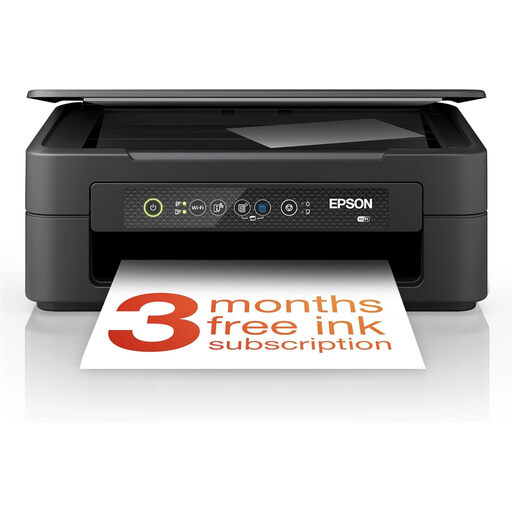
Why This Fits Their Persona: A compact option for UK students and households needing occasional documents, scans and copies without a separate scanner.
Individual ink cartridges mean the colour that runs out can be replaced separately. Wi-Fi and the Epson Smart Panel app support mobile printing.
Print, scan and copy functions; automatic duplex printing; 150-sheet input capacity.
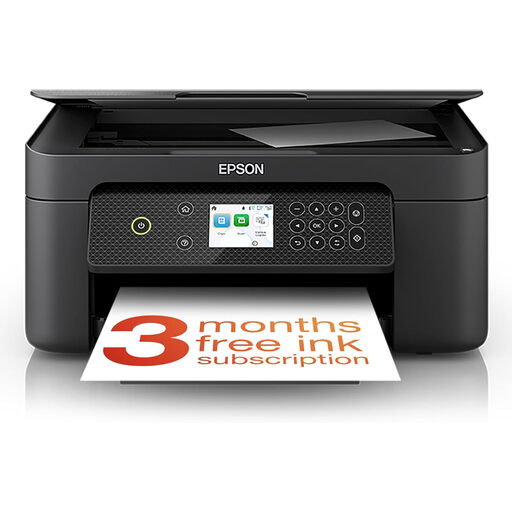
Why This Fits Their Persona: Suitable for home users who want colour documents, photographs and scanning in one A4 device.
The listed specifications include ISO speeds of up to 33 ppm mono and 15 ppm colour, alongside Wi-Fi mobile printing and a 100-sheet tray.
Print, copy and scan functionality; automatic duplex printing; individual cartridges.
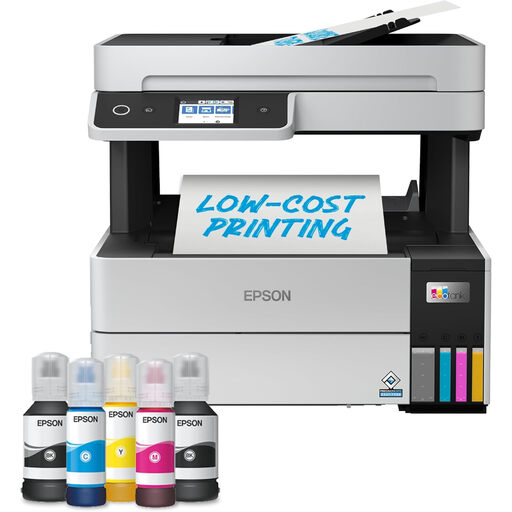
Why This Fits Their Persona: A practical match for home-office users and small businesses producing frequent documents, scans and copies.
The refillable ink tank system is designed for higher-volume use, while the 250-sheet tray and 35-page ADF reduce repeated loading.
Wi-Fi, Wi-Fi Direct and Ethernet; automatic duplex; refillable pigment-ink tanks.
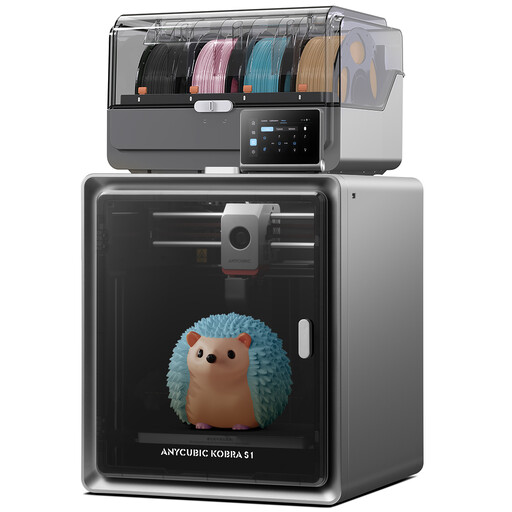
Why This Fits Their Persona: Intended for makers and creative hobbyists who want enclosed multicolour 3D printing and a 250 × 250 × 250 mm build volume.
The specification clearly separates four-colour printing as standard from expansion to up to 16 colours with additional compatible units.
Maximum nozzle temperature of 320°C; automatic levelling; support for PLA, PETG, TPU, ABS and ASA.
We have compiled a complete, real-time list of products that fully satisfy these strict selection criteria and UK safety regulations.
Yes, wireless printers can be convenient for households, students and home offices because they allow printing from compatible laptops, tablets and smartphones. Check whether the model uses Wi-Fi, Wi-Fi Direct or Bluetooth, and install the required app or driver before printing.
An ink tank printer may be suitable for users who print regularly because refillable tanks can reduce cartridge replacement frequency. Compare the printer’s stated ink yield, bottle price, warranty terms and expected workload rather than relying on the initial purchase price alone.
Lifespan varies according to print volume, maintenance, storage conditions and consumable choice. Keep the device on a stable, dry surface, use compatible paper and ink, clean it according to the instructions, and avoid leaving inkjet printers unused for extended periods. For 3D printers, routine nozzle, build-plate and filament maintenance is also important.