For a shared studio printing mainly black-text quiz sheets, start by comparing A4 mono laser printers with automatic duplex printing, a suitable paper tray and a connection the studio can manage. If colour clues or regular scanning and copying are part of the work, consider a multifunction printer instead; whichever route you choose, agree who will manage paper, supplies, print jobs and updates.
Who needs which features?
Frequent text-handout organisers
If most quiz packs are black-text A4 sheets, focus on automatic duplex printing, tray capacity and the time available to produce each batch. Brother UK specifies these features for its HL-L2445DW mono laser, which is a print-only model.
Colour-round and admin users
If the studio also prints colour clues or scans and copies paperwork, look at multifunction features rather than choosing on text-printing needs alone. Epson United Kingdom specifies colour printing, scanning and copying for the EcoTank ET-5150.
Shared-device coordinators
When several people use one printer, check how it will connect and who can administer it. Brother UK and HP Store UK describe connection or workgroup features on their cited models; the National Cyber Security Centre advises changing applicable default passwords and keeping devices updated.
What matters when choosing?
Decide whether the studio chiefly needs quick text batches, colour materials or document-handling functions; then check how the chosen printer will work as a shared device.
A4 mono laser
Consider it when: Most quiz sheets are black text and straightforward batch printing takes priority.
Trade-off: A print-only mono model will not produce colour sheets or handle scanning and copying.
Ink-tank multifunction printer
Consider it when: Colour quiz rounds and scanning or copying are recurring studio tasks.
Trade-off: Check replacement ink and the page coverage behind stated yields before judging ongoing supply needs.
Mono multifunction laser
Consider it when: The studio wants black-and-white printing alongside copying and scanning on one shared device.
Trade-off: Check whether its cartridge rules suit the studio's supply plan; HP states that its LaserJet Pro MFP 3102fdw can block cartridges using a non-HP chip.
| Concern | What to check | Who this matters to |
|---|
| Text batches |
Check rated A4 mono speed, automatic duplex and tray capacity. A rated speed is not a promise of total job time. |
If quiz packs must be ready shortly before a session, I need to avoid repeated paper handling and long waits. Around 36% of consumers would put text-batch printing first. |
| Shared access |
Confirm a connection the studio can administer and who will manage credentials and updates. |
When several people send jobs to one printer, I need a clear way to connect and someone responsible for maintaining it. For around 29% of consumers, shared access is the primary concern. |
| Colour and ink |
Check colour output, duplex printing and replacement-ink terms against the studio's expected page coverage. |
Colour clues are part of my quiz packs, so I need to plan for those pages as well as routine handouts. Around 21% of consumers would prioritise colour and its supplies. |
| Document tasks |
Decide whether copying, scanning or an automatic document feeder is needed for studio paperwork. |
If I regularly copy materials or scan several sheets, printing alone will not cover my workflow. Document-handling functions come first for around 14% of consumers. |
Buying pitfalls
-
Paying for colour when nearly every sheet is black text
Colour and multifunction features do not help with a text-only quiz pack unless the studio has other recurring uses for them.
Look through recent packs before choosing: compare mono printers for predominantly black-text work, and include colour models if colour sheets are a regular requirement.
-
Assuming any paper will work well for duplex printing
Epson United Kingdom advises using paper suitable for two-sided printing; the paper choice can affect how clearly quiz questions print on both sides.
Test the intended A4 paper with a short double-sided pack and check the chosen printer's media guidance before ordering a larger quantity.
Unsuitable stock may mean reprinting sheets and spending time clearing paper-feed problems.
-
Leaving a shared printer without an owner
Unclear responsibility makes it harder to manage access, updates and interrupted jobs. The National Cyber Security Centre advises changing applicable vendor-supplied default passwords and installing security updates.
Name someone to manage the device, document how users connect and schedule checks for available firmware and driver updates.
-
Choosing cartridges before checking compatibility rules
HP states that dynamic-security measures on the LaserJet Pro MFP 3102fdw can block cartridges using a non-HP chip.
If the studio plans to use third-party or reused supplies, check the exact model's current cartridge terms before choosing it.
Relevant brands for reference
Brother
Brother UK's HL-L2445DW illustrates a print-only A4 mono laser option for predominantly black-text quiz sheets.
- Brother UK specifies automatic duplex printing, a 250-sheet tray, Ethernet, 5 GHz Wi-Fi and USB for this model.
- The HL-L2445DW does not print in colour or scan and copy; plan for its separate toner and drum consumables.
Epson
Epson United Kingdom's EcoTank ET-5150 illustrates an A4 ink-tank multifunction option for studios that also need colour and document handling.
- Epson specifies duplex printing, a 250-sheet tray, a 35-sheet automatic document feeder, Wi-Fi and Wi-Fi Direct for the ET-5150.
- Assess included and replacement ink against the studio's actual page coverage rather than treating stated yields as guaranteed results.
HP
HP Store UK positions the LaserJet Pro MFP 3102fdw as a black-and-white multifunction laser for a small shared workgroup.
- HP specifies automatic duplex printing, scanning, copying, fax and wireless printing for this model.
- HP says its dynamic-security measures can block cartridges using a non-HP chip, so check the studio's intended supplies.
Joybuy product choices
These printers cover text-focused mono printing and colour multifunction work for studio quiz sheets. Compare each model's paper handling, document functions and connection options against the tasks your studio actually performs.
 No image available
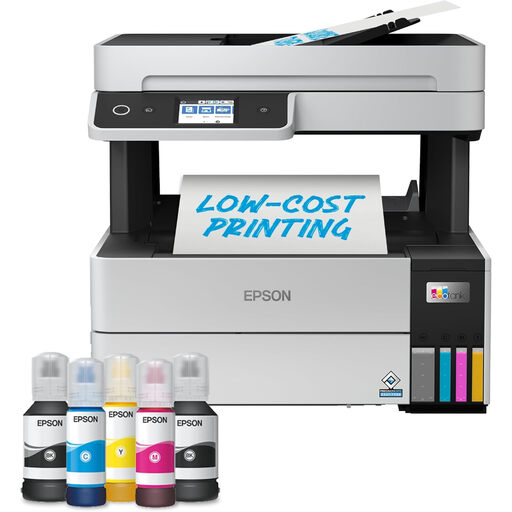
Epson EcoTank ET-5150 A4 Multifunction Printer
Consider this model when colour quiz materials and scanning or copying are regular studio tasks.
Epson United Kingdom specifies automatic duplex printing, a 250-sheet tray and a 35-sheet automatic document feeder for the ET-5150.
Compare replacement ink and expected page coverage, and check current availability before ordering.
View on Joybuy
 No image available
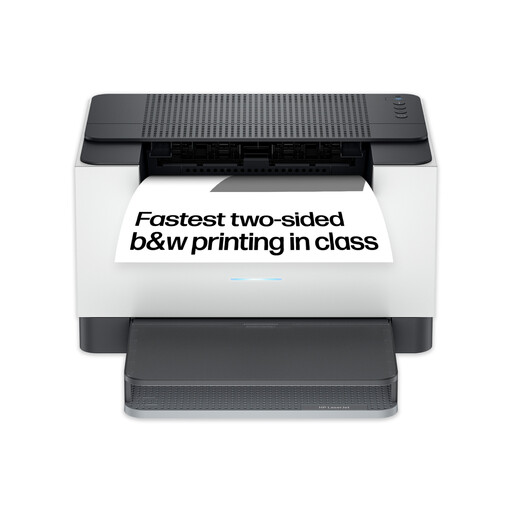
HP LaserJet M209dw Wireless Black-and-White Printer
Consider this mono printer for text-led quiz sheets when two-sided output and wireless connection matter.
The product name specifies two-sided printing and a 150-sheet input tray. Check whether that capacity suits the studio's batch size and whether any other required functions are available.
View on Joybuy
 No image available
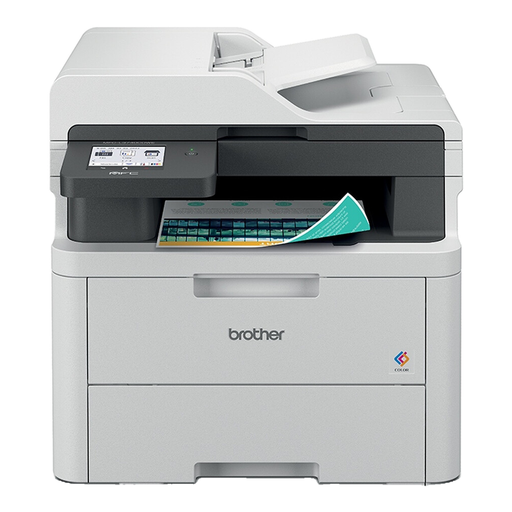
Brother MFC-L3740CDWE All-in-One Colour Wireless LED Printer
Consider this model if colour quiz sheets and other studio document tasks justify an all-in-one device.
Its product name identifies colour output and wireless connection. Check the exact document functions, paper handling and ongoing consumable terms against the studio's workflow.
View on Joybuy
 No image available
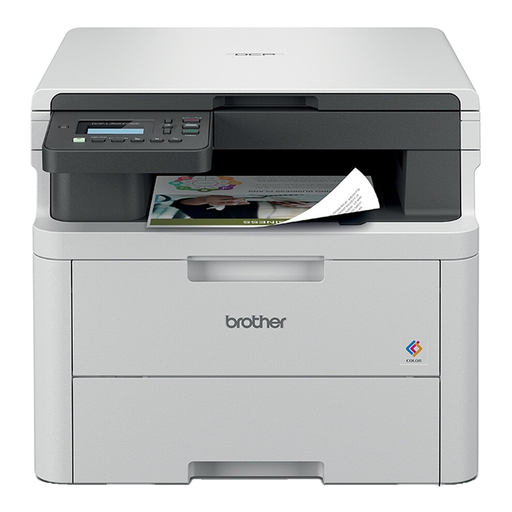
Brother DCP-L3520CDWE Colour Laser Printer
Consider this colour laser model if some quiz materials need colour alongside routine text sheets.
If the studio also needs copying or scanning, confirm those functions for this exact variant. Check its two-sided printing arrangements and toner terms before planning regular batches.
View on Joybuy
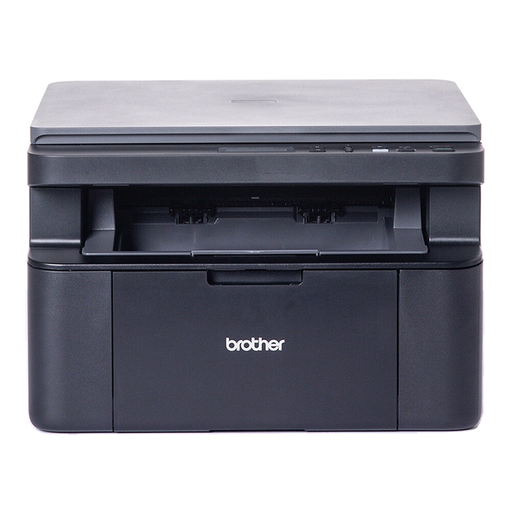 No image available
Brother DCP-L1640W Mono Laser Printer
Consider this model for black-text quiz sheets if someone can handle the paper when two-sided packs are needed.
Duplex printing is manual, so it will not produce double-sided batches without intervention. Check whether its paper capacity and scanning workflow suit the studio's routine.
View on Joybuy
Frequently asked questions
Should quiz questions be printed double-sided?
Automatic duplex is useful if the studio wants two-sided quiz packs without turning sheets by hand. Test the intended paper first: Epson United Kingdom advises using stock suitable for duplex printing, and one-sided pages may still be preferable where participants need writing space.
How should a shared studio manage a Wi-Fi printer?
Give one person responsibility for setup, access and maintenance, and choose a connection the studio can administer. The National Cyber Security Centre advises changing applicable vendor-supplied default passwords and keeping devices and software updated.
What should the studio do with an old printer?
Check an appropriate electrical-equipment collection or recycling route rather than assuming the printer belongs with ordinary waste. GOV.UK's WEEE guidance addresses the recovery, reuse and recycling of electrical equipment; ask the retailer, manufacturer or local authority which option fits the studio's circumstances.


