What matters when choosing
For a machine that will scan theatre programmes and print student work, decide how you need to handle the originals before comparing connections and everyday printing features.
| Concern |
What to check when buying |
Who this matters to |
| Careful colour scanning |
Confirm an A4 flatbed, its stated optical scan specification and enough lid clearance for your programmes. Test a representative page rather than judging capture quality by dpi alone. |
If I want to keep covers and small print readable without feeding delicate pages through rollers, careful page placement comes first. Around 33% of consumers put that need first. |
| Space and connections |
Check the machine’s placement requirements and its connection options, including app support and Wi-Fi Direct if the flat’s network is awkward. |
When desk space is tight or I cannot rely on the shared network, I need a setup that works with my own devices; around 25% of consumers make space and connectivity their main concern. |
| Coursework printing and ink |
Compare paper handling, whether two-sided printing is automatic, and cartridge or subscription terms after any introductory period. |
I will keep printing coursework after the scanning project, so I want to understand the routine printing setup and ink arrangements. That is the primary need for around 25% of consumers. |
| Loose-sheet batches |
If considering an automatic document feeder, check its capacity and use it only with originals suitable for feeding. |
Regular batches of loose, sturdy handouts would make placing every sheet by hand inconvenient; around 17% of consumers prioritise that scanning workflow. |
Joybuy product choices
These A4 multifunction printers are choices to consider for individual programme pages alongside ordinary student printing. Check that each model’s scanning arrangement and lid space suit your programmes before committing to a full scanning project.
 No image available
Epson Expression Home XP-3200 A4 colour multifunction printer
Consider this model if you want one printer for individual programme scans and coursework; check that its lid gives your programmes enough room and test a representative page before scanning the collection.
The product name specifies Wi-Fi and automatic two-sided printing.
View on Joybuy
 No image available
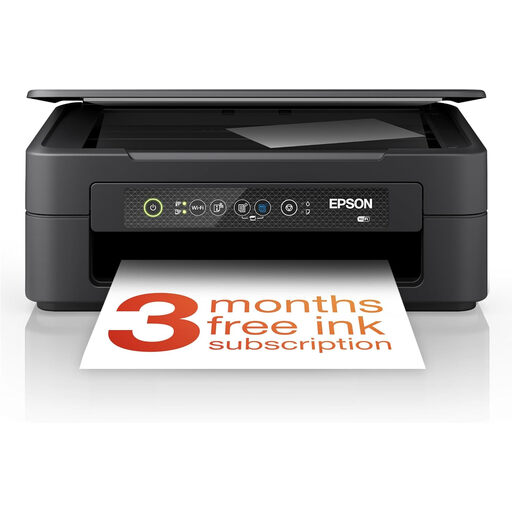
Epson Expression Home XP-2200 3-in-1 ink printer
Consider the XP-2200 for a combined student printing and programme-scanning setup, but confirm that its scanner accommodates the pages you want to position individually.
If scan detail or two-sided coursework printing matters to you, confirm the optical scan specification and exact duplex arrangement before buying.
View on Joybuy
Frequently asked questions
Is a flatbed or an automatic feeder better for theatre programmes?
Choose a flatbed for folded, stapled, delicate or bound programmes so you can position pages individually. An automatic document feeder is more relevant to recurring batches of loose, robust sheets; Library of Congress guidance advises assessing item condition and equipment-related handling risk.
Does 1200 × 2400 dpi guarantee good archive scans?
No. Canon UK specifies that optical resolution for the PIXMA TS5350i, and Brother UK lists it for colour scanning on the DCP-J1260W’s glass, but the Library of Congress notes that appropriate resolution depends on the object and intended use. Inspect scans of your own small print and artwork, and retain the originals.
Can I scan without using the flat’s usual Wi-Fi network?
Some models offer another connection route: Epson United Kingdom lists Wi-Fi Direct for the Expression XP-5200, while Brother UK lists USB and 5 GHz Wi-Fi for the DCP-J1260W. Check the connection and scanning-app requirements of the exact printer you plan to buy against your phone or laptop.
Can I share a scanned theatre programme in the UK?
Do not assume that owning the programme permits sharing a complete scan. UK Intellectual Property Office guidance allows limited extracts for qualifying non-commercial research or private study where the use is fair dealing; seek permission or appropriate advice for wider sharing or publication of a complete work.
How should I keep programme scans after making them?
Keep the original programmes and make separate copies of the files. The Library of Congress advises storing copies on at least two different storage media in separate physical locations, then moving saved copies to current media over time.


