For a shared studio that mainly prints black-and-white A4 scripts, start with a mono laser printer with automatic two-sided printing, a paper tray suited to group print runs and a connection the studio can administer. Choose a multifunction model if copying or scanning paperwork is a regular task; consider colour printing when colour materials are a recurring need. Check the busiest expected print run, network access and consumable arrangements before deciding.
Who needs which printer?
Script-heavy rehearsal groups
Groups printing repeated runs of black-and-white A4 scripts can prioritise automatic two-sided printing, a practical paper tray and a connection shared users can access. Colour and scanning need not drive the choice if neither is part of their workflow.
Studios that copy and scan paperwork
Studios handling marked-up scripts, notes or contracts alongside print jobs have a reason to consider a multifunction printer. An automatic document feeder is particularly relevant when originals regularly contain several pages.
Studios producing colour materials
Where colour-coded schedules, visual references or promotional drafts are regular jobs, a colour-capable device can serve those tasks alongside script printing. Check its paper handling and connection options against the script workflow too.
What matters when buying?
Start with the pages the studio prints most often, then decide whether copying, colour output or simpler day-to-day administration changes the choice.
| Concern |
What to check |
Who this matters to |
| Script print runs |
Check A4 support, automatic rather than manual duplexing, tray capacity and the manufacturer’s usage guidance for the busiest week. |
If several people need multi-page black-and-white scripts at once, I want fewer pauses to turn sheets or reload paper. Around 36% of consumers put smooth script print runs first. |
| Copying and scanning |
Check the included functions and whether an automatic document feeder and two-sided scanning or copying are needed. |
When marked-up pages and paperwork must be copied or digitised, handling each original separately could slow the studio down. For around 29% of consumers, that shared document workflow is the primary concern. |
| Colour materials |
Decide how regularly colour pages are needed, then check the ink arrangements and whether the device still meets script-printing needs. |
If colour-coded schedules or visual references are a routine part of rehearsals, black-only output will not cover every job. Recurring colour output comes first for around 21% of consumers. |
| Shared operation |
Confirm device and network compatibility, who will manage access, and how replacement supplies will be obtained. |
Without a dedicated person to manage the printer, I need a setup regular users can access and maintain. Around 14% of consumers primarily want to minimise day-to-day intervention. |
Common buying mistakes
-
Choosing colour for mainly black-text scripts
Colour capability adds supplies to manage without changing the studio’s main black-and-white printing task.
Look at the next few productions’ likely mix of scripts and colour materials. If colour is only occasional, focus on duplexing, tray capacity and suitable connections.
-
Assuming Wi-Fi means everyone can print
A wireless feature does not establish that guest-network rules, passwords or users’ devices will permit shared printing.
Agree who will administer the printer and check the approved network route and intended devices before choosing its connection options.
-
Overlooking print-only versus multifunction hardware
A print-only printer cannot take the place of a copier or scanner when annotated pages and other paperwork need processing.
Choose print-only if the studio already has an adequate copying and scanning route. Otherwise, check the multifunction features and document feeder against the originals people handle.
-
Assuming replacement cartridges are interchangeable
HP states that dynamic security on its LaserJet Pro MFP 4102fdw can block cartridges using a non-HP chip, including following firmware updates.
Check the cartridge policy and intended supply route for the exact model before committing to it.
Brands to consider for these printer types
Brother
Brother has a print-only mono laser option relevant to studios producing repeated A4 script packs.
- Brother UK specifies automatic duplexing, a 250-sheet tray, Ethernet, 5 GHz Wi-Fi and USB for the HL-L2445DW.
- The HL-L2445DW is print-only; copying and scanning require another device or a different model.
HP
HP’s LaserJet Pro MFP 4102fdw illustrates the mono multifunction route for a studio that also handles paperwork.
- HP Store UK specifies print, copy, scan and fax functions, an automatic document feeder and a stated fit for teams of up to 10 users.
- HP states that the 4102fdw’s dynamic security can block cartridges using a non-HP chip. Check its supply policy and current availability.
Epson
Epson’s WorkForce Pro WF-4830DTWF is a colour inkjet multifunction option for studios regularly producing visual materials as well as scripts.
- Epson United Kingdom specifies two-sided printing and scanning, wireless connectivity and a 50-page automatic document feeder.
- If nearly all jobs are black text, decide whether recurring colour use warrants managing colour inks.
Canon
Canon’s i-SENSYS MF455dw provides a specification reference for mono multifunction printing with controlled document release.
- Canon UK specifies a 50-sheet automatic document feeder, automatic two-sided copying and Secure PIN print for the MF455dw.
- Canon UK marked its MF455dw store listing discontinued and permanently unavailable; check availability before considering that exact model.
Joybuy product choices
These models give a shared studio options for mono script printing and, where colour pages are a regular need, colour printing. Check each model’s document-handling functions and paper capacity against the jobs your group actually does.
 No image available
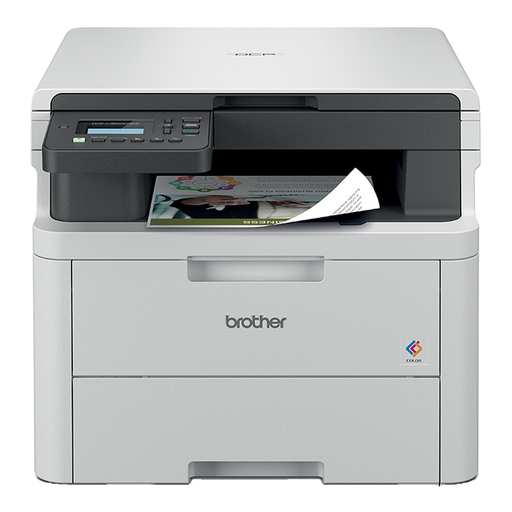
Brother DCP-L3520CDWE Colour Laser Printer
Consider this model if the studio regularly needs colour pages alongside its scripts. Confirm the copying, scanning and document-feeder functions needed for shared paperwork, and plan for colour supplies.
View on Joybuy
 No image available
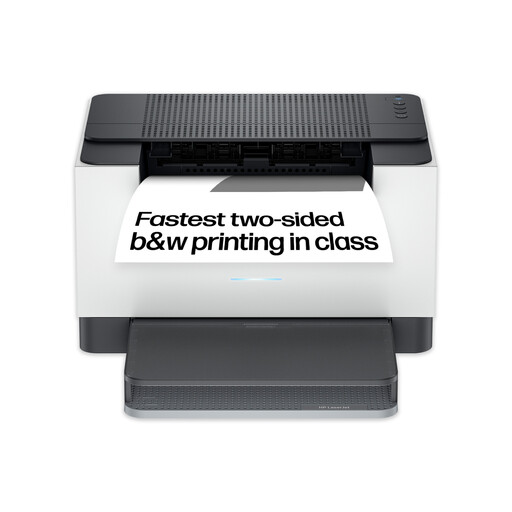
HP LaserJet M209dw Wireless Black and White Printer
This mono model suits a studio focused on script printing if its 150-sheet input tray is sufficient for group runs. Its product title specifies two-sided printing; confirm the exact model’s copying or scanning capability before relying on either function.
View on Joybuy
 No image available
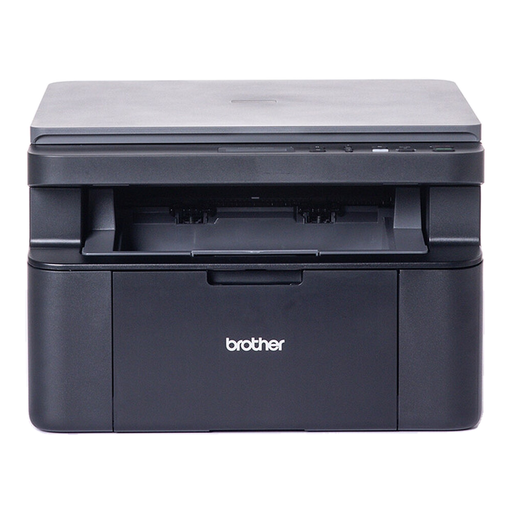
Brother DCP-L1640W Mono Laser Printer
Consider this mono model for scripts where occasional copying or scanning is also needed. Two-sided printing requires manual handling, and without an automatic document feeder, multi-page originals must be handled individually; its 150-sheet tray may also need refilling during larger runs.
View on Joybuy
Questions about studio printing
Should we buy a mono laser or a colour printer?
Choose a mono laser when the regular job is black-and-white A4 scripts; choose a colour-capable printer when colour-coded schedules or visual materials are recurring jobs. In either case, check duplexing, tray capacity and connections for the studio’s script runs.
Do we need a multifunction printer for scripts?
Not for printing scripts alone. A multifunction model becomes useful when the studio also regularly copies or scans marked-up pages and paperwork; check for an automatic document feeder if those originals often have several pages.
What should we check before connecting a shared printer?
Confirm that the studio permits the intended wired or wireless setup and that regular users’ devices can print through it. Assign someone to manage access: a printer’s stated Wi-Fi support does not by itself resolve guest-network or device restrictions.
Can we use third-party toner in the HP LaserJet Pro MFP 4102fdw?
Do not assume every third-party cartridge will work. HP states that dynamic security on the LaserJet Pro MFP 4102fdw can block cartridges using a non-HP chip and that firmware updates maintain those measures; check the intended cartridge and the studio’s supply policy before buying.


