
24/7 Customer Support

Free returns

Same-day & Next-day Delivery

Quality Guaranteed

Unlock Your Welcome Offers: FREE Delivery | Up to 80% OFF | Free 30-day JoyPlus trial
Download the APP
A privacy screen protector can make it harder for people nearby to read messages, emails and documents on your phone or laptop. That is useful on a Northern Line commute, in a busy café or during a work session at a shared office. However, privacy filters involve compromises and product descriptions do not always explain them clearly.
As the Joybuy Product Recommendation Officer, I focus on practical differences rather than exaggerated promises. Before buying, watch for these common pitfalls.
Terms such as anti-peep, 2-way privacy screen protector and 360-degree privacy screen protector describe how side visibility is restricted, not a guarantee that nobody can see your screen. A person standing directly behind you, looking over your shoulder, may still see part of the display.
A narrow stated angle, such as 30 or 35 degrees, generally indicates that the image becomes difficult to view away from the centre. Yet privacy performance can also vary with brightness, screen content and viewing distance.
A protector for an iPhone 16 Pro is not automatically suitable for an iPhone 16 Pro Max or iPhone 16 Plus. Camera cut-outs, speaker openings, curved edges and case clearance all matter. Likewise, a MacBook privacy filter must match the exact display size and model generation.
Check the complete compatibility list before ordering. A few millimetres of difference can leave the display exposed or interfere with the webcam, lid closure or protective case.
A 9H label is commonly used for scratch-resistance claims, but it should not be treated as a guarantee against every impact or drop. Tempered glass may help reduce everyday marks and minor knocks, but it cannot replace a protective case or careful handling.
Also look beyond hardness. Adhesive quality, oleophobic coating, edge coverage and installation accuracy affect everyday usability just as much.
For phones, a 2-way privacy screen protector normally restricts visibility from the left and right while maintaining a clearer front view. Products described as 360-degree privacy are marketed as restricting visibility around the display from multiple directions, although the exact effect depends on the filter design and lighting.
If you mainly work on trains or in cafés, side-angle restriction is often the most relevant feature. If you regularly share a desk or move around while using your phone, consider a product with broader directional coverage.
A tempered glass privacy screen protector usually provides a more glass-like feel than a thin film. Look for a stated scratch-resistant surface, fingerprint-resistant coating and preserved touch response. An anti-glare screen protector may reduce reflections from overhead lights or windows, though matte surfaces can slightly soften image sharpness.
Some filters list a blue light filter or blue light reduction. Treat this as an additional display feature rather than a medical or wellness benefit. The practical question is whether the screen remains comfortable and legible for your normal use.
An alignment frame, such as an EasyAligner screen protector installation tool, can reduce the chance of a crooked application or trapped dust. Clean the display carefully, apply the protector in a low-dust room and avoid repeatedly peeling it off.
For laptops, a magnetic MacBook privacy filter is convenient if you switch between private and open viewing. Check that the filter does not obstruct the camera, prevent the lid from closing or interfere with sleep mode.
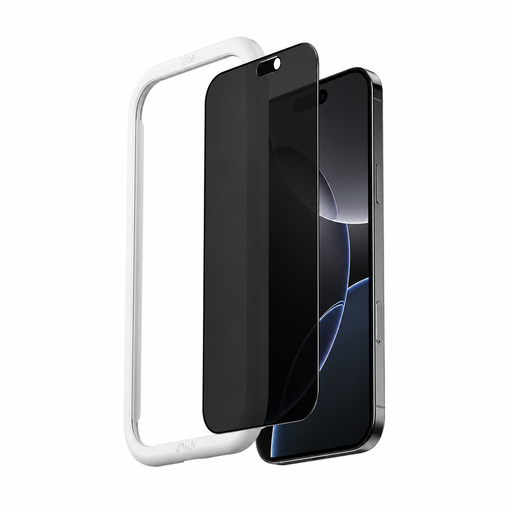
Why This Fits Their Persona: A practical option for iPhone 16 Plus users who want privacy for train journeys, office desks and everyday messaging without a complicated fitting process.
Its stated 35° viewing angle is more specific than a vague anti-peep label, while the automatic adsorption design aims to simplify alignment.
Tempered glass construction, oleophobic and hydrophobic coatings and listed support for touch response.
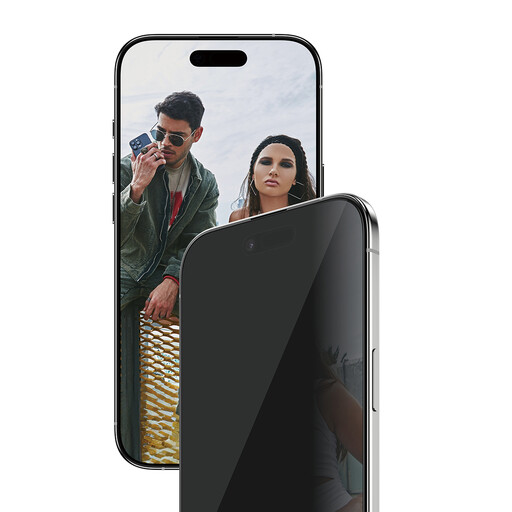
Why This Fits Their Persona: Suitable for professionals and frequent travellers who value full front coverage, case compatibility and a guided home installation.
The model-specific EasyAligner helps address crooked placement, while the Ultra-Wide Fit leaves space for compatible cases.
Tempered glass, oleophobic smudge resistance, stated touch sensitivity and an included alignment tool.
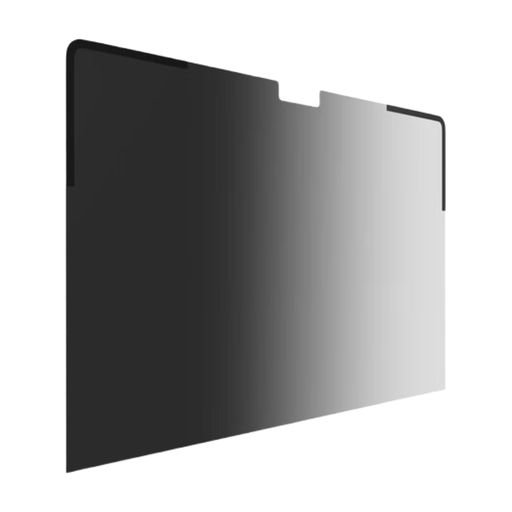
Why This Fits Their Persona: Designed for remote workers, consultants and students who handle documents in cafés, airports, co-working spaces or on trains.
The magnetic attachment avoids adhesive residue and allows removal when a wider viewing angle is needed. Its camera notch is designed for video calls.
30° viewing angle, anti-reflective coating, reversible matte or glossy surface and compatibility with closing the MacBook.
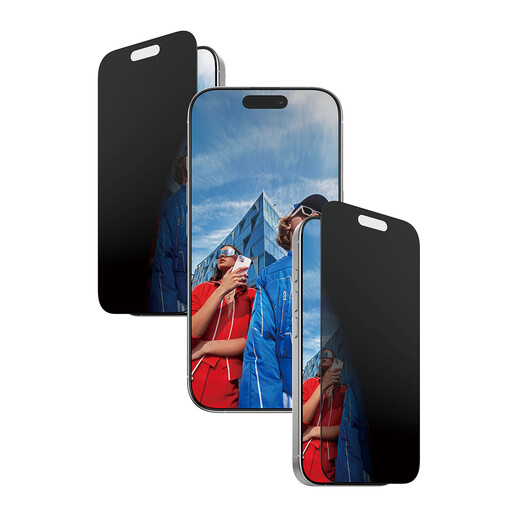
Why This Fits Their Persona: A focused choice for commuters and travellers who need left-and-right privacy when using banking, email or work apps in public.
The product clearly identifies its 2-way design rather than implying unrestricted privacy from every direction and the EasyAligner supports accurate fitting.
Micro-louvre privacy technology, Ultra-Wide Fit, scratch-resistant glass and stated front-view touch sensitivity.
We have compiled a complete, real-time list of products that fully satisfy these strict selection criteria and UK safety regulations.
A privacy filter does not secure an account by itself. Use a strong passcode, screen lock and device privacy settings as well.
No. It restricts visibility from specified angles, but results vary according to the filter, brightness, distance and lighting. Keep sensitive information positioned away from people nearby.
It can. The filtering layer may make the display appear darker or alter viewing clarity, particularly at an angle. An anti-glare finish can reduce reflections but may create a slightly more matte appearance.
There is no fixed lifespan. A protector may remain usable until it develops scratches, cracks, lifting edges or reduced touch performance. Frequent removal and reapplication can affect adhesive performance and the phone’s original oleophobic coating, so replace it rather than repeatedly refitting it.