What to prioritise when choosing private TV audio
Check the TV’s outputs and the sources you watch first; then consider whether you need speakers to play at the same time, how you will manage charging and whether the audio stays in sync.
| Concern |
What to check when buying |
Who this matters to |
| Getting sound from the TV |
Check the exact model’s Bluetooth headphone support and its optical or analogue outputs. Match the output to the base or transmitter input; confirm any required PCM setting. |
If I am setting up an existing TV, I need to know which output can actually send sound to headphones before choosing a route. Around 33% of consumers put TV-output compatibility first. |
| Comfort and charging |
Consider the fit, controls and charging method. Treat rated operating time as a product-specific figure, not a guarantee of your viewing time. |
For a long programme or regular evening viewing, I want a comfortable fit and a charging routine that is easy to keep up. Around 27% of consumers put extended-session convenience first. |
| Headphones and speakers together |
Check whether the TV supports simultaneous output and independent volume controls. Confirm the soundbar’s actual input if using transmitter passthrough. |
If someone else in the room still needs the speakers, I need to confirm that headphones will not silence their audio. Around 20% of consumers make simultaneous household audio their main concern. |
| Speech-to-picture sync |
Check the TV’s A/V-sync options and the codecs supported by both the transmitter and headphones. Confirm whether the setting works in your viewing mode. |
When dialogue falling behind the picture would disrupt viewing, I want to know how the TV and headphones handle delay together. Around 20% of consumers put lip-sync first. |
Joybuy products
These Joybuy options are Bluetooth headphones or headsets for TVs that support Bluetooth headphone audio. Check the connection requirements of the specific model and your TV before choosing.
 No image available
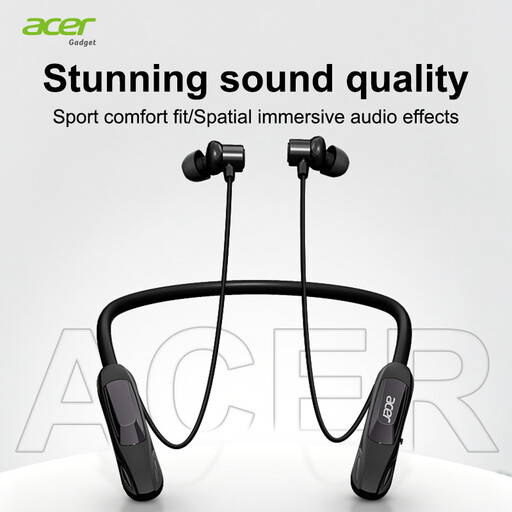
Acer OHR810 Wireless Neckband In-Ear Headphones (Bluetooth 5.4, Type-C charging)
Could provide a wireless personal-listening route when paired with a TV that supports Bluetooth headphone audio.
The product name specifies Bluetooth 5.4 and a Type-C charging port. Check that your TV supports headphone audio over Bluetooth.
View on Joybuy
 No image available
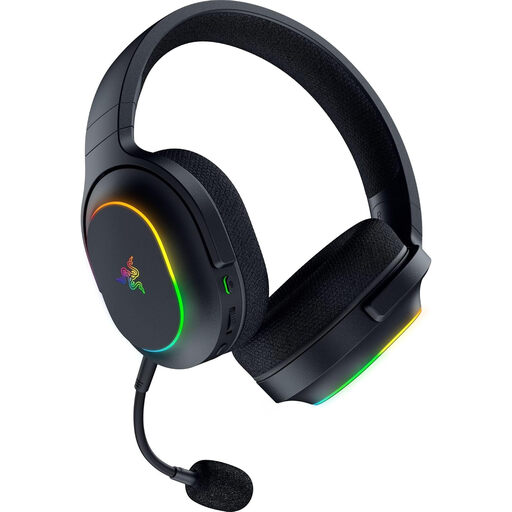
Razer Barracuda X Chroma Wireless Gaming Headset (Bluetooth 5.2, Black)
Could suit private TV listening if your TV supports headphone audio over Bluetooth; confirm compatibility before choosing.
The product description lists Bluetooth 5.2 and up to 70 hours of battery life. It also states that the headset has no 3.5 mm audio jack.
View on Joybuy
 No image available
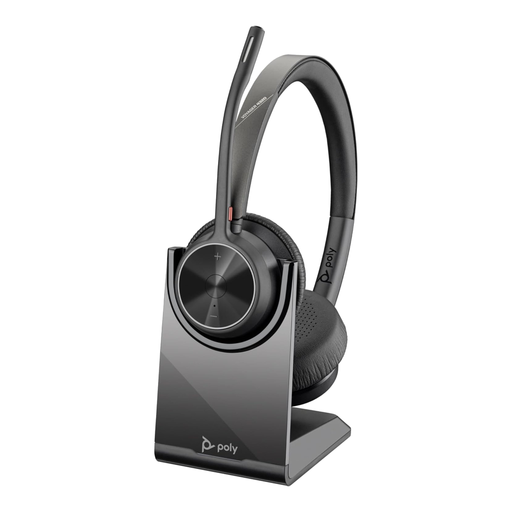
Poly Voyager 4320-M Wireless Headset (USB Type-A, Bluetooth, Black)
Could provide a wireless personal-listening route if the TV supports compatible Bluetooth headphone audio.
The product description specifies an included charging stand. Check the headset’s connection requirements against your TV before choosing.
View on Joybuy
Frequently asked questions
Does a TV’s Bluetooth menu mean it can send sound to headphones?
No. Check the exact TV’s Bluetooth audio capability and pairing menu. Sony UK specifies A2DP for supported Google TV and Android TV models, while Samsung UK says not all of its TVs support Bluetooth connections.
Will the TV speakers still work while headphones are connected?
It depends on the TV model and connection. Samsung UK describes Multi-output Audio on compatible TVs, and Sony UK says simultaneous output varies by model. LG UK says a wired headphone connection mutes the speakers on the models covered by its guide, so confirm the setup you need before buying.
Can an optical Bluetooth transmitter connect directly to HDMI ARC or eARC?
Not unless the transmitter specifically supports that connection. Avantree says Oasis Plus 2 does not connect directly to HDMI ARC/eARC, and its optical input accepts PCM rather than Dolby or DTS. Check the TV’s actual outputs and audio settings.
What can I check if Bluetooth speech trails behind the picture?
Check the TV’s A/V-sync options and whether the headphones support the transmitter’s relevant codec. Sony UK says the A/V-sync setting covered by its guidance cannot be activated in Multi-View or Game Mode on the products addressed; a transmitter’s low-latency specification alone does not establish how a different setup will perform.
How can I keep a wireless TV headset ready for another programme?
Choose a charging arrangement that fits your routine and follow the specific model’s charging instructions. Sennheiser describes placing RS 120-W headphones on their charging stand, while Avantree specifies a charging dock for HT5009 Plus.


