
24/7 Customer Support

Free returns

Same-day & Next-day Delivery

Quality Guaranteed

Unlock Your Welcome Offers: FREE Delivery | Up to 80% OFF | Free 30-day JoyPlus trial
Download the APP
A professional car diagnostic scanner can do far more than switch off a dashboard warning light. Depending on the model and vehicle, it may access multiple electronic control units, display live data, perform active tests, complete service resets and support ECU coding.
However, buying the wrong automotive diagnostic tool can create unnecessary expense. A low-cost car code reader may only cover the engine system, while an advanced full-system car scanner may include functions that are unavailable for your particular vehicle. Before comparing models, check the following common pitfalls.
Many entry-level devices are described as an OBD2 scanner, but standard OBD2 functions generally focus on emissions-related engine data. They may read and clear selected fault codes, show live data and check readiness monitors, yet provide no access to ABS, airbags, automatic transmission, body electronics or parking-brake modules.
If you need to investigate faults beyond the engine, look for explicit full-system diagnosis rather than relying on the phrase “professional car scanner”.
Vehicle coverage is not the same as universal functionality. Active tests, ECU coding, injector programming, battery registration and other special functions can vary by make, model, engine, year, control module and vehicle software.
Before purchase, confirm compatibility using the vehicle identification number (VIN), particularly if you work on mixed-brand vehicles or newer models. A vehicle fault code reader may connect successfully but still lack the menu required for a particular repair.
Some diagnostic platforms include updates for a fixed period, after which software access or enhanced functions may require renewal. Others advertise free updates but apply restrictions to certain vehicle brands or advanced services.
Check whether the stated update policy covers:
The purchase price is only part of the ownership cost for a garage or small repair business.
For routine maintenance, a useful scanner should do more than identify a diagnostic trouble code. Look for support for Engine, ABS, SRS, transmission, steering, body and battery systems, where available on the vehicle.
A practical car maintenance reset tool may include oil service, electronic parking brake, steering-angle sensor, battery management, diesel particulate filter, tyre-pressure monitoring and ABS bleeding functions. These are not automatically available on every vehicle, so read the compatibility notes carefully.
A bi-directional scan tool can send selected commands to vehicle components, such as activating a cooling fan, fuel pump or actuator. This can help narrow down whether a component or its control circuit responds, but active tests should only be used when you understand the vehicle system and follow appropriate repair procedures.
ECU coding is a separate capability. It may support adaptations, module replacement, calibration or configuration on selected vehicles. It is not a universal programming function and may require online access, security authorisation or additional equipment.
Newer vehicles may use communication systems beyond older CAN networks. A CAN FD diagnostic scanner supports a faster form of Controller Area Network communication, while a DoIP diagnostic tool communicates through Diagnostic over Internet Protocol, commonly using Ethernet-based vehicle networks.
These protocols can improve compatibility with selected newer vehicles, but their presence does not guarantee access to every module. Confirm the exact brand and model coverage before ordering.
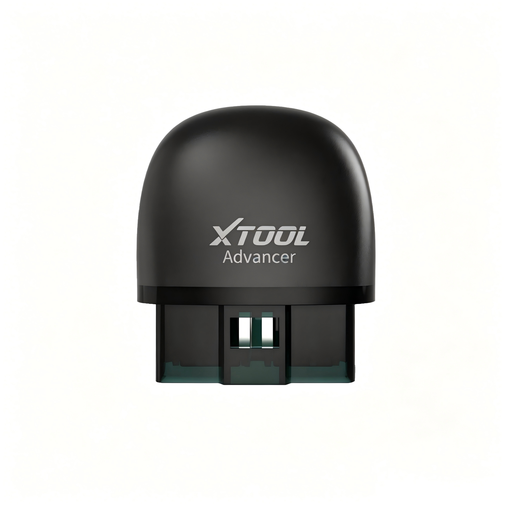
Why This Fits Their Persona: A compact Bluetooth option for UK drivers, DIY owners and used-car buyers who want phone-based access without a large workshop tablet.
It specifies full-system scanning, CAN FD support and no subscription for standard diagnostics. Check whether the required reset or vehicle function is included before buying.
Wireless Bluetooth 5.0 connection, live data, battery monitoring, oil reset and smartphone-based operation.
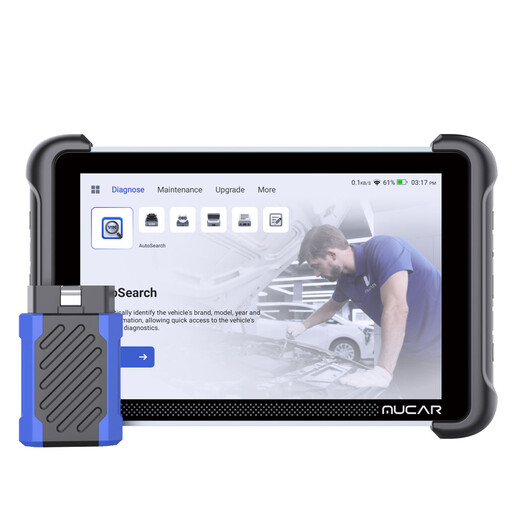
Why This Fits Their Persona: Suits independent mechanics and technically minded owners who want a dedicated touchscreen device with broader diagnostic functions.
The listed specification separates full-system diagnosis, bi-directional tests and service functions, while also stating lifetime free updates. Confirm individual vehicle coverage first.
8-inch touchscreen, CAN-FD and DoIP support, ECU coding, AI-assisted fault interpretation and expandable tool compatibility.
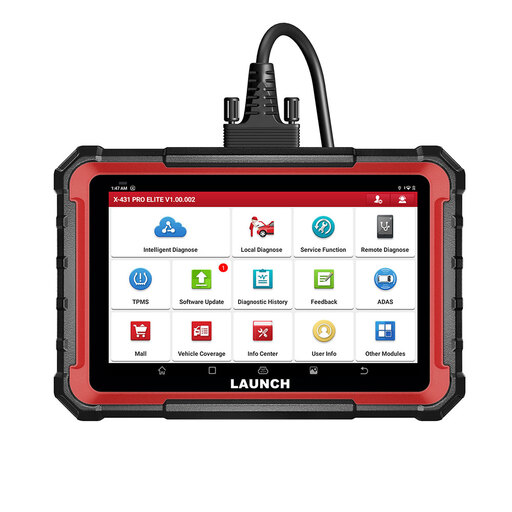
Why This Fits Their Persona: Designed for garages, vehicle technicians and small repair businesses handling varied makes and regular diagnostic workloads.
It clearly lists active tests, ECU coding, CAN FD, DoIP, numerous service functions and two years of free updates. Function availability still depends on the vehicle.
8-inch Android tablet, full-system diagnostics, bi-directional control, report sharing and support for optional TPMS, ADAS and battery tools.
We have compiled a complete, real-time list of products that fully satisfy these strict selection criteria and UK safety regulations.
Before scanning, park safely, apply the handbrake and check the scanner’s instructions. The diagnostic socket is commonly beneath the dashboard near the steering column, although its position varies. Connect the device securely, switch the ignition on and select the correct vehicle manually if AutoVIN identification is unavailable.
Record fault codes and freeze-frame data before clearing anything. Clearing a code does not repair the underlying fault, and some warning lights may return. For MOT preparation, an OBD2 scanner can show readiness information on compatible vehicles, but it cannot guarantee an MOT result.
Yes, provided you choose functions that match your confidence and vehicle. Basic code reading and live data are comparatively straightforward, while ECU coding, active tests and safety-system work require suitable knowledge and careful adherence to vehicle procedures.
It depends on the model. Some products include lifetime updates, some provide free updates for a defined period and others charge separately for expanded vehicle software or reset packages. Always check the update terms before purchasing.