
24/7 Customer Support

Free returns

Same-day & Next-day Delivery

Quality Guaranteed

Unlock Your Welcome Offers: FREE Delivery | Up to 80% OFF | Free 30-day JoyPlus trial
Download the APP
A professional car diagnostic scanner can do far more than switch off a dashboard warning light. Depending on the model, it may scan multiple control units, display live data, activate components, perform service resets and support newer vehicle communication systems.
However, buying by headline feature count alone can lead to an expensive mistake. As the Joybuy Product Recommendation Officer, my role is to filter out vague claims and focus on the functions, ownership costs and compatibility details that matter to UK car owners, home mechanics and independent garages.
“Full-system” usually means the tool can communicate with available modules such as the engine, transmission, ABS, SRS, body control and steering systems. It does not mean that every special function works on every car.
A car scanner with reset functions may list DPF regeneration, injector coding, battery registration or EPB reset, but availability depends on the vehicle’s make, model, year, engine and ECU software. Always check the VIN and the exact function before ordering.
Some tools offer lifetime free updates for standard OBD2 functions, while advanced vehicle software or special functions may have separate subscription terms. For example, the LAUNCH CRP129X V2.0 includes 12 reset services at no additional cost, while some further functions are optional purchases.
Check what “lifetime” covers, whether the update applies to all vehicle brands and whether the device remains usable if an update plan expires.
A bi-directional scan tool can send commands to vehicle systems, such as operating cooling fans, windows, fuel pumps or throttle actuators. An ECU coding scanner may also match replacement modules or alter supported vehicle settings.
These features are useful, but they require a stable battery supply and correct vehicle-specific procedures. During coding, use a suitable battery maintainer where recommended. Never assume that a menu option is suitable simply because it appears on the device.
A basic OBD2 diagnostic tool normally reads emissions-related engine codes and live data through the standard 16-pin port. This is useful for checking a warning light or preparing for an emissions-related inspection, but it may not access ABS, airbags, transmission or body modules.
For deeper fault-finding, look for:
Remember that clearing a code does not repair the underlying fault or guarantee an MOT pass. It only removes stored information where the vehicle permits it.
An active test diagnostic tool allows the scanner to request an action from an ECU. Examples may include switching a radiator fan, operating a fuel pump, testing an injector, cycling an ABS pump or moving a window.
This can help narrow down whether a component or its control circuit responds. The available tests are vehicle-specific, so compare the supported active-test list rather than relying on the phrase “bi-directional” alone.
For newer vehicles, consider a CAN FD diagnostic scanner and, where relevant, DoIP support. CAN FD can handle larger data frames than traditional CAN, while DoIP uses Ethernet-based vehicle communication on supported models.
FCA vehicles may require an FCA AutoAuth scanner or equivalent access to the manufacturer’s secure gateway. AutoAuth registration or subscription charges may be separate from the scanner purchase. Confirm this before buying if you work on Fiat, Chrysler, Dodge, Jeep or Alfa Romeo vehicles.
Also compare:
The following options match different use cases rather than claiming one tool is suitable for every buyer.
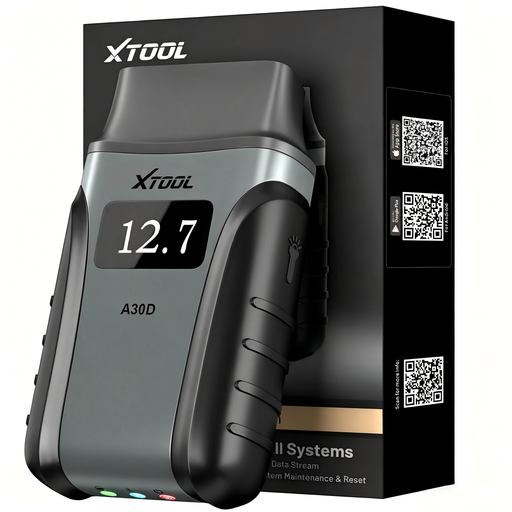
Why This Fits Their Persona: A phone-connected Bluetooth car diagnostic tool for DIY owners, driveway repairs and occasional used-car checks.
The listing states 19 reset functions, full-system scanning and lifetime free software updates. It also clearly notes that FCA AutoAuth access requires a separate account and that coverage varies by vehicle.
Wireless connection up to 33 feet, up to eight PID live-data graphing and CAN FD support.
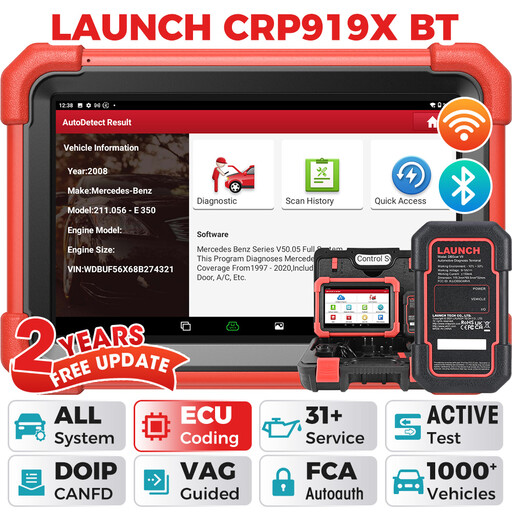
Why This Fits Their Persona: A larger tablet-style option for independent garages, mobile mechanics and users who need repeatable workshop workflows.
It specifies two years of free updates, rather than implying that all future software is free indefinitely. FCA support and vehicle-specific availability are also identified.
All-system diagnosis, 31 listed reset services, ECU coding, active tests, CAN FD and DoIP support.
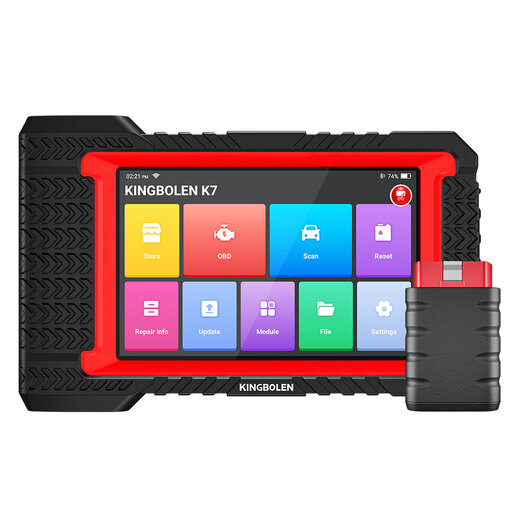
Why This Fits Their Persona: Suited to advanced DIY users and small repair businesses requiring coding, active testing and regular service functions.
The product information states that functions vary by model and recommends compatibility confirmation. FCA AutoAuth registration is also separate.
Lists 28 reset functions, ECU coding, active testing, CAN FD, DoIP and lifetime free updates.
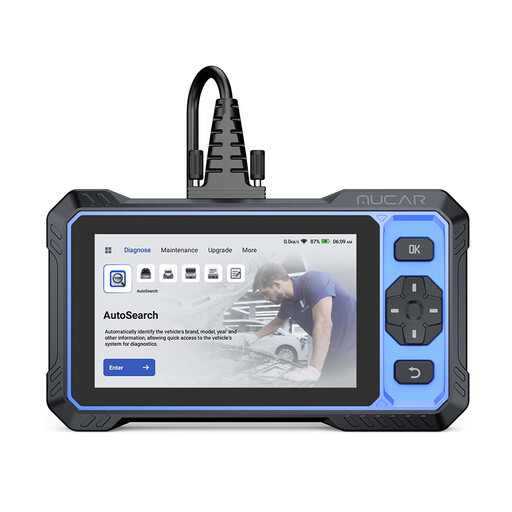
Why This Fits Their Persona: A practical match for technicians and enthusiasts wanting a dedicated screen, full-system access and active component checks.
Its listed coverage includes CAN FD and FCA AutoAuth, but the product notes still require checking vehicle compatibility and available functions.
Six-inch touchscreen, 20-plus service functions, bi-directional control, AI-assisted code interpretation and lifetime free updates.
We have compiled a complete, real-time list of products that fully satisfy these strict selection criteria and UK safety regulations.
Yes, provided you select functions that match your vehicle and follow the operating instructions. A Bluetooth OBD2 scanner can be convenient for driveway checks, while a dedicated tablet may be easier for repeated diagnostics and report sharing. Advanced features such as coding and active tests should be used only when you understand the procedure.
The hardware can remain usable for several years if it is stored away from damp, excessive heat and direct sunlight. Software coverage is a separate issue. Lifetime updates may extend vehicle support, but older hardware may not support every future protocol or function. Check the warranty and update terms before purchase.
They can be, but read the product conditions carefully. Some devices provide lifetime updates for core diagnostics, while special functions, secure gateway access or manufacturer subscriptions may involve separate charges. FCA AutoAuth access, in particular, is not automatically included with every compatible scanner.