
24/7 Customer Support

Free returns

Same-day & Next-day Delivery

Quality Guaranteed

Unlock Your Welcome Offers: FREE Delivery | Up to 80% OFF | Free 30-day JoyPlus trial
Download the APP
A professional OBD2 diagnostic scanner can save time, reduce unnecessary parts replacement and make routine servicing more efficient. However, the difference between a capable workshop tool and an expensive code reader is often hidden behind vague claims about vehicle coverage, “smart” diagnostics and lifetime updates.
For UK mechanics, independent garages, mobile technicians and advanced DIY users, three purchasing traps deserve particular attention:
A basic car diagnostic scanner usually reads and clears powertrain fault codes. A workshop-grade device should offer full-system vehicle diagnostics, including live data, freeze-frame information and ECU identification across available modules.
For more involved repairs, look for:
These functions are not universal. Always confirm availability for the exact vehicle and repair procedure before relying on the scanner.
A scanner that supports standard OBD2/EOBD protocols may not communicate fully with newer vehicle networks. CAN-FD and DoIP scanner support is useful when working with more recent models that use faster communication systems.
Also check whether the tool supports secured gateways. FCA AutoAuth access, where available, may require a separate account or authentication process. Do not assume that a scanner’s FCA compatibility means every protected function is immediately available without registration.
For UK workshops handling mixed European, Asian and American vehicles, broad brand coverage is useful, but protocol support and confirmed model compatibility matter more than a headline vehicle number.
Software updates can add vehicle coverage, improve menus and address communication issues. Read the update terms carefully:
Hardware also affects daily use. An 8-inch diagnostic tablet gives more room for live-data graphs and workshop reports, while a compact Bluetooth adapter may suit mobile mechanics who already carry a phone. A magnetic VCI, durable cable, stable wireless connection and sufficient battery capacity can make a practical difference in a busy garage.
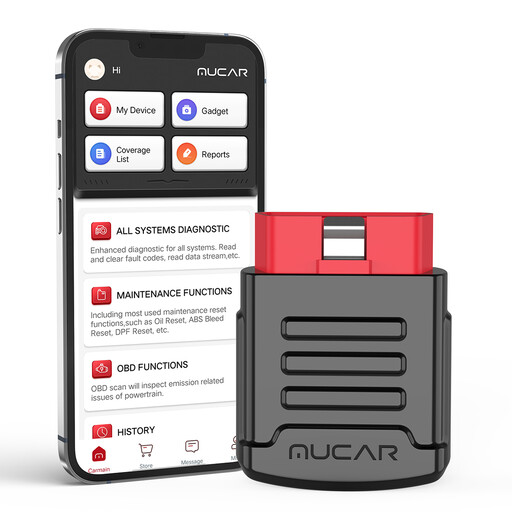
Why This Fits Their Persona: Its Bluetooth design works with iOS and Android devices, making it suitable for home garages, occasional servicing and mobile users who prefer a compact setup.
It clearly separates lifetime full-system and OBD2 functions from the 15 service resets listed with a limited free period, helping buyers understand the running-cost distinction.
Supports full-system scans, live data and 128+ listed brands, with a wireless connection and 12-language support.
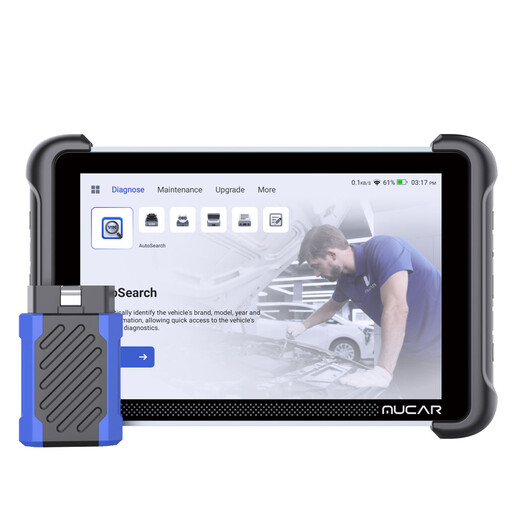
Why This Fits Their Persona: Independent garages needing a dedicated tablet, broader diagnostics and workshop-friendly connectivity may prefer its larger screen and magnetic VCI.
The listing states lifetime free updates without subscription fees and identifies CAN-FD, DoIP, ECU coding and bi-directional testing as separate capabilities.
An 8-inch touchscreen, over 34 listed service functions and support for workshop accessories such as oscilloscopes and TPMS tools.
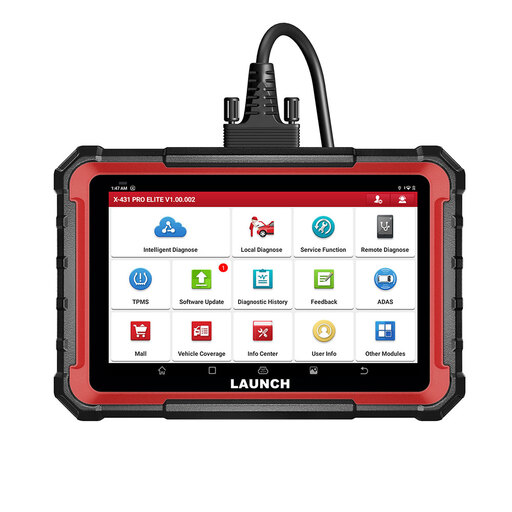
Why This Fits Their Persona: Busy workshops handling varied vehicles and complex repairs may value its extensive service menu, report tools and compatibility with additional diagnostic equipment.
The listing specifies a two-year free update period rather than implying lifetime access, allowing garages to budget for later software costs.
Offers full-system diagnosis, active tests, ECU coding, CAN-FD and DoIP, with an 8-inch display and more than 30 listed reset functions.
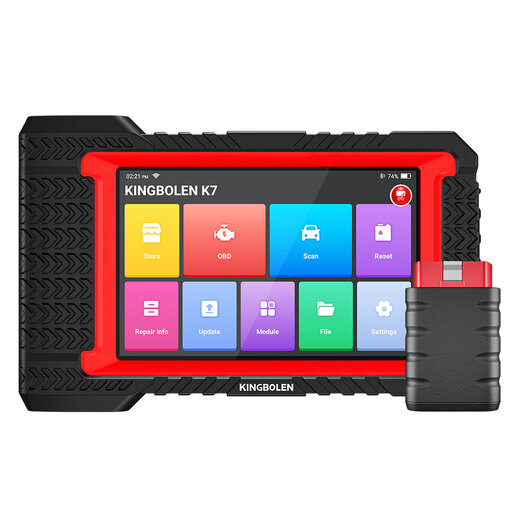
Why This Fits Their Persona: Technicians travelling between customers can benefit from Bluetooth operation, a built-in battery and a tablet format that avoids dependence on a workshop computer.
It states lifetime free updates, while also noting that FCA AutoAuth registration is separate and that coding requires stable voltage—two commonly overlooked practical details.
Includes bi-directional tests, ECU coding, 28 reset functions, CAN-FD and DoIP support, plus report sharing through Bluetooth or email.
We have compiled a complete, real-time list of products that fully satisfy these strict selection criteria and UK safety regulations.
Before performing coding, relearning or active tests, connect a suitable battery maintainer where the vehicle manufacturer recommends it. Voltage drops can interrupt programming or produce misleading results. Keep the ignition state, engine condition and connection method appropriate for the selected function.
For regular workshop use, store diagnostic reports with the vehicle registration or VIN, but handle customer information securely. Use only the functions supported by the vehicle and follow manufacturer repair procedures rather than treating a scan result as a complete diagnosis.
No. Most tools support many OBD2/EOBD vehicles, but advanced functions vary by make, model, specification and system. Confirm compatibility using the VIN or the seller’s vehicle list before ordering.
Not necessarily. Check whether lifetime access covers full-system software, service resets, ECU coding and protocol updates. Some products include lifetime updates for core diagnostics but limit selected maintenance functions or require separate authentication.
Service life depends on battery care, storage, cable handling and software support. Keep the unit dry and away from excessive heat, use the supplied accessories and avoid disconnecting during updates or ECU programming. A scanner with continuing software support can remain useful for longer, but vehicle coverage should still be reviewed periodically.