
24/7 Customer Support

Free returns

Same-day & Next-day Delivery

Quality Guaranteed

Unlock Your Welcome Offers: FREE Delivery | Up to 80% OFF | Free 30-day JoyPlus trial
Download the APP
By Joybuy Product Recommendation Officer
A professional OBD2 scanner can do far more than switch off a dashboard warning light. Depending on the model, it may scan multiple control modules, display live data, perform service resets, run active tests or communicate with newer vehicle networks.
However, buying by feature count alone can be costly. A scanner may advertise “full-system diagnostics” while offering only limited coverage for your particular vehicle, or include advanced functions behind a separate subscription. Before choosing an automotive diagnostic tool, check the details that affect real-world use.
A basic car code reader generally communicates with the engine and emissions-related systems. That can be useful for checking a check-engine light, but it may not access the ABS, SRS, transmission, body control or air-conditioning modules.
If you need broader fault-finding, look for an all-system car diagnostic scanner that clearly lists the modules it can access. “Full system” does not mean every function works on every vehicle, so confirm compatibility by make, model, engine and VIN before ordering.
Oil reset, electronic parking brake reset, battery registration, DPF functions and injector coding are often listed together. In practice, availability varies by vehicle and software package. Some scanners include a fixed number of service functions, while others charge for additional software or require a renewal after the initial period.
Check whether the advertised functions are included, whether updates are time-limited and whether the tool remains usable when an update plan ends.
Older scanners may not communicate with vehicles using CAN-FD or DoIP. CAN-FD supports larger and faster data frames, while DoIP uses Ethernet-based communication for supported diagnostic operations. These protocols are increasingly relevant when working on newer cars.
Also check whether FCA security access, such as AutoAuth, is included or requires a separate account and payment. A scanner may support the relevant protocol but still need manufacturer authorisation for protected functions.
For a workshop, fleet manager or serious home mechanic, prioritise a scanner that can read and clear diagnostic trouble codes across the available ECUs. Useful data features include:
A vehicle fault code reader should help you investigate a fault rather than simply erase its warning lamp. Clearing a code does not repair the underlying issue, and readiness monitors may need time to complete after codes are cleared.
A bidirectional OBD2 scanner can send commands to supported vehicle components. An active test scan tool may, for example, operate a cooling fan, fuel pump, window, solenoid or actuator while you observe the response.
ECU coding, module matching and relearning are more advanced. They can be useful after component replacement, but incorrect procedures may create additional faults. Use a stable battery maintainer when the manufacturer’s procedure requires it, and never assume ECU coding is universal across all models.
A lifetime free updates car scanner can be more predictable for a private owner or small garage, but read the wording carefully. “Lifetime” usually refers to the product’s supported software period and may exclude manufacturer authentication, optional vehicle packages or third-party services.
For a UK buyer, also check:
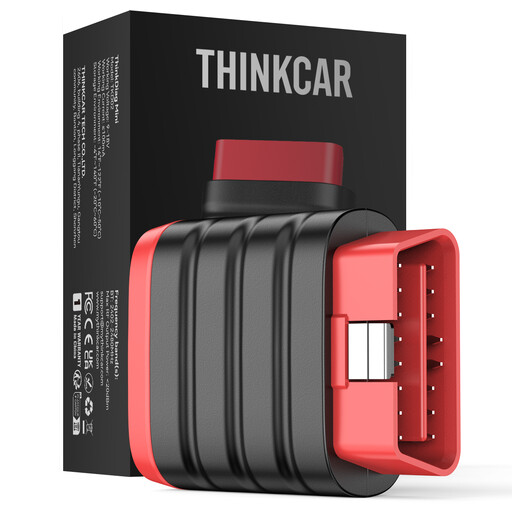
Why This Fits Their Persona: A compact Bluetooth option for UK drivers who want full-system scanning, live data and battery checks through an iOS or Android phone.
It states that maintenance resets and special functions are not included, avoiding an assumption that every advertised advanced feature is available.
Bluetooth 5.0, 22 language options and lifetime free updates are listed features.
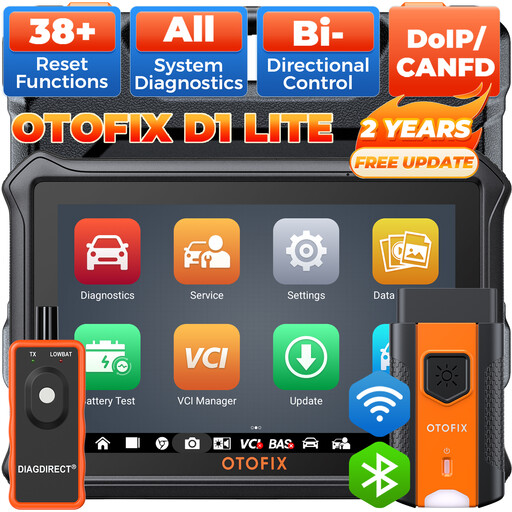
Why This Fits Their Persona: A handheld tablet-style automotive diagnostic tool for users who want broad brand coverage, service functions and workshop-friendly reporting.
The listing separates included updates from later upgrades and identifies CAN-FD and DoIP support rather than treating all vehicle networks as identical.
Includes 38+ common service functions, bi-directional active tests, AutoVIN and two years of updates.
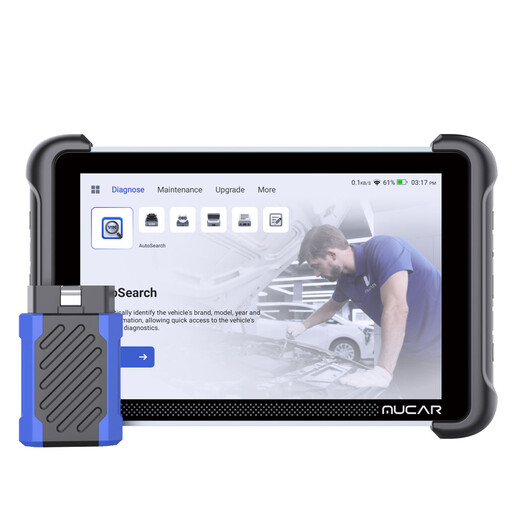
Why This Fits Their Persona: Suited to independent garages, mobile technicians and advanced DIYers who need ECU coding, active tests and extensive service coverage.
Its listed features identify CAN-FD, DoIP, ECU coding and FCA support separately, so buyers can verify the precise requirement instead of relying on a general coverage claim.
An 8-inch touchscreen, 34+ service functions, lifetime free updates and a magnetic VCI are specified.
For a phone-based alternative with no standard subscription requirement, the XTOOL AD20 Pro provides full-system scans, CAN-FD support, oil reset, battery monitoring and live data through its mobile app. Its active features and vehicle coverage should still be checked against your VIN before purchase.
We have compiled a complete, real-time list of products that fully satisfy these strict selection criteria and UK safety regulations.
Yes, provided your vehicle is compatible and you follow the manufacturer’s instructions. Locate the 16-pin diagnostic socket, switch the ignition on and keep the vehicle battery sufficiently charged. For coding, relearning or active tests, use a stable power supply where recommended.
A scanner may clear certain diagnostic codes or service reminders, but it cannot guarantee an MOT result. If a fault remains, the warning light may return. Emissions readiness monitors can also show an incomplete status after codes are erased, so investigate and repair the cause before an MOT appointment.
They can be, but check the product terms. Some models provide lifetime access to core diagnostic updates, while special functions, manufacturer security access, optional software or account registration may have separate conditions. Keep the order information and confirm the update scope before buying.