
24/7 Customer Support

Free returns

Same-day & Next-day Delivery

Quality Guaranteed

Unlock Your Welcome Offers: FREE Delivery | Up to 80% OFF | Free 30-day JoyPlus trial
Download the APP
A professional OBD2 car diagnostic scanner can do far more than switch off a warning light. The right tool may access multiple control modules, display live data, perform maintenance resets and, on compatible vehicles, activate components for fault-finding.
However, comparing automotive diagnostic scanners is not straightforward. Product pages often use terms such as “full system”, “professional” and “lifetime free updates” without explaining exactly what is included. Before buying, UK drivers, mobile mechanics and independent garages should check the following common pitfalls.
A basic car code reader may communicate only with the engine ECU. That can leave faults in the ABS, SRS, transmission, body control, TPMS or air-conditioning systems undiscovered.
If you need an ABS SRS transmission scanner, check that the product specifically lists full-system or multi-system access. “OBD2 compatible” alone does not guarantee coverage of every vehicle module.
A scanner may list 15, 20 or 30 reset functions, but availability depends on the vehicle’s make, model, engine, year and software configuration. The same applies to bi-directional testing, ECU coding and immobiliser functions.
Treat the function count as a menu of supported possibilities, not a promise that every function will operate on your car. Sending the VIN to the seller before purchase is a sensible step, particularly for specialist jobs such as injector coding, DPF regeneration or gearbox relearning.
“Free updates” may refer only to standard OBD2 functions, while advanced vehicle software requires a subscription. Some tools also support FCA AutoAuth vehicles, but the AutoAuth account or manufacturer access may need separate registration and payment.
Check what remains available after any update period, whether updates cover all vehicle systems and whether additional cables, adapters or online authorisation are required.
For regular fault-finding, look for a full-system car diagnostic tool that can read and clear codes across the engine, transmission, ABS, SRS and other available ECUs. Live data, freeze-frame records and graphing are useful when a fault is intermittent or a code alone does not identify the failed component.
A tool with AutoVIN can reduce manual vehicle selection, but verify the detected details before starting a diagnostic session.
A bi-directional OBD2 scanner, also called an active test scan tool, can send commands to compatible vehicle systems. Examples may include operating a cooling fan, fuel pump, window, door lock, lamp, injector or air-conditioning clutch.
This can help distinguish an electrical or control issue from a mechanical fault. Active tests should be performed with the correct workshop procedure, a stable battery supply and suitable safety precautions. They are not a substitute for wiring diagrams or manufacturer instructions.
For newer vehicles, CAN FD and DoIP support can improve compatibility with modern communication networks. FCA AutoAuth support is relevant to selected Fiat, Chrysler, Jeep, Dodge and related vehicles with protected gateways, although separate authorisation may apply.
Also compare the ownership model:
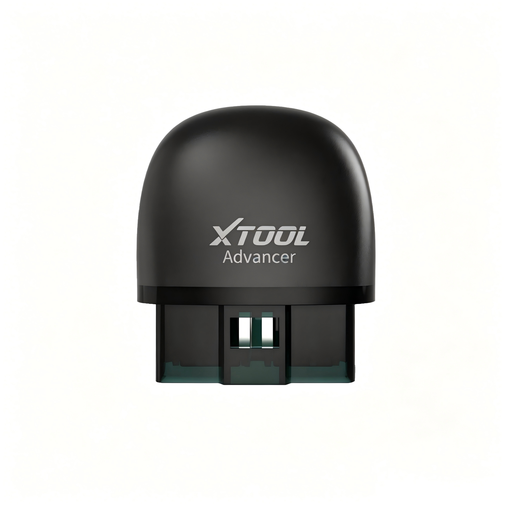
Why This Fits Their Persona: A compact Bluetooth option for UK drivers, used-car checks and home mechanics who prefer using an iOS or Android phone rather than carrying a dedicated tablet.
The listing specifies full-system scans, free updates with no ongoing subscription for standard use and CAN FD support. Advanced functions should still be checked against the VIN.
Wireless Bluetooth connection, AI-assisted code explanations, oil reset, battery monitoring and live data through the app.
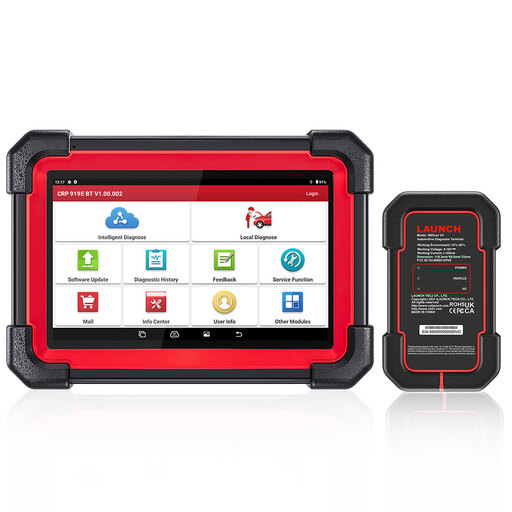
Why This Fits Their Persona: A dedicated tablet format suits independent garages and technicians who need a larger screen for reports, live data and workshop-based diagnosis.
The listing clearly separates its update period from vehicle coverage and notes that available tests vary by manufacturer, model and year.
Full-system diagnostics, ECU coding, active tests, CAN FD and DoIP support, plus 31 listed reset services.
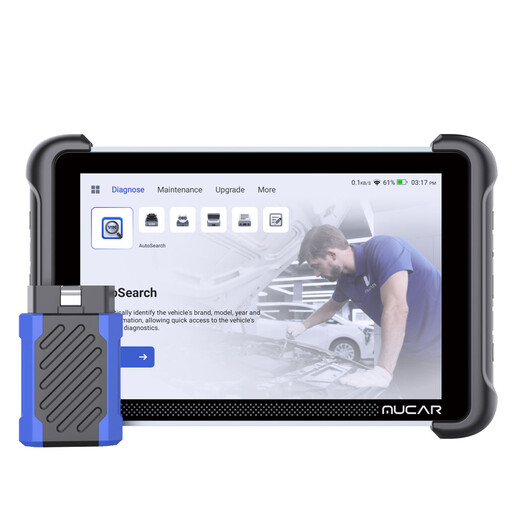
Why This Fits Their Persona: Designed for garages and experienced vehicle technicians handling varied European, Asian and American vehicles.
Its listed features include lifetime free updates, CAN FD and DoIP, reducing dependence on short update windows, while compatibility must still be confirmed for specific procedures.
ECU coding, bi-directional control, AI diagnostic assistance, 34+ service functions and an 8-inch touchscreen.
We have compiled a complete, real-time list of products that fully satisfy these strict selection criteria and UK safety regulations.
Before connecting any professional automotive diagnostic scanner:
Yes, provided the user understands the difference between reading information and carrying out repairs. A vehicle fault code reader can help identify systems requiring attention, but a code does not always identify the failed component. Beginners should start with reading codes, live data and service resets before attempting active tests or ECU coding.
The hardware can remain useful for several years, but software coverage and update policy are equally important. Look for durable cables or connectors, supported phone systems, clear warranty terms and a tool that continues basic operation if an update subscription ends.
They depend on the product terms. Some listings specify lifetime updates for all included functions, while others limit free updates to basic diagnostics or provide a fixed update period. FCA AutoAuth access, manufacturer subscriptions and optional functions may carry separate costs. Always read the individual product details before ordering.