Occasional comedy-night viewers
You want to bring out a projector for an evening, put it away afterwards and watch through your preferred service or source without an elaborate setup.


For occasional comedy nights in a dark room, start with a portable projector whose placement, native resolution and content connections suit your room; native 1080p is a practical starting point for a large film or TV image. Choose a ceiling-friendly design if a straight-on position is impractical, or consider a larger home-cinema model if the projector will stay installed, the image will be substantially larger or the room will sometimes be lit. Check throw distance, image size, streaming access and audio connections before choosing a model.
You want to bring out a projector for an evening, put it away afterwards and watch through your preferred service or source without an elaborate setup.
A straight-on shelf position is impractical, so you need to check whether a flexible stand or base can direct the image onto your chosen wall or ceiling.
You plan to keep the projector in one room and care more about a consistently positioned, larger image than compactness or battery-powered portability.
Decide where the projector can stand and how you will play your comedies before comparing picture and sound features. A dark room changes the importance of ambient-light performance, but it does not remove the need to match the projector to your intended image size.
| Concern | What to check | Who this matters to |
|---|---|---|
| Placement and image size | Measure lens-to-wall distance; compare it with the exact model’s throw-distance and image-size guidance. Check the intended projection angle. | If furniture rules out a straight-on position, I need an image that fits the available wall without moving everything around. Around 27% of consumers would put placement first. |
| Content access | Confirm your UK streaming apps or the connections needed for your disc player or external streamer. Check USB power requirements separately if using a streaming stick. | I want to play the comedies I already watch without discovering that my usual service or device cannot connect. For around 27% of consumers, source compatibility would be the primary concern. |
| Dialogue audio | Check the speaker arrangement and whether the model offers a suitable external-audio connection; consider your seating distance. | Quieter lines matter to my viewing, so I want a workable sound option if the built-in speaker does not suit the room. Around 20% of consumers would prioritise dialogue audio. |
| Image clarity | Check native resolution rather than supported input resolution, alongside your intended image size. Compare brightness figures only when their measurement bases are comparable. | I expect to project a fairly large film image and do not want an accepted 1080p signal mistaken for a native 1080p picture. Native image clarity would come first for around 20% of consumers. |
| Fixed installation | Check the supported image size, installation position and ventilation requirements against the space you intend to use. | My projector will stay in one room, and I may want a larger image or sometimes watch with some light present. Around 6% of consumers would make a permanent installation their main priority. |
A projector can accept a Full HD signal while displaying fewer native pixels. ViewSonic United Kingdom lists the M1XE with an 854 × 480 native resolution despite its Full HD input support.
Find the exact model’s native-resolution specification before using a 1080p or 4K compatibility claim to judge picture detail.
The image you can make depends on both the model and its distance from the projection surface. Image-correction features do not establish whether your desired size is possible from a particular shelf or mount.
Measure the available lens-to-wall distance, then check the manufacturer’s throw-distance and image-size guidance for that model.
If the planned position does not work, you may need a different stand, mount or projection position.
Integrated audio simplifies a temporary setup, but room size, projector position and background noise affect whether dialogue is easy to follow.
Check the speaker arrangement and external-audio options, particularly if the projector will sit far from where you watch.
Using external speakers may also mean accommodating their connections and placement.
In the UK, GOV.UK says a TV Licence is needed to watch or record live TV on any channel or service, or to use BBC iPlayer. The requirement is based on what you watch, not whether you use a projector.
Check whether your household has the required licence before watching live TV or using BBC iPlayer through the projector.
These brands offer different projector configurations relevant to the viewing and placement choices here; compare individual models rather than treating a brand name as a specification.
BenQ UK presents the GV50P as a portable projector designed for flexible wall-to-ceiling positioning, making it relevant when a bedside or straight-on setup is awkward.
ViewSonic United Kingdom presents the M1E Max as a portable 1080p projector with Google TV, native Netflix, automatic focus and keystone correction, and a 360-degree stand.
Epson United Kingdom lists portable Full HD projectors alongside larger smart laser models, covering both occasional viewing and more permanent installations.
These portable projectors are relevant to occasional dark-room viewing, including models with adjustable projection angles. Compare their native resolution and stated features with the space and content sources you actually plan to use.
 No image available
A portable option to consider when you want to set up film viewing without a fixed installation.
The product title states 1080p FHD and 4K input support; 4K support should not be read as a native 4K resolution claim. Check the image size possible from your planned position and whether your preferred UK streaming services are available.
 No image available
Consider this portable model if you need to adjust the projection angle for an occasional viewing position.
Its title specifies native 1080p, 8K input support, Android 14, 180° rotation and auto keystone correction. Confirm the image size achievable at your available distance and the UK apps you intend to use.
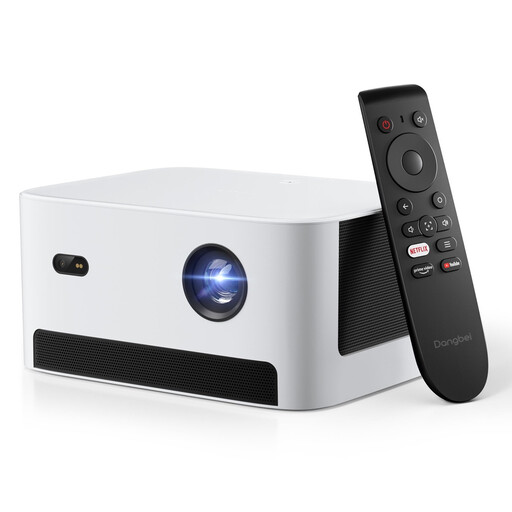 No image available
This compact model is relevant if you want automatic picture setup for home viewing.
The title states 1080p Full HD, autofocus, keystone correction and a display size of up to 120 inches. Check what distance your intended image requires, as well as access to your chosen services and external-audio options.
 No image available
The rotating design is relevant if your seating position calls for wall or ceiling projection rather than a conventional straight-on shelf.
The title states Full HD 1080p, 360° rotation, auto keystone correction and HDMI connectivity. Confirm the supported image-size range and throw distance for your position before relying on the stated display-size claim; check your intended streaming route too.
 No image available
This is a compact option to consider when a rotating stand matters more to you than a native Full HD image.
The title specifies native 720p, 1080p input support, Android 14, auto keystone correction and a 180° rotating stand. Native 720p is distinct from the native 1080p starting point discussed above; check how it looks at your intended image size and allow for focus adjustment when repositioning it.
Not necessarily: for viewing in a genuinely dark room, a workable position, native resolution and the intended image size deserve attention before the highest brightness figure. If daylight or room lighting will sometimes be present, consider that condition when comparing models, and compare brightness ratings only where their measurement methods are stated and comparable.
Native 1080p is a practical starting point for home film and television viewing in BenQ UK’s home-theatre buying guidance. Check the word “native”: ViewSonic United Kingdom lists the M1XE with an 854 × 480 native resolution even though it accepts Full HD input.
Measure from the proposed projector position to the wall or screen, then compare that distance and your desired image size with the exact model’s specifications. A flexible stand can help direct the image, but it cannot replace the throw-distance check.
You can use an external device when the exact projector has connections compatible with that device. Check its HDMI inputs, any power needed by a streaming stick and the available audio-output connection for a soundbar; do not assume that built-in apps or Bluetooth cover every device.
A projector does not change the UK viewing rules: GOV.UK says you need a TV Licence to watch or record live TV on any channel or service, or to use BBC iPlayer. Check the programmes and services your household uses rather than deciding by the type of display.