Slide-and-caption viewers
If dates, maps, captions and document scans are central to the lecture, check the projector’s native resolution. A listing that says it accepts Full HD input does not necessarily mean it displays a native Full HD image.


Prioritise native Full HD if you regularly need to read dates, maps, captions or slide text. Then choose a projector whose throw distance and aiming options fit the bedroom: a flexible bedside model makes wall or ceiling viewing easier to arrange, while a brighter conventional model is worth considering if you cannot darken the room. Check brightness labels on a comparable basis rather than assuming the largest number will give the clearest lecture image.
If dates, maps, captions and document scans are central to the lecture, check the projector’s native resolution. A listing that says it accepts Full HD input does not necessarily mean it displays a native Full HD image.
If you watch while reclining or cannot place a projector directly opposite the wall, its aiming range and the distance from lens to projection surface become important. Check those details for the position you intend to use.
If daylight or room lighting will remain on, assess brightness for those conditions before prioritising a compact design. Epson United Kingdom’s projector guidance distinguishes portable use in controlled lighting from viewing with ambient light.
Start with the detail you need to see on screen, then measure the intended projection position and consider how much light you can control. Treat portability as a separate choice if you will regularly move or pack away the projector.
| Concern | What to check | Who this matters to |
|---|---|---|
| Readable lecture content | Check for native 1920 × 1080 resolution if slides are a regular feature, and confirm a connection that works with your lecture device. | If I need to read dates, map labels and captions, I would put displayed detail ahead of a compact body. Around 42% of consumers put readable lecture content first. |
| Bedroom placement | Measure the lens-to-wall distance; check the model’s image-size range and whether its aiming controls suit wall or ceiling projection. | Watching from bed may leave me with only a bedside table or an off-centre shelf, so the image has to work from that position. Roughly 33% of consumers prioritise workable placement. |
| Viewing conditions | Match the brightness specification to the light you expect in the room, and check size and carrying needs if you will move the projector. | If I cannot reliably darken the room, or need to pack the projector away after each lecture, those conditions shape what I can use. About 25% of consumers place viewing conditions and portability first. |
A projector can accept a Full HD signal while displaying it on a lower-resolution panel. ViewSonic lists the M1XE at 854 × 480 native resolution despite its Full HD input support.
Find the specification labelled native resolution before choosing a model for small slide text, maps or captions.
Projectors need different lens-to-wall distances for different image sizes. ViewSonic lists a 60-inch X1 image from 1.53 m and a 24-inch M1XE image from 0.64 m; those figures describe different models and image sizes, not interchangeable setups.
Measure from the planned lens position, then check the exact model’s throw and image-size specifications against the usable wall area.
If the projector cannot sit at the required position, you may also need a stand, mount or screen.
Product specifications can use different brightness labels, including ViewSonic’s LED Lumens. A larger figure under one label does not, by itself, establish how two projectors will compare in your bedroom.
Check the measurement label and the intended lighting conditions, and decide whether you can close curtains or turn off lamps during lectures.
GOV.UK guidance says electrical products bearing the crossed-out wheeled-bin symbol should be kept out of household rubbish. Battery-powered models also need appropriate battery-disposal handling.
Use an appropriate electrical-waste collection route and follow the manufacturer’s instructions for any battery.
These models illustrate different ways to meet the same bedroom-viewing needs; a brand’s inclusion does not establish that every model in its range has the listed features.
The GV50P line is positioned by BenQ for adjustable bedside and ceiling projection.
The EB-FH54 is a conventional Full HD option to consider when room light and connections for different devices matter.
The X1 and M1XE illustrate a choice between a fixed-wall native Full HD setup and a smaller portable projector.
These projectors offer different approaches to wall or ceiling viewing in a bedroom. Compare their stated native resolution with the detail in your lectures, then check placement and brightness against your own room before choosing.
 No image available
Consider this model if you want native Full HD for lecture slides and need to aim the image from a flexible position.
The product title lists native 1080p, HDMI compatibility, 180° rotation and automatic keystone correction. Check the image size at your planned lens-to-wall distance and assess its brightness for the light in your bedroom.
 No image available
This portable option is worth considering if changing the projection angle matters more to you than native Full HD slide detail.
The product title specifies native 720p, 1080p input support, a 180° rotating stand and automatic keystone correction. Native 720p is not the same as displaying at native 1080p; check fine text at the image size you intend to use.
 No image available
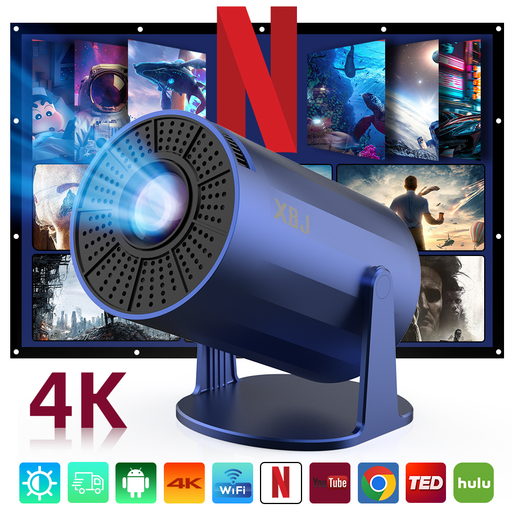
Consider this compact model for occasional viewing where an adjustable projection position is important, provided its displayed detail meets your needs.
The product title lists automatic keystone correction, Bluetooth 5.2 and 4K decoding. Check the native resolution rather than treating input or decoding claims as the displayed resolution; also confirm the rotation range and the throw distance for your intended image size.
 No image available
This model may suit a room where you need to aim towards a wall or ceiling, subject to the available projection distance.
The product title lists 360° rotation, Full HD 1080P, HDMI and automatic keystone correction. Confirm its native resolution for detailed slides, and check the required throw distance and brightness under your room lighting.
Prioritise native 1080p when you regularly need to read slide text, captions, dates or map labels. Native 1080p means 1920 × 1080 displayed pixels; a projector can accept a Full HD signal without having that native resolution, as ViewSonic’s 854 × 480 M1XE illustrates.
Measure from the intended lens position to the wall or screen, then compare that distance and your available wall area with the exact model’s throw and image-size specifications. Decide separately whether its stand or aiming controls can direct the image where you want to watch it.
Move brightness higher on your list if you cannot darken the bedroom. Epson United Kingdom’s guide places portable indoor viewing at 500–1,500 lumens under controlled lighting and discusses 2,500–3,500 lumens for living rooms with some ambient light; use those as guidance for lighting conditions, not as a direct comparison with differently labelled projector figures.
Contact the seller and keep the listing, order details and evidence of the problem. GOV.UK says a full refund must be offered when an item is faulty, not as described or does not do what it is supposed to; returning an item simply because you change your mind is a separate issue.