A projector makes sense for shared film nights or sport when you can manage the room light, fit the desired image at the model’s specified throw distance and accept more setup than a TV requires. A dedicated home-cinema projector suits a repeatable arrangement; a portable model suits occasional use in different rooms. If bright-room, ready-to-watch viewing matters most, consider keeping a TV as the main display, and check streaming access and sound connections before buying any projector.
Who is a projector for?
Regular film-night hosts
If shared viewing happens regularly and you can manage the room lighting, a repeatable projector position is worth planning. Check throw distance, the projection surface and how you will connect audio before prioritising portability.
Viewers using different rooms
If you will bring out the projector for selected films or matches, placement and setup effort matter. A portable design can suit that routine, but it still needs a suitable surface and enough control over room light.
Live-sport and streaming households
If a particular service, set-top box or console is central to viewing, confirm that the exact projector can use it. Netflix advises using a supported device connected to the projector when native compatibility is uncertain.
What should you check before buying?
Dedicated home-cinema projector
Consider it when: Film nights or matches are regular events and you can leave the projector in a repeatable position in a room with manageable lighting.
Allow for: A measured throw distance, a suitable surface and an audio arrangement before the room is ready to use.
Portable smart projector
Consider it when: You want occasional viewing in different rooms and value easier storage and placement.
Allow for: Room darkening where needed, and check the exact model’s streaming services rather than relying on its smart-platform name.
TV
Consider it when: You mainly watch with daylight or lights on and want a permanently available screen without planning projection distance or a surface.
Allow for: A fixed display rather than a projected image whose size can be planned around the room.
| Concern |
What to check |
Who this matters to |
| Room light and image size |
Check the lighting you cannot control and the image size you want; assess the exact model’s stated light output in those conditions, not on its own. |
If I want a large picture for a match, it needs to remain usable with the light in my room. Around 31% of consumers put room light and image performance first. |
| Placement and setup |
Measure lens-to-surface distance and usable projection area; check the exact model’s throw-distance and adjustment specifications. |
I need the projector to fit where I can put it, especially if I will set it up only occasionally. Placement is the primary concern for roughly 25% of consumers. |
| Streaming and inputs |
Confirm the services you use on the exact UK model, or check its HDMI connection for a supported external device. |
When a film or live match depends on a particular service, I do not want app access to hold up viewing. About 25% of consumers put streaming and source access first. |
| Shared-room sound |
Check the exact model’s speakers and the output needed for your intended soundbar or other audio system. |
I want everyone watching together to hear dialogue and commentary clearly. Sound is the leading concern for around 19% of consumers. |
Common projector-buying mistakes
-
Treating a lumen figure as a bright-room guarantee
Room light and projected image size both affect how the picture appears. BenQ’s brightness guidance advises considering these alongside a projector’s light output, so a specification alone cannot settle whether daytime sport will look satisfactory in your room.
Look at windows and lamps, decide how much you can darken the room, then assess the model at your intended image size. If bright-room viewing is your everyday priority, consider a TV instead.
-
Assuming every built-in app will play your services
A smart platform does not establish support for every service on every model. Netflix advises checking projector compatibility or connecting a Netflix-supported device.
Confirm each service on the exact UK model before purchase. If you plan to use an external streamer, check for a usable HDMI input and a way to power the device.
-
Choosing an image size before measuring the room
Throw distance is model-specific, and the surface affects the result. Which? notes that the picture on a wall depends on its smoothness and colour.
Measure the available lens-to-surface distance and projection area, then use the intended model’s manual or projection calculator. Check where a screen or mount could go if the wall is unsuitable.
-
Assuming a projector changes live-TV licensing rules
TV Licensing states that watching live programmes on a channel or streaming service is covered by TV Licence requirements; the display being a projector does not change that.
If you plan to watch live sport or other live programmes, check that your household has the required TV Licence before viewing.
Projector brands to consider
BenQ
BenQ’s UK range includes the W2720i home-cinema projector and the portable GV50.
- BenQ specifies a 120-inch image from 2.7 metres for the W2720i, giving a concrete starting point for checking a repeatable room layout.
- The portable GV50’s stated 500-lumen output should be considered with your intended image size and room light, not treated as a promise of bright-room viewing.
Epson
Epson’s UK range includes home-cinema models and portable Lifestudio projectors.
- Epson describes the portable EF-61G as a Full HD Google TV model with Sound by Bose and stated 700-lumen output.
- For the EF-61G, judge the stated output against the room and desired image size rather than assuming it will suit daylight sport viewing.
Samsung
Samsung’s projector range includes The Freestyle 2nd Gen for flexible placement.
- Samsung specifies 180-degree adjustment, automatic setup and Tizen smart TV features for The Freestyle 2nd Gen.
- Confirm app availability on the exact current model and assess the intended room lighting before relying on it for your viewing routine.
Joybuy products for flexible viewing
These portable projectors and the separate projection screen relate to occasional or adaptable shared viewing. Check room fit, lighting and the services you use for the particular projector you choose; the screen is an accessory, not a display on its own.
 No image available
Magcubic HY350Max Portable Projector, Native 1080P
Consider it for occasional viewing in a room where you can check the projector’s placement and manage the lighting.
The listing states 900 ANSI, Android 14, 180° rotation and HDMI and USB compatibility. Confirm the image size at your available distance and support for the streaming services you use; the stated light output alone does not establish bright-room performance.
View on Joybuy
 No image available
FunFlix Football World Cup Smart Projector, Football, Beer and Stand Bundle
Consider it if you want a projector with an adjustable stand for shared films or sport and plan to connect an HDMI source.
The listing states native 1080P and built-in apps. Check the supplied model’s focus method before buying: its title says auto focus, while its description specifies manual focus. Also confirm UK access to the services you intend to watch and assess the stated light output against your room.
View on Joybuy
 No image available
XBJ 360° Portable Projector, European Version
Its rotating design may suit occasional viewing when the projection position changes between a wall, ceiling and table setup.
The title states Full HD 1080P, a 120-inch display, 500 lumens, HDMI and Bluetooth. Check the throw distance for your intended image size and confirm any streaming services you need; the stated output does not establish bright-room performance.
View on Joybuy
 No image available
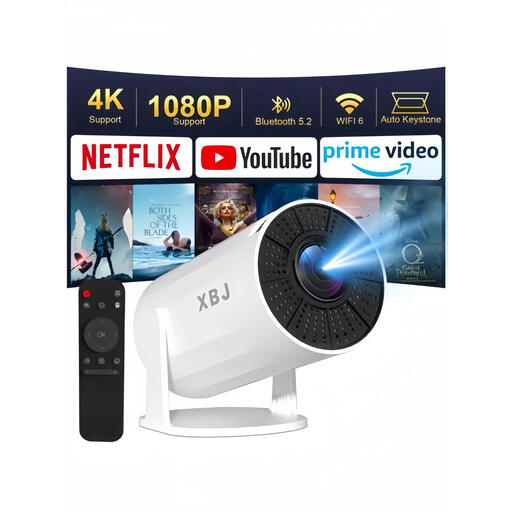
XBJ Lite Entertainment Portable White Projector, 200 ANSI
Consider it for occasional viewing where a compact, repositionable projector suits the room and a power socket is available.
The title states Android 11, a 180° rotating design and automatic keystone correction. Confirm the native resolution before buying because the resolution descriptions differ; also check throw distance and service access. The projector requires a power connection, and its listing notes restrictions on direct wireless mirroring of streaming services.
View on Joybuy
 No image available
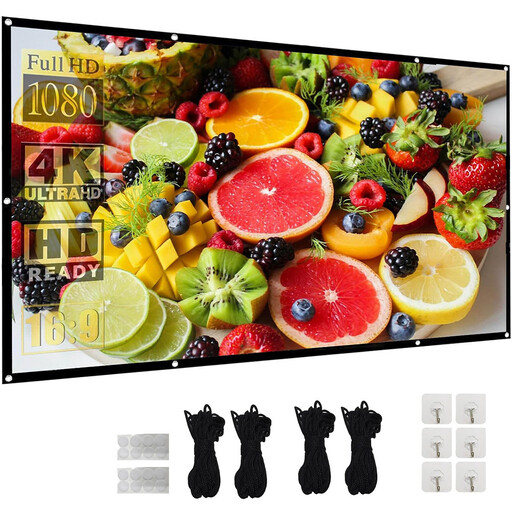
XBJ 120-inch 16:9 Foldable Projector Screen
Consider this separate screen if you need a defined surface for shared viewing and have a suitable place to hang it.
The listing describes double-sided projection and includes ropes and hooks. Check the installed space and mounting points, and make sure your projector can produce the intended image size from its available position.
View on Joybuy
Frequently asked questions
Will Netflix work directly on any smart projector?
No: check native Netflix support for the exact projector model rather than assuming its smart-platform label is enough. Netflix advises using a supported device connected to the projector when needed, or asking the manufacturer about the model’s compatibility.
How can I tell whether a projector will fit my room?
Measure the available lens-to-surface distance and decide what image size fits the viewing area, then compare both with the exact model’s specifications. BenQ, for example, states that its W2720i produces a 120-inch image from 2.7 metres; that distance must not be applied to other models.
Do I need a TV Licence to watch live sport on a projector?
Yes, if you watch or record live TV on a channel or streaming service, TV Licensing says a TV Licence is required; using a projector rather than a television does not change the requirement. Check that your household is covered before watching live programmes.
What if a projector is faulty after purchase?
Raise the fault with the seller rather than assuming a manufacturer’s warranty is your only route. The Consumer Rights Act 2015 requires supplied goods to be of satisfactory quality; keep the order record and product description so you can explain the fault and the condition in which the projector was supplied.


