If you watch travel programmes from a seat to the side of the screen, check the screen surface and viewing angle before choosing a projector for side placement. A projector’s lens shift or horizontal keystone helps when the projector itself must sit off-centre; neither changes the screen’s viewing cone. For a permanent installation, optical lens shift can reduce reliance on digital keystone, which BenQ says can affect picture quality.
Who this setup suits
Side-seat travel-programme viewers
If you usually sit away from the screen’s centreline, the screen surface and its stated viewing cone are your starting points. A side-placement feature on the projector does not address the angle from which you view the screen.
Flexible-room viewers
If the projector must go on a side table or move between positions, horizontal keystone and automatic setup may make placement easier. Check the correction direction on the exact model rather than assuming every auto-keystone feature works horizontally.
Permanent home-cinema installers
If you can plan the projector position and screen size in advance, compare lens shift, optical zoom and throw distance before depending on substantial digital correction.
What to check before buying
Start with the regular viewing seat and screen surface. Then work out whether the projector can face the screen squarely or needs placement adjustment.
| Concern |
What to check |
Who this matters to |
| Picture from the side seat |
Compare the screen’s stated viewing cone with the angle to your regular seat. Consider a diffuse matt-white surface if you can control room light. |
If I sit well to one side, I need the screen to remain watchable from my seat, not just from straight ahead; around 36% of consumers put side-seat picture consistency first. |
| Off-centre projector placement |
Check whether horizontal correction is specified and whether the projector’s throw distance fits your intended image size. |
When furniture keeps my projector away from the centreline, I need a workable placement without a fixed mount; about 29% of consumers prioritise that flexibility. |
| Fixed-room image adjustment |
Check the exact model’s lens-shift directions and ranges, optical zoom and throw distance. |
For a permanent setup, I would rather plan the position than rely heavily on digital correction; roughly 21% of consumers make image preservation their primary concern. |
| Quick portable viewing |
Check the listed setup features, connections and sound options against how you intend to watch, as well as whether the room can be darkened. |
If I move the projector between rooms for occasional programmes, I value a straightforward setup over a permanent installation; around 14% of consumers put portable viewing first. |
Placement mistakes to avoid
-
Confusing a side seat with a side-mounted projector
Horizontal keystone can help square the picture when the projector points at the screen from an angle. It cannot widen the screen material’s viewing cone for someone sitting to the side.
Mark both the projector position and your regular seat. Check the screen for the seat, then choose projector placement features if the projector cannot be centred.
-
Planning to use maximum keystone permanently
BenQ notes that digital keystone adjustment can affect sharpness, picture quality, response time and image size.
Align the projector as closely as practical. For a fixed installation, compare the exact model’s optical lens shift and throw distance before relying on a large correction.
-
Choosing a screen by its straight-on brightness alone
ProjectorCentral describes a screen’s viewing cone in terms of brightness retained at an angle. A screen that looks suitable from the centre may not meet the needs of a regular side seat.
Compare the stated viewing cone with your seating layout. ProjectorCentral’s description of matt-white material also explains why its diffuse surface is worth considering for seats at different angles.
-
Ignoring room light during portable viewing
A diffuse matt-white screen spreads projected light broadly, so controlling ambient light remains relevant when assessing the picture from a side seat.
Assess the intended image size and room lighting together rather than choosing a portable projector from a brightness figure alone.
Relevant brands for reference
BenQ
The GV50 is relevant to viewers considering a portable projector placed beside a bed or elsewhere off-centre.
- BenQ describes the GV50 as a 1080p portable projector with an adjustable base and flexible positioning.
- Those placement features do not change the screen’s viewing cone. BenQ also cautions that keystone adjustment can affect picture quality.
XGIMI
The portable Halo+ is relevant when the projector position changes or a conventional centred placement is difficult.
- XGIMI specifies autofocus and automatic keystone adjustment for horizontal or vertical placement angles up to ±40° on the Halo+.
- Automatic image adjustment helps with setup; it does not establish how bright a particular screen will appear from a side seat.
ViewSonic
The X1-4K is a reference point for a planned room installation with several image-positioning controls.
- ViewSonic lists vertical lens shift, 1.3x optical zoom, horizontal and vertical keystone, and four-corner adjustment for the X1-4K.
- Check the model’s throw distance and the available space before choosing its mounting position.
Epson
The EH-LS12000B is relevant to a fixed home-cinema layout where optical image positioning is a priority.
- Epson specifies powered zoom, focus and lens shift, including horizontal ±47.1% and vertical ±96.3% lens shift for the EH-LS12000B.
- Its fixed-installation approach calls for room and screen planning rather than the frequent repositioning associated with portable models.
Joybuy projector choices
These portable projectors are choices to consider when flexible placement matters. For viewing from a side seat, assess your screen surface separately; check horizontal correction on models whose titles do not specify its direction.
 No image available
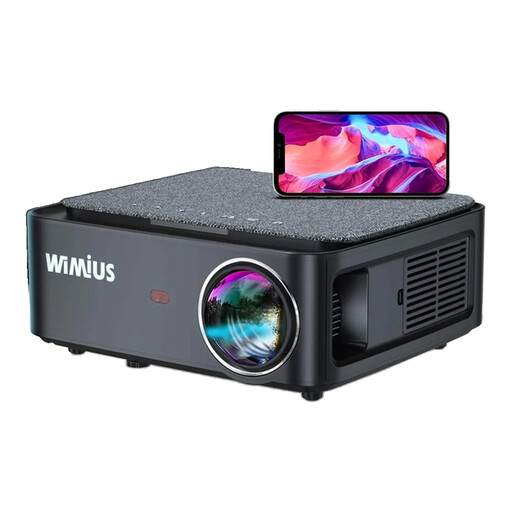
Wimius K1 FHD 1080p Projector
Consider the K1 if the projector must sit at an angle: its title specifies horizontal and vertical keystone correction. It also lists 1200 ANSI lumens and 4K input support; 4K support is not the same as its stated FHD 1080p resolution. Check the correction range and whether you can position it close to square with the screen.
View on Joybuy
 No image available
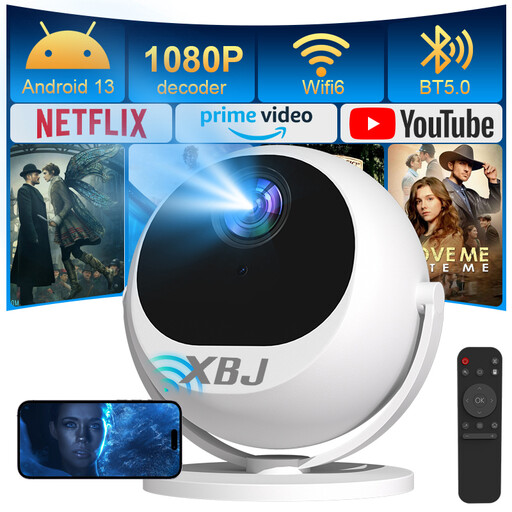
XBJ 360° Portable Projector, European Version
Consider this model if you want to change the projection direction between a table, wall and ceiling. Its title lists 360° rotation, Full HD 1080p and automatic keystone. If the projector must sit to one side of the screen, confirm that its keystone correction works horizontally.
View on Joybuy
 No image available
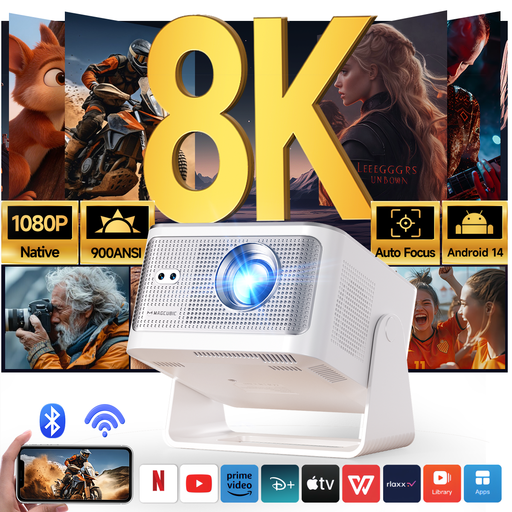
Magcubic HY350Max Native 1080p Projector
Consider the HY350Max for a movable setup where autofocus and rotation are useful. Its title lists 180° rotation, automatic keystone and native 1080p resolution; its separate 8K-support claim does not mean it projects a native 8K image. Confirm horizontal keystone capability and its range if side placement is essential.
View on Joybuy
Frequently asked questions
Will a side-projection projector make the picture brighter from my side seat?
Not by itself. Side-projection features address where the projector sits; the screen surface and viewing cone affect how its image appears from a seat to the side. Check the screen against your regular seating angle even if the projector has horizontal keystone.
Should I choose lens shift instead of keystone correction?
For a planned installation, lens shift is worth comparing if the projector cannot be centred. Keystone digitally squares an angled image, and BenQ notes that adjustment can affect sharpness and other picture qualities. Check the exact lens-shift range against your proposed position; a model’s having lens shift does not mean every offset will fit.
How can I tell whether a projector will fit my room?
Choose your intended image size, then compare the exact model’s throw-distance and zoom ranges with the available projector-to-screen distance. ProjectorCentral says its throw calculator uses manufacturer-supplied figures that may change, so confirm the final placement with the supplier before committing to a fixed setup.


