Choose the screen for the side seat before choosing a projector for its brightness. A matte-white screen material with a stated wide viewing angle addresses off-centre seating more directly; then choose a projector whose throw distance and placement suit the room. A near-wall projector or flexible lens controls cannot, on their own, change how the screen reflects light towards side seats.
Who this setup suits
Regular side-seat viewers
If you usually watch from the end of a sofa or an armchair off to one side, start with the screen material and its stated viewing angle. That is more directly relevant to light reaching your seat than projector brightness alone.
Viewers planning a fixed cinema setup
If you can dim the room and mount a fixed screen, optical zoom and lens shift can help position the projector without moving the screen. Check the screen separately for everyone's seating position.
Living-room big-screen viewers
If there is no practical projector position farther back in the room, an ultra-short-throw model offers a near-wall layout. Confirm that the exact screen material suits that projector type and the side seats.
What to check before buying
Set out the seats and screen position first. Then choose between a conventional projector position and a near-wall one; treat brightness and picture specifications as further checks, not substitutes for the screen decision.
Standard-throw setup
Choose when: You have space between projector and screen but need optical adjustment to align a fixed image.
Allow for: The required throw distance and a separate wide-angle screen choice for side seats.
Ultra-short-throw setup
Choose when: A projector farther back is impractical and near-wall placement fits the room.
Allow for: Screen-material compatibility and off-centre viewing, which near-wall placement does not resolve.
| Concern | What to check | Who this matters to |
|---|
| Side-seat image |
Check the exact screen material's stated viewing angle and compatibility with your projector type. |
If I sit well off centre, I want the screen to direct a usable image towards my seat, not just the middle of the sofa. Roughly 36% of consumers would put side-seat image consistency first. |
| Placement |
Measure the available throw distance; check optical zoom and horizontal or vertical lens shift where needed. |
When the projector cannot go in the usual central or rear position, fitting the image to the screen becomes my first hurdle. Placement would come first for roughly 29% of consumers. |
| Concert picture |
Compare stated resolution and supported HDR formats; check colour and motion specifications against your viewing preferences. |
With the seats and screen settled, I care most about how stage detail and lighting will look. For roughly 21% of consumers, picture characteristics would be the primary concern. |
| Shared-room use |
Check stated brightness on a comparable measurement basis, available light control and the image size possible at your placement distance. |
If the room cannot always be darkened, I need a setup that fits everyday viewing conditions. Roughly 14% of consumers would prioritise that practicality. |
Setup mistakes to avoid
-
Choosing the projector before planning the screen
A brighter projector cannot by itself make a screen distribute light evenly towards side seats.
Mark the seating positions first, then check the exact screen material's viewing angle and projector compatibility before settling on a projector position.
Leaving the screen decision until installation can mean remounting the setup or changing the screen.
-
Treating lens shift as a side-seat fix
Lens shift changes where the image lands on the screen, not how the screen reflects it towards viewers. Epson specifies substantial lens shift for the EH-LS12000B, but screen viewing angle remains a separate choice.
Use lens shift to plan mounting and assess the screen material for off-centre seats independently.
-
Assuming near-wall placement solves every constraint
An ultra-short-throw projector changes where the projector sits; it does not establish that a particular screen works well from the side.
Before fixing the projector position, confirm that the exact screen material is suitable for ultra-short-throw projection and check its stated viewing angle.
-
Reading specifications as a room comparison
Published brightness and colour figures describe specified models under their stated measurement bases. They do not establish how different projector-and-screen combinations will look from your side seat.
Check throw distance, screen choice and room lighting alongside model specifications, and compare brightness figures only where their measurement bases match.
Relevant brands to consider
Epson
Epson's cited models illustrate both a fixed standard-throw installation and a near-wall layout.
- Epson specifies vertical lens shift of ±96.3% and horizontal shift of ±47.1% for the EH-LS12000B, giving installers adjustment options for a fixed screen.
- Epson specifies an 80-inch image from 2.3 cm from the wall for the EH-LS800B, but that placement figure says nothing about the chosen screen's side-seat performance.
BenQ
The cited BenQ models address different installation conditions: a multipurpose room and a dedicated cinema layout.
- BenQ specifies 3,300 ANSI lumens and a 1.13–1.47 throw ratio for the TK860i; the W5850 is specified with a 1.0–1.6 throw ratio and 1.6x zoom.
- The TK860i's specified +10% vertical lens shift makes mounting geometry worth checking. Screen viewing angle remains a separate consideration for either model.
Elite Screens
A screen-material reference for the side-seat decision, rather than a projector alternative.
- Elite Screens specifies a 180° viewing angle for its CineWhite matte-white material and lists compatibility with standard, short-throw and ultra-short-throw projection.
- Check the exact screen model, mounting format and room-light conditions before applying those material specifications to an installation.
Joybuy projectors for home viewing
This projector is a home-viewing option to assess against your room and screen plan. Its specifications do not replace a check of the screen's viewing angle for side seating.
 No image available
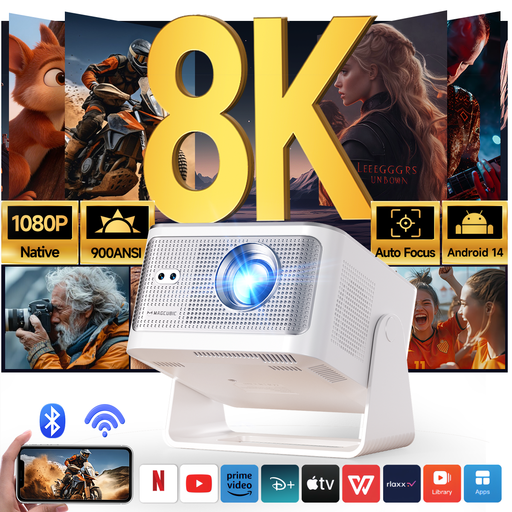
Magcubic HY350Max Smart Projector, Native 1080P, 8K Supported
If projector placement is constrained, check the required distance and resulting image size against your intended screen before choosing this model.
The product name specifies native 1080P, Android 14, Bluetooth 5.4, 180° rotation and automatic keystone correction. Check the exact screen's viewing angle and compatibility for the side seat.
View on Joybuy
Common questions
Can a projector alone improve the image from a side seat?
A projector change alone cannot establish good off-centre viewing; the screen material matters directly. Elite Screens specifies a 180° viewing angle for CineWhite material, while PSM Screens specifies 160° for ProWhite. Check the exact screen you plan to use rather than treating either material figure as a result for your whole setup.
Is an ultra-short-throw projector better for side seating?
Not on placement alone: ultra-short throw addresses where the projector sits, while side-seat viewing still depends on the screen. Epson specifies that the EH-LS800B can produce an 80-inch image from 2.3 cm from the wall; check the exact screen material's ultra-short-throw compatibility and stated viewing angle separately.
How large should the screen be for concert films?
Size the screen around the regular seating positions, available wall space and the projector's ability to fill it. ProjectorScreen.com suggests a viewing angle of roughly 36° from the farthest seat for a home theatre; use that as a planning reference, then check that viewers at the sides can see the chosen screen comfortably.


