What matters when buying?
Start with the farthest side seat, then assess the room light and the space available for the projector. A brighter model or shorter throw does not, by itself, make a screen suitable for off-centre viewing.
| Concern | What to check | Who this matters to |
|---|
| View from the side seat |
Measure the seat’s angle from screen centre; check the exact screen material’s stated viewing angle and compatible projector throw type. |
If I sit away from the middle, I need recipe measurements to remain readable at my seat. Around 50% of consumers put side-seat visibility first. |
| Room light and image detail |
Assess light falling on the screen and compare rated brightness for that setting. Epson’s UK guide places 500–1,500 lumens in controlled-light portable use and 2,500–3,500 lumens in living rooms with some ambient light. |
With daylight or lamps on, I want to follow captions and close-up preparation without darkening the room completely. Keeping those details visible is the main concern for around 30% of consumers. |
| Projector placement |
Measure projection distance and the available surface; check throw type and physical adjustment options before relying on digital keystone. |
If the projector has to sit on a cabinet or to one side, I need a workable position without extensive image correction. Roughly 20% of consumers prioritise fitting the setup into their space. |
Joybuy screen options
This foldable screen is a component of a side-seat viewing setup, not a projector. Pair it with a projector chosen for your room light and available placement space.
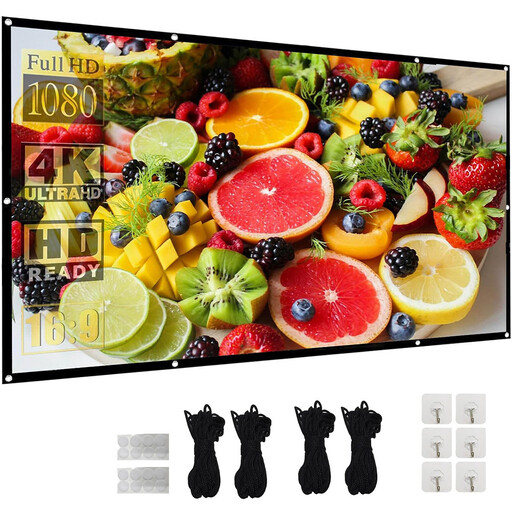 Image unavailable
XBJ 120-inch 16:9 Foldable Double-Sided Projector Screen
For a temporary side-seat setup, this screen offers a foldable surface to pair with a separate projector.
The listing states a 160° viewing angle and includes ropes and hooks. Check how that angle applies to your farthest seat, and confirm the screen’s suitability for your projector’s throw type and room lighting before buying.
View on Joybuy
Common questions
Will a brighter projector fix a dim picture from a side seat?
Not necessarily: projector brightness and the screen’s off-centre viewing angle address different parts of the problem. Legrand AV’s Da-Lite guidance explains that gain screens can direct more light towards viewers while narrowing the viewing angle, so check the screen surface as well as rated lumens.
Should I choose an ALR screen for daytime cookery shows?
Consider one if controlling room light is impractical, but choose the exact material for both your projector type and side-seat position. Elite Screens lists substantially different viewing angles across its materials; an ALR label does not establish that every seat will have a suitable view.
Can automatic keystone compensate for placing the projector to one side?
It can help square the image, but it should not replace a workable physical position. BenQ says keystone correction can affect edge appearance, sharpness and image size, so check throw distance and alignment before depending on substantial correction.
What electrical-safety information should I check for a UK projector?
Check the product’s electrical-safety information for the place where it will be supplied and used. GOV.UK says the Electrical Equipment (Safety) Regulations 2016 set requirements for equipment placed on the Great Britain market; confirm the applicable requirements separately if your delivery is to Northern Ireland.


