For a regular side-seat viewer, check the screen before choosing a brighter projector: a high-gain surface can concentrate reflected light towards central seats and leave the picture dimmer off axis. Then choose a projector whose throw distance and placement controls fit the room, while checking colour and HDR features against the historical dramas you watch; neither lens shift nor keystone correction changes the screen’s viewing angle.
Who needs a side-seat setup
Regular side-seat viewers
If your usual seat is well away from the centre, screen material deserves attention before projector brightness. ProjectorScreen.com explains that higher-gain screens can have narrower viewing angles, so check whether the screen’s stated viewing cone covers your seat.
Viewers who darken the room for films
If costumes, interiors and shadowed scenes matter most to you, compare the projector’s stated colour and HDR features alongside the lighting conditions in which you will watch. Epson positions its EH-LS9000B for a controlled-light home-cinema room.
Viewers fitting a projector into a small room
If distance or mounting position limits your choices, work from the planned screen size and available projector-to-screen distance. Throw ratio, optical zoom and lens shift can affect room fit, but they cannot widen a screen’s viewing cone.
What matters when choosing
Settle the screen and side-seat position first, then check whether the projector can produce the intended image size from its available position. Picture features are most useful to compare once those two conditions are met.
| Concern |
What to check |
Who this matters to |
| Side-seat brightness |
Check the screen’s horizontal viewing cone or half-gain angle against your seat position. Confirm that the screen material suits the projector type. |
If I normally sit to one side, I want the picture to remain watchable there, not just from the middle. Around 42% of consumers put side-seat brightness first. |
| Colour and dark scenes |
Compare stated colour coverage, calibration information and supported HDR formats for the exact model. Consider whether you can control room light. |
When I watch costume detail and shadowed interiors, I care most about how the picture handles those scenes. Roughly 33% of consumers make film-picture fidelity their primary concern. |
| Room fit |
Measure screen width and lens-to-screen distance, then check the model’s throw ratio and optical adjustment range. |
If the room limits where I can place the projector, I need the planned image size to fit before weighing other features. Around 25% of consumers prioritise placement and room fit. |
Buying mistakes to avoid
-
Choosing screen gain for the centre seat alone
ProjectorScreen.com explains that higher gain can narrow the angle over which reflected light is distributed. A screen that looks bright head-on may therefore look dimmer from your usual side seat.
Compare the screen’s stated viewing cone or half-gain angle with your seating position before making projector brightness the deciding specification.
-
Assuming a Fresnel screen suits every seat
A ProjectorScreen.com review identifies degraded off-axis viewing as a drawback of the Fresnel ultra-short-throw screen it examined. Its result should not be treated as the performance of every Fresnel screen.
If you are considering this pairing, check the exact screen’s viewing-angle specification, projector compatibility and appearance from your furthest side seat.
-
Planning around keystone correction instead of throw distance
Lens shift and digital geometry controls help position an image, but they do not establish that your chosen screen size fits the available distance or that the screen stays bright off axis.
Measure the room and check the exact model’s throw ratio and optical adjustment range before relying on keystone or corner correction.
-
Overlooking the power arrangement
A projector intended for a different market may require closer attention to its supplied plug and power information. The Health and Safety Executive advises checking that electrical equipment suits the supply with which it will be used.
Confirm the supplied power arrangement and applicable product information before purchase; do not use a damaged plug or cable.
Projector brands for reference
These examples illustrate different projector-placement priorities; each still needs a screen that works for the intended side seat.
Epson
The EH-LS9000B is positioned for a dedicated, controlled-light home-cinema room.
- Epson specifies motorised lens shift, zoom and focus, alongside HDR10+ and lens-memory settings for this model.
- Its placement controls do not establish how bright a particular screen will appear from the side.
BenQ
The W2720i offers a conventional home-cinema route for viewers comparing published colour information and modest optical placement adjustment.
- BenQ claims 90% DCI-P3 and 98% Rec.709 coverage and specifies ±5% vertical lens shift for the W2720i.
- Check whether that lens-shift range is sufficient for your mounting position; the colour figures are manufacturer claims, not a side-seat screen measurement.
ViewSonic
The X2-4KE Pro is a short-throw option to investigate when room depth limits projector placement.
- ViewSonic specifies a 0.69–0.83 throw ratio and states that the model can project a 100-inch image from 1.5 m.
- Short throw helps with distance, not the screen’s off-axis viewing characteristics; check the planned screen pairing separately.
Joybuy projector options
These projectors offer different setup controls for home viewing. For any of them, confirm the planned screen’s viewing angle and the projector’s fit in your room before deciding how it will work from a side seat.
 No image available
Magcubic HY350Max native 1080p projector, 8K supported
Consider this model if projector-to-screen distance is limited, but check its stated throw against your planned image size. The listing specifies a 1:1 throw ratio, native 1080p and autofocus; its auto keystone and screen-fit functions assist setup rather than side-seat brightness.
Check the screen’s viewing cone for your seat, and confirm the supplied power arrangement before purchase.
View on Joybuy
 No image available
Wimius K1 native 1080p projector, 4K support
Consider this model if adjusting image geometry is important in your room. Its listing states horizontal and vertical keystone correction and zoom, as well as native 1080p; those controls do not establish optical lens-shift range or brightness from a side seat.
Check the throw distance for your screen, its viewing cone for your seat and the supplied power arrangement.
View on Joybuy
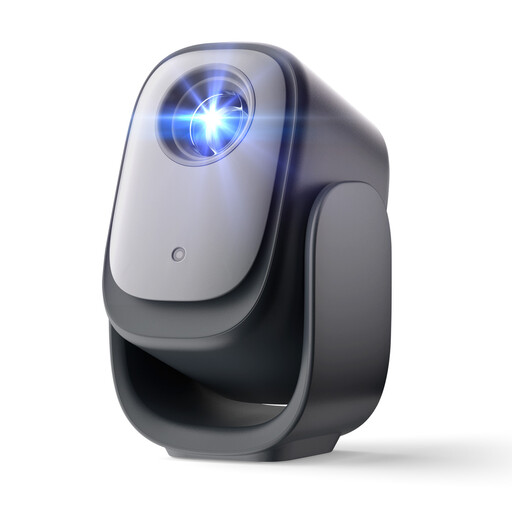 No image available
Dangbei N2 Mini 1080p projector
Consider this compact model if you expect to reposition the projector: its listing states autofocus, auto keystone correction and obstacle avoidance. Those setup features do not establish the image size it can produce at your available distance.
Check its throw requirements, the screen’s viewing cone and the supplied power arrangement before choosing it for a regular side seat.
View on Joybuy
Common questions
Will a brighter projector fix a dim picture from my side seat?
Not necessarily: the screen also determines where reflected light goes. ProjectorScreen.com explains that higher-gain screens can have narrower viewing angles, so compare the screen’s viewing cone with your seat position before choosing on projector brightness alone.
Is a Fresnel screen suitable for side seating?
Check the exact screen before choosing one for a side seat. A ProjectorScreen.com review found degraded off-axis viewing with the Fresnel ultra-short-throw screen it examined; confirm both the viewing-angle specification and compatibility with your projector.
Can lens shift solve an off-axis viewing problem?
No. Lens shift moves the projected image to help align it with the screen; it does not change how that screen reflects light towards side seats. Check screen viewing angle separately from the projector’s lens-shift range.
What should I check before using a projector in Great Britain?
Check that the supplied power arrangement suits your electrical supply, and inspect the plug and cable before use, as advised by the Health and Safety Executive. Confirm the seller’s applicable product and conformity information for Great Britain rather than assuming that information for another market applies.


